Guides
Sending Emails, Warmup and Rotation
A sending email is an address your emails come from, like [email protected], on a domain you've verified. Warmup
raises a new address's daily limit slowly so inboxes learn to trust it, and rotation spreads a campaign across several
addresses.
The Free plan includes 1 domain and 1 sending email. A plan removes both limits.
Add a Sending Email
Where to find it
Sending Emails › Add Sending Email
Go to Sending Emails and click Add Sending Email. Pick a verified Domain, enter the Email Address, and choose whether it's your primary address (Set as primary sending email). Replies to it come into your inbox once you connect its mailbox (see Inbox).
Warm Up a New Address
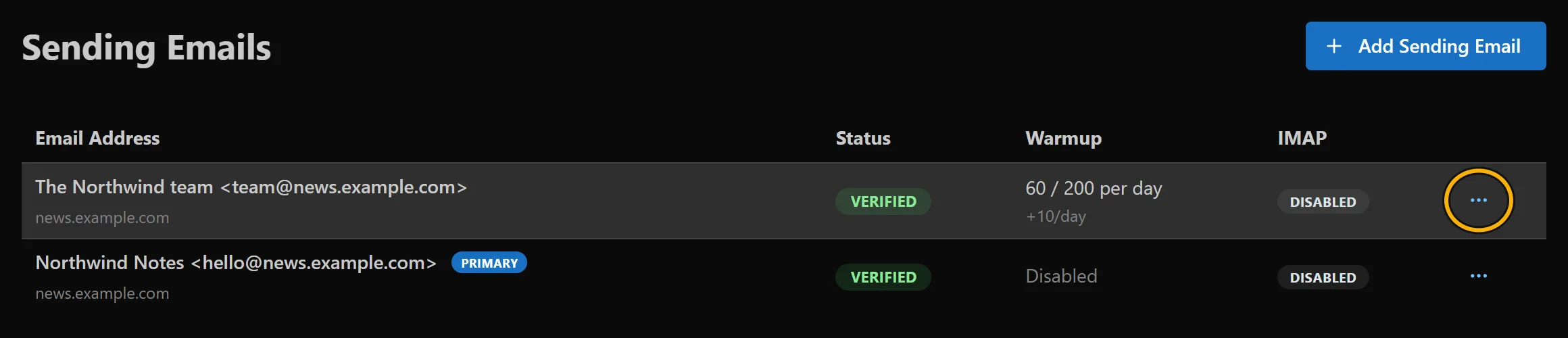
Where to find it: Sending Emails › the ⋯ menu on an address › Configure Warmup.
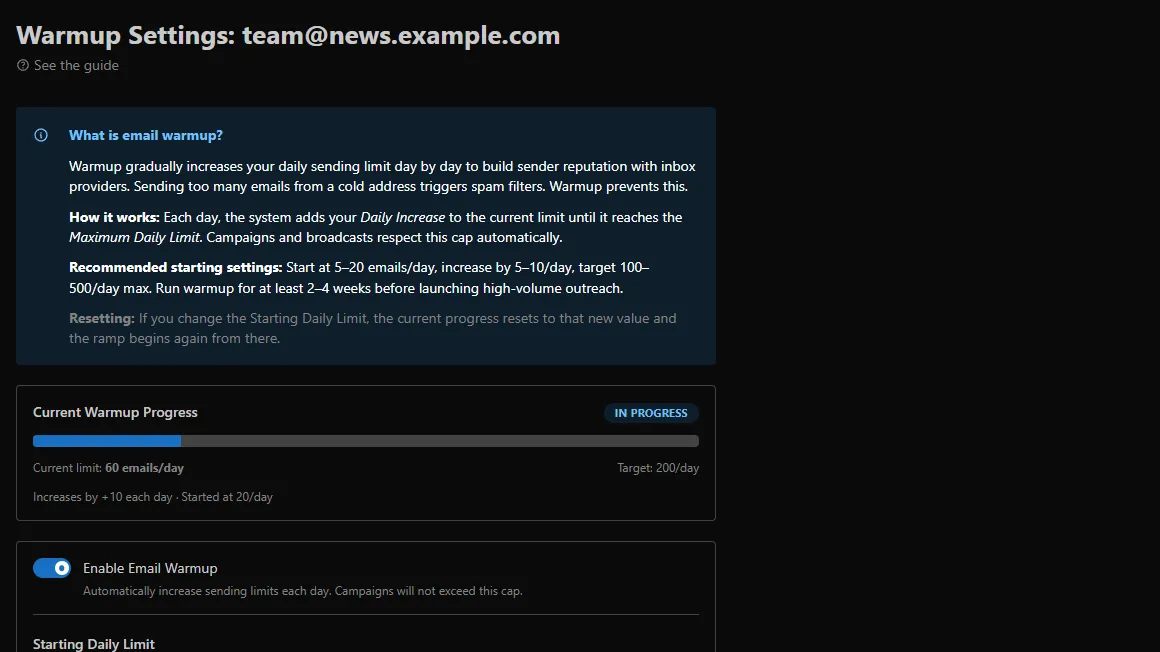
Turn on Enable Email Warmup and set where it starts, how much it grows each day and where it stops (for example 20 a day, plus 10 a day, up to 200). Campaigns and broadcasts never send more than the day's limit from that address. The Warmup column on Sending Emails shows where each address is.
Send From Several Addresses (Rotation)
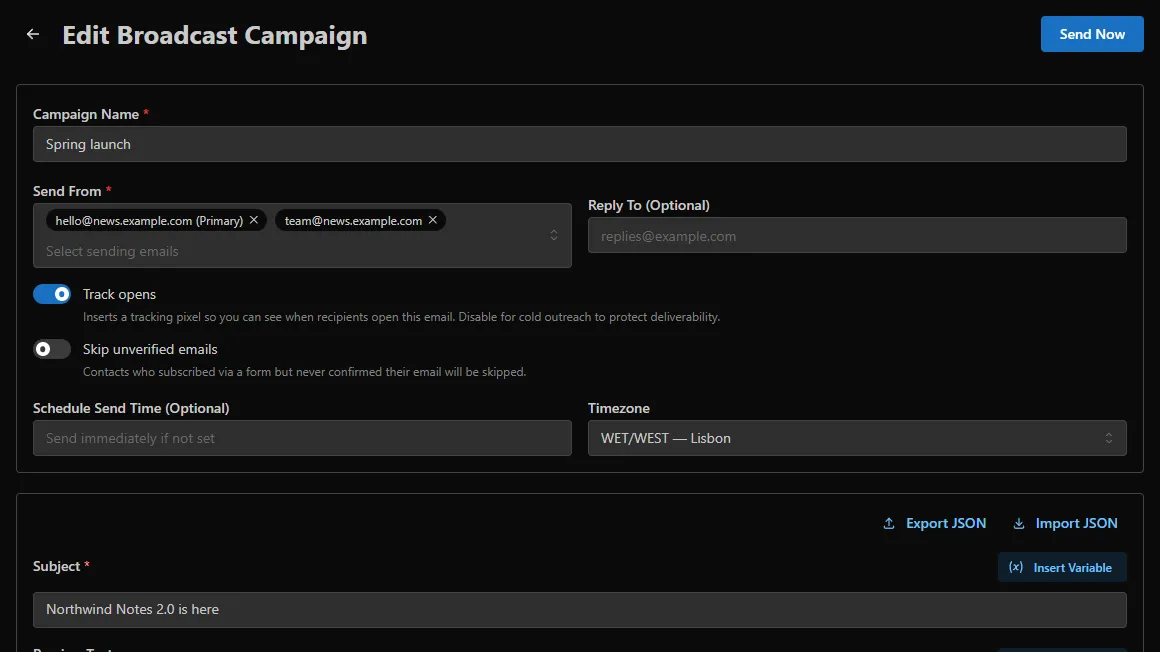
In a campaign's Send From, pick more than one address. Each email then goes out from the address best placed to send it, within each address's warmup limit, so no single address carries the whole send.