
Plain Text vs HTML Email: Which Wins for Deliverability?
Deciding between plain text vs HTML email? This 2026 guide compares deliverability, engagement, and tracking to help you choose the right format.
Most advice on plain text vs html starts in the wrong place. It starts with aesthetics.
That’s backwards.
The decision isn’t whether a designed email looks better. It’s whether that design helps or hurts the job the email needs to do. If you run lifecycle, cold outreach, retention, or transactional traffic on your own infrastructure, the format choice affects inbox placement, sender reputation, warmup speed, analytics quality, and operating cost. A pretty email that lands in Promotions or spam is still a bad email.
For a lot of high-intent sends, plain text wins where it matters most. Multiple industry studies summarized by Automateed report that plain text emails consistently achieve 25-42% higher open rates than HTML emails, and HubSpot testing cited there shows that even a single GIF can cut opens by as much as 37% because minimalist emails are less likely to trigger filters or get pushed into Promotions (Automateed’s summary of plain text vs designed email performance).
That doesn’t mean HTML is dead. It means teams often use it too early, too often, and for the wrong campaigns.
The Unpopular Truth About HTML Emails
HTML email became the default because marketers wanted control. Brand fonts, product blocks, columns, buttons, hero banners, countdowns. All of that feels like progress until you look at deliverability.
The problem is simple. Mailbox providers don’t reward effort. They reward trust.
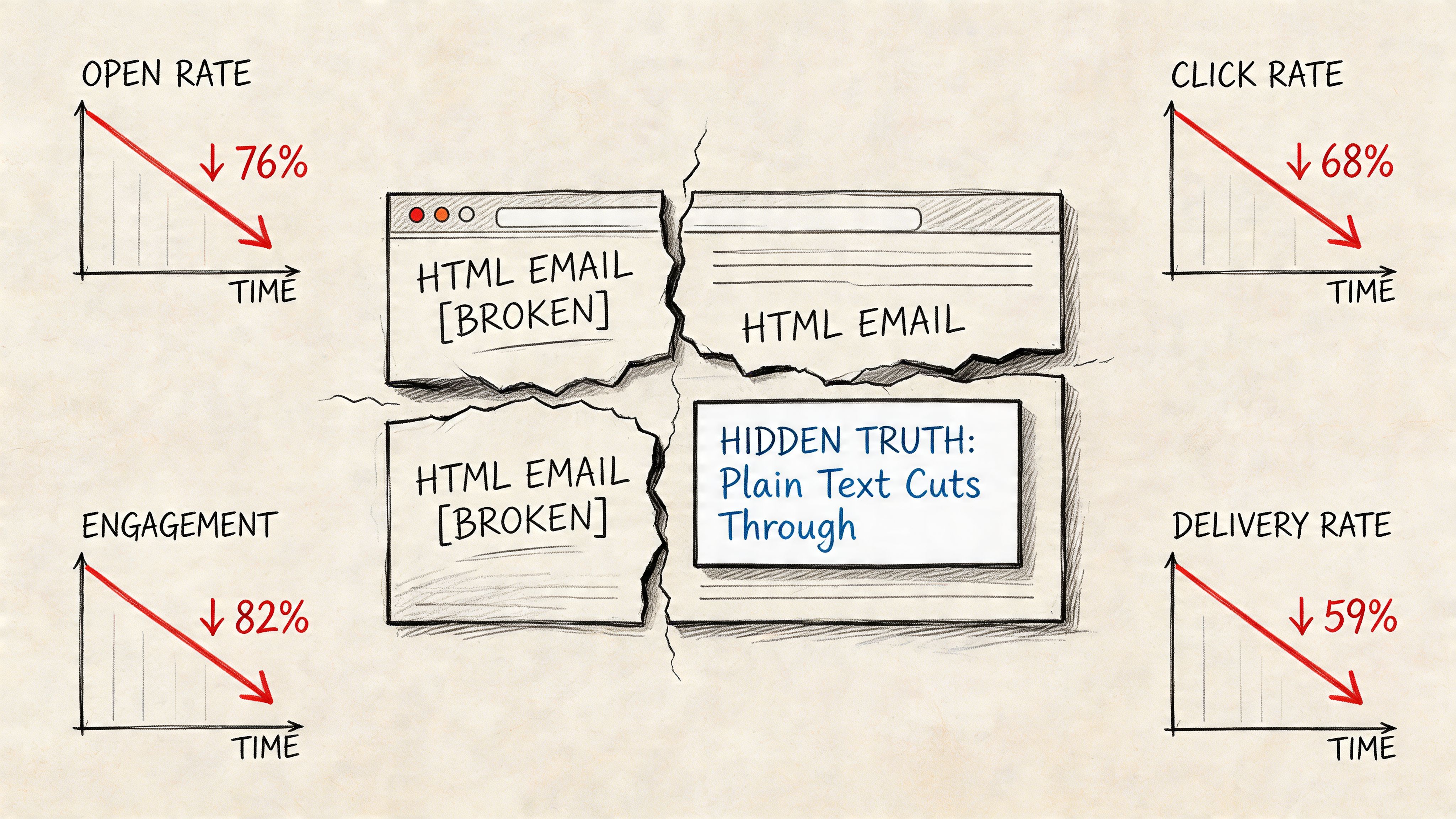
Why beautiful emails often lose
A fully designed email carries baggage. More code. More markup. More links. More image requests. More ways to render badly in Outlook, Gmail, Apple Mail, or mobile apps. Every added layer increases the chance that the message looks promotional instead of personal.
That matters because the inbox is not a design contest. It’s a trust filter.
When teams ask why reply-driven campaigns work in one tool and underperform in another, the answer often isn’t copy. It’s format. The email stopped looking like a person wrote it. It started looking like a campaign.
HTML is strongest when visual presentation is the point. It’s weakest when trust, speed, and direct response are the point.
Where the default advice breaks down
The usual recommendation is to send HTML because “you need branding.” That’s reasonable for launches, newsletters, and retail promos. It’s weak advice for onboarding nudges, founder emails, renewal reminders, lead follow-ups, and cold outbound.
Those emails aren’t trying to impress. They’re trying to get opened, read, and answered.
If your team sends through Amazon SES or another direct provider, this trade-off gets sharper. You’re not renting insulation from a giant ESP’s shared systems. Your reputation is your own. That makes format choice part of infrastructure strategy, not just creative direction.
Understanding the Technical Differences
A lot of confusion around plain text vs html comes from treating them like two separate campaign types. Technically, they often travel together.
What plain text actually is
A plain text email contains only characters. No layout tables, no image tags, no styled buttons, no tracking pixel embedded in markup. It’s just the message.
That simplicity does two things well. It reduces opportunities for rendering problems, and it gives mailbox providers less code to inspect.
A plain text message also forces discipline. Subject line, opening line, body copy, and call to action have to carry the campaign. You can’t hide weak messaging behind polished design. It’s the same discipline behind writing a formal email: every part has one job.
What HTML email actually is
An HTML email includes markup that tells the client how to display the message. That’s how you get colors, spacing, columns, buttons, logos, product grids, and image-based layouts.
The trade-off is fragility.
Email HTML isn’t modern web HTML. It’s a constrained, inconsistent environment where clients support different CSS rules and strip or alter parts of your code. Outlook may render one way. Gmail another. A dark mode app might invert elements you didn’t expect. A missing fallback can turn a clean layout into a broken one.
Why multipart matters
Best practice is usually multipart/alternative. That means one email includes both versions: a plain text part and an HTML part. The receiving client decides which to render.
This is important for two reasons:
- Compatibility: older or restrictive clients can fall back to text.
- Resilience: if the HTML version fails, the message still exists in a readable form.
Practical rule: even when you send HTML, write the plain text version like it might be the only version the recipient sees.
Where technical risk enters
The biggest mistake isn’t using HTML. It’s shipping bad HTML.
Risk tends to show up through:
- Bloated markup that looks machine-generated rather than conversational.
- Too many assets such as images, GIFs, and linked resources.
- Tracking-heavy templates that pile on pixels and redirects.
- Template sprawl where each campaign introduces small code issues no one audits.
Plain text avoids most of that by design. HTML can still work well, but only when the team building it understands that every visual element has a deliverability cost.
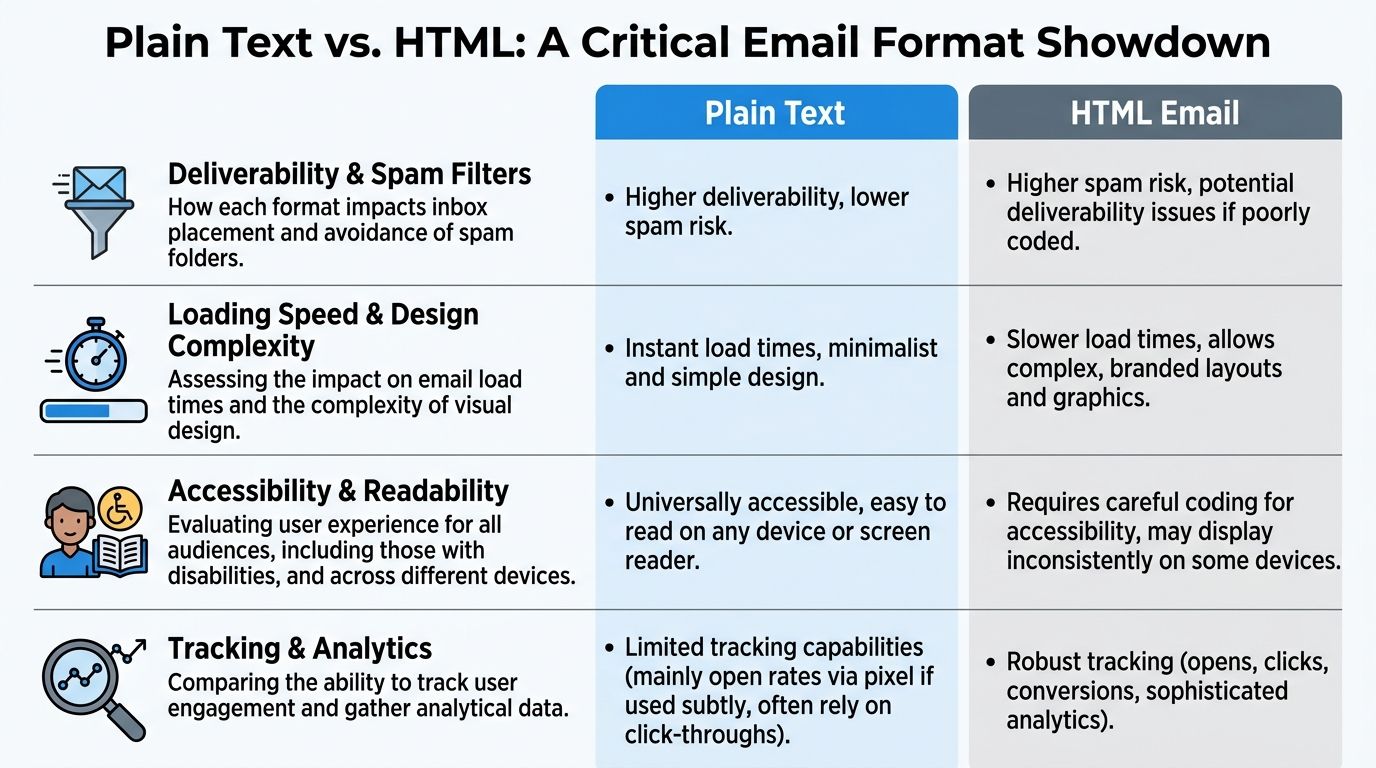
A Criteria-Based Comparison of Plain Text and HTML
The format decision affects more than clicks. It changes how aggressively you can warm an IP, how much template QA your team has to fund, and how much risk you put on your domain reputation each time you press send.
That is the scorecard.
| Criterion | Plain Text | HTML |
|---|---|---|
| Deliverability and spam filter behavior | Lower complexity, fewer failure points, often better suited to reputation-sensitive sends and early warmup | More code, more assets, more ways to trigger classification as promotional mail if the build is heavy or inconsistent |
| Engagement pattern | Often stronger for replies, direct response, and relationship-driven messages | Often stronger when the click depends on product imagery, layout, or multiple offers |
| Tracking and analytics | Limited measurement. Click tracking is possible, but open tracking and content-level interaction are restricted | Better support for pixels, click tracking, link attribution, and block-level reporting |
| Production cost and operational overhead | Faster to write, cheaper to QA, easier to maintain across large send volumes | Higher build and testing cost, especially across Outlook, Gmail, Apple Mail, dark mode, and mobile apps |
| Brand presentation | Relies on copy, offer, and sender identity | Better for visual hierarchy, merchandising, and strict brand control |
Deliverability and filter behavior
Plain text usually gives you a cleaner path when sender reputation is still being established or repaired. That matters during domain ramp-up, dedicated IP warmup, and any period where complaint spikes or weak engagement could push mail into spam or Promotions.
The reason is simple. Plain text has fewer moving parts. No image payloads, no styling bloat, fewer redirects, and less code that can break or look machine-generated. For teams sending through Amazon SES or similar infrastructure, that simplicity has practical value. Cleaner mail is easier to scale safely, and mistakes are cheaper.
HTML can perform well, but only if the template discipline is tight. Once marketers start stacking hero images, hidden preheader hacks, multiple tracked buttons, and reusable blocks from different campaigns, the margin for error gets thin. Inbox placement problems rarely come from HTML alone. They come from heavy HTML sent through an account that has not earned much trust yet.
Engagement metrics
HTML does not automatically win on performance. In reply-driven email, it often loses.
Campaign Monitor found that plain-text style emails can outperform heavily designed campaigns in engagement, especially when the message is personal and the call to action is singular (Campaign Monitor on plain text versus HTML email performance). That matches what I have seen with onboarding emails, founder notes, sales-assist sequences, renewal reminders, and win-back messages. If the goal is a reply or a simple click, polished design can lower response by making the message feel like a campaign instead of a conversation.
HTML earns its keep in different contexts. Product launches, newsletters, category promotions, and multi-item offers often need visual hierarchy. If the recipient has to compare options, scan several links, or see the product to care, a plain text message can leave money on the table.
Tracking and analytics capabilities
HTML gives marketing teams better instrumentation. That is useful, but it is not free.
Open pixels, visual click maps, link-level attribution, and content block reporting all depend on HTML. Those tools help with testing, merchandising decisions, and stakeholder reporting. They also add redirects, tracking parameters, and external calls that increase message weight and complexity.
Plain text strips a lot of that away. You still get link tracking if your platform supports it, but measurement is narrower. For some teams, that is a fair trade because the simpler format protects inbox placement and reduces production time. For others, especially ecommerce and media brands, the loss of reporting is too expensive.
Total cost of ownership holds significance. On your own infrastructure, every extra asset, QA cycle, and rendering fix has a real labor cost. If you send at scale through SES, the platform fee may stay low while internal production cost climbs fast.
Production cost and branding potential
HTML is more expensive to run well than many teams admit. Design work is only part of the bill. The primary cost comes from template maintenance, rendering tests, dark mode checks, accessibility fixes, and troubleshooting odd client behavior after launch.
Plain text is cheaper operationally. It is faster to produce, harder to break, and easier to standardize across lifecycle, support, and outbound programs. That makes it useful for high-frequency sends where consistency matters more than presentation.
Branding is the trade-off. HTML gives stronger control over layout, visual identity, and merchandising. Plain text has to carry the brand through voice, structure, and offer quality. That can still work extremely well. In fact, some of the highest-trust programs I have managed used almost no design at all because the sender name and message quality did the branding.
The practical choice is not plain text versus HTML in the abstract. It is which format fits the risk of the send, the maturity of your reputation, and the economics of your stack. If the campaign must look beautiful to convert, use HTML and accept the build discipline that comes with it. If the campaign must land, get read, and protect a warming domain, plain text is often the better business decision.
Accessibility and User Experience Across Devices
Accessibility is where plain text earns a lot of respect. It doesn’t need much help to remain readable.
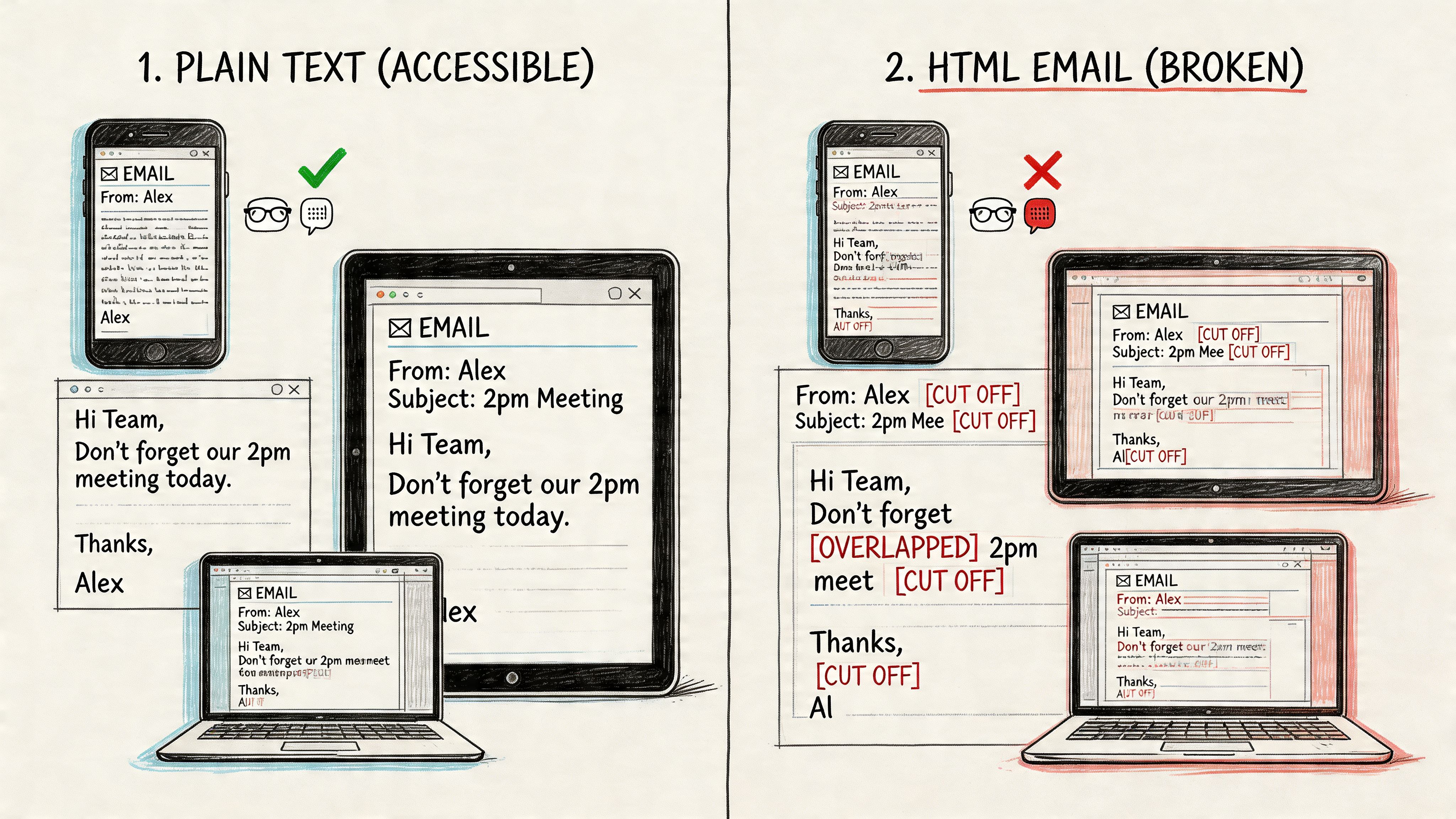
Screen readers and reading flow
Plain text gives screen readers a clean path. There’s no decorative markup, no nested table maze, no image-only button with weak fallback text. The reading order is usually exactly the writing order.
HTML can be accessible, but only if someone builds it that way. In practice, many marketing emails aren’t. They rely on visual stacking, spacer elements, image text, and button structures that make sense to a designer but create friction for assistive technology.
That problem doesn’t always show up in QA because the campaign still “looks right” in a visual preview.
For audiences using screen readers, a plain text message often feels more honest and less exhausting. The same plain-text-first rule applies when an email gets turned into a text message, as in texting an email. That isn’t just a compliance issue. It changes how your brand is experienced.
Legacy clients and mobile rendering
Device fragmentation still matters. Apple Mail may be forgiving. Outlook often isn’t. Mobile apps can clip, reflow, or invert design elements in ways that wreck the intended layout.
Plain text avoids most of that because there’s almost nothing to break.
HTML creates UX risk in several ways:
- Broken alignment: columns collapse or stack awkwardly.
- Dark mode conflicts: logos disappear or text contrast drops.
- Tiny tap targets: buttons become harder to use on smaller screens.
- Image blocking: the message loses meaning before assets load.
Here’s a useful walkthrough on how formatting affects real-world rendering and usability:
Readability beats decoration
Most recipients triage email quickly. They skim on mobile, in transit, between tasks, or inside crowded inboxes. In that environment, readability matters more than visual flourish.
A plain text email with a strong opening, short paragraphs, and one clear CTA usually feels frictionless. HTML can feel polished, but it can also ask the reader to decode layout before they understand intent.
If the recipient has to work to interpret the message, the format is getting in the way.
Choosing Your Format With Strategic Use Cases
Format choice is a sender reputation decision disguised as a creative decision.
Teams usually debate plain text vs. HTML as if the only question is engagement. The harder question is what each format does to your sending pattern over time. On your own infrastructure, especially with Amazon SES in the mix, that affects warmup speed, complaint risk, template production time, and how much margin you lose to emails that never reach the inbox.
Use plain text for trust-heavy, reputation-sensitive sends
Plain text works best when the job is to get a reply, prompt a simple action, or preserve the feel of one-to-one communication. It keeps the message focused and reduces the number of technical elements that can create friction during filtering or rendering.
Good fits include:
- Cold outreach: the email needs to read like a real note from a person, not a campaign.
- Lead follow-ups: founder-led sales and AE follow-up often perform better when the format feels direct.
- Onboarding nudges: the goal is usage, not design appreciation.
- Renewal reminders and account prompts: recipients need one clear next step.
- Support-style lifecycle emails: the tone should feel human and service-oriented.
There is also a cost angle. Plain text is faster to produce, easier to QA, and cheaper to iterate when you are testing copy across multiple segments. For a team sending through its own stack, that matters. Every extra HTML revision, rendering check, and asset dependency adds operational overhead without always adding business value.
Use HTML when visual structure improves the decision
HTML is worth the complexity when the design helps the recipient understand the offer faster. Product imagery, pricing blocks, content hierarchy, and clear calls to action can improve performance when the email has to do more than deliver a short message.
Strong use cases include:
- E-commerce campaigns: buyers often need images, pricing, and merchandising context.
- Brand newsletters: layout helps readers scan stories and jump to what matters.
- Major announcements: launches, events, and promotions benefit from structured presentation.
- Multi-offer sends: HTML helps organize several destinations without turning the email into a wall of links.
The trade-off is maintenance. HTML introduces more ways to create inbox placement risk if the team gets sloppy. Too many links, heavy image use, aggressive tracking, and bloated code can make a campaign look more promotional than it needs to. In practice, restrained HTML usually ages better than highly produced templates.
Match the format to the sending objective
A simple rule works well. If the email should feel like a message from a person, start with plain text. If it needs to function like a compact storefront or content hub, use HTML.
| Campaign type | Better default |
|---|---|
| Cold outbound or reply-driven sequence | Plain text |
| Transactional and account-based reminder | Plain text |
| Product newsletter with multiple stories | HTML |
| Merchandising or promotional sale send | HTML |
| Founder update to customers | Plain text |
| Visual product launch | HTML |
I usually make one more distinction. Early-stage sends from a new domain or warming IP should bias toward plain text or very light HTML. Mature programs with stable engagement history can support more design. That is the practical trade-off. Beautiful email is easy to justify in a design review. Recovering a damaged sender reputation is slower, more expensive, and much harder to explain to finance.
Implementing Your Strategy With Mailtani
If you use your own sending infrastructure, format choice has operational consequences. This matters most during warmup.
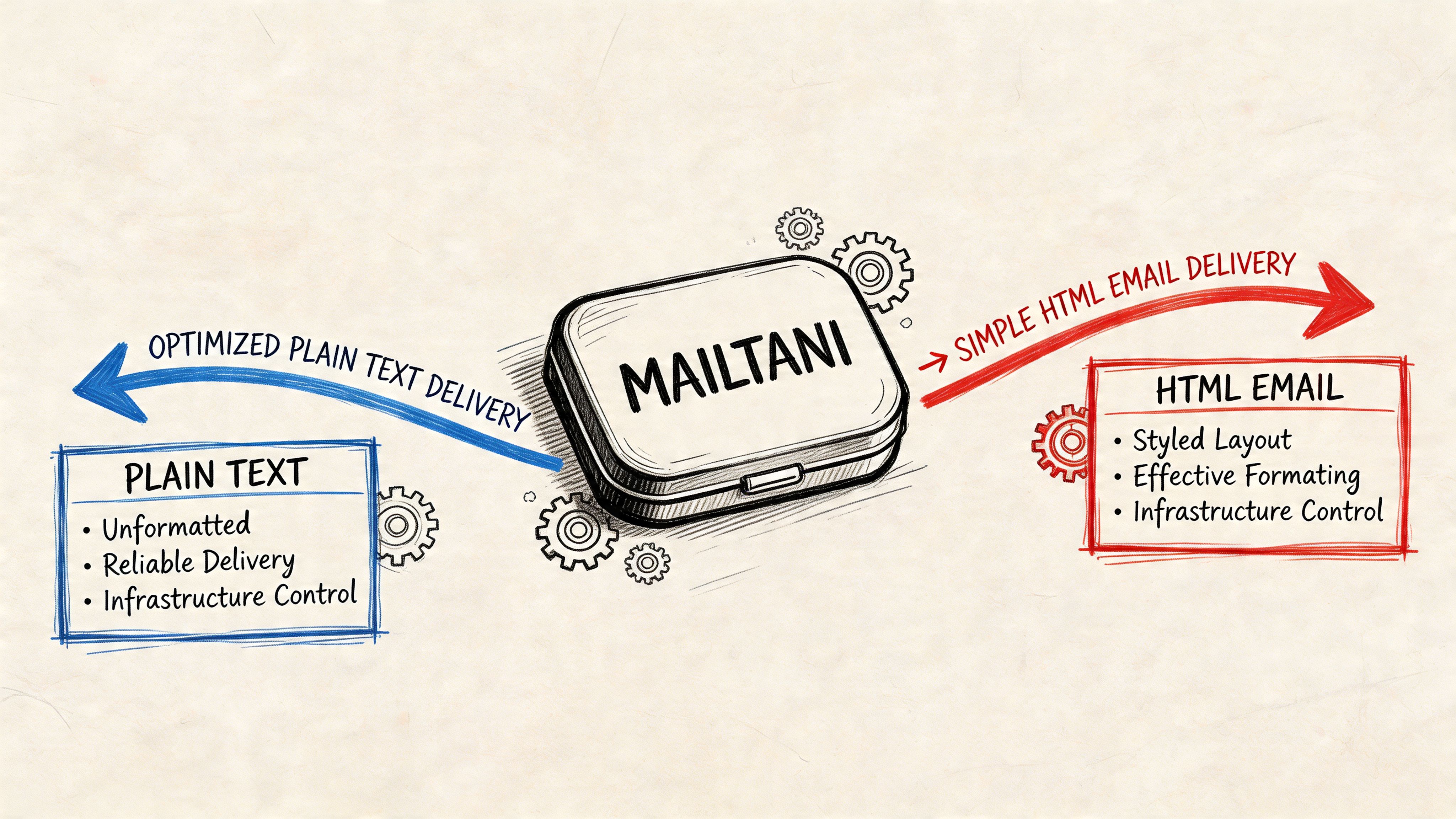
Start with plain text during warmup
Sendcheckit reports that starting with plain text sequences can lead to 15-20% faster reputation building on providers like Amazon SES because the format mimics one-to-one communication and avoids early bulk flags tied to image-heavy HTML (Sendcheckit’s guidance on plain text and IP warmup).
That’s a meaningful operational advantage.
When a domain or IP is new, mailbox providers are watching for signs of legitimate behavior. A plain text sequence with controlled volume, normal reply patterns, and restrained linking looks safer than a designed campaign loaded with assets and trackers.
The point of warmup isn’t to maximize short-term aesthetics. It’s to build a track record.
Use a phased rollout
A clean rollout usually looks like this:
- Begin with plain text sequences for low-volume sends where replies and real engagement are likely.
- Keep the copy conversational and avoid loading the message with tracked links.
- Watch engagement and complaint signals before increasing sending volume.
- Introduce lightweight HTML later for segments and campaigns that benefit from visuals.
- Reserve rich templates for established reputation and audiences that expect merchandised content.
That order matters. Teams often reverse it. They launch with a polished HTML template because it “looks ready,” then spend weeks untangling weak inbox placement.
Protect reputation while preserving measurement
The tension with direct-provider sending is obvious. You want data, but the methods used to capture data can affect placement.
A safer operating model is to separate campaigns by objective:
- Reputation-building traffic: keep this plain text or very light hybrid.
- Revenue-driving promotional traffic: use HTML selectively once the infrastructure is stable.
- Reply-oriented campaigns: strip out anything that makes the email look automated.
- Broadcast analysis: save heavy tracking for campaigns where design performance matters enough to justify the risk.
Treat tracking as a cost center in deliverability. Add it only when the insight is worth the reputation exposure.
Keep ownership in mind
When you send on your own stack, there’s no shared pool to absorb bad habits. That’s a feature, not a bug.
You control the domain reputation, the provider relationship, the sending cadence, and the campaign mix. The upside is cost control and portability. The responsibility is that every template decision now affects your own infrastructure rather than someone else’s.
That’s why plain text vs html isn’t a cosmetic decision for serious operators. It’s part of how you protect long-term sender health.
The Hybrid Approach Your Final Decision Framework
The best answer usually isn’t plain text or HTML. It’s controlled use of both.
Smart teams build a hybrid model. They send multipart emails when appropriate, keep a real plain text version for every campaign, and choose the dominant format based on intent. Not taste. Not habit.
Use this checklist before you send:
- Is the main goal a reply or a conversation? Choose plain text.
- Does the recipient need images or layout to evaluate the offer? Choose HTML.
- Is the domain or IP still building trust? Favor plain text first.
- Will added tracking change the inbox outcome enough to hurt reach? Reduce instrumentation.
- Would the email still work if images never loaded? If not, simplify it.
The hybrid approach also forces better creative discipline. Your copy has to stand on its own, and your design has to justify its presence. That’s a healthier standard than assuming every send deserves a template.
In practice, the strongest programs do this well. They use plain text for trust-building and response-driven flows. They use HTML where merchandising, structure, and visual brand expression improve the outcome. They don’t let design lead strategy.
The winner in plain text vs html is the format that best protects deliverability while helping the recipient act.
If you want the cost control of sending through your own provider without giving up campaign management, Mailtani is built for that model. You can run broadcasts, sequences, automations, segmentation, and IMAP-synced reply handling on top of your own infrastructure, so you keep ownership of sender reputation, portability, and provider costs instead of paying a markup-heavy ESP forever.


