
How To Warm Up Email Domain: 2026 Deliverability Guide
How to warm up email domain - Learn how to warm up email domain effectively. Our 2026 guide offers step-by-step instructions for SPF/DKIM, sending schedules, &

You’ve got a new domain ready, the campaign copy is approved, and the sending platform is connected. Then the first batch goes out and almost nothing happens. Opens are weak, replies are nonexistent, and the few delivery clues you do get point in the wrong direction. That’s the moment senders often realize email infrastructure has memory, and a brand-new domain starts with none.
Knowing how to warm up email domain properly is the difference between building trust and burning a sender identity in its first week. If you control your own infrastructure through providers like Amazon SES or Resend, the upside is real. So is the responsibility. Mailbox providers aren’t grading your intent. They’re grading your behavior.
Why Your New Domain Is Guilty Until Proven Innocent
Mailbox providers don’t see your launch plan, brand guidelines, or revenue targets. They see a sender with no history asking for trust.
That’s why a new domain gets treated cautiously from the first send. If you push volume too early, Gmail, Outlook, Yahoo, and AOL don’t assume you’re a legitimate business having a busy day. They assume you might be a spammer, a compromised system, or a sender they haven’t vetted yet.
The hard reality is this: 90% of cold emails from new domains are flagged as spam without proper warm-up protocols, according to spam placement testing data summarized by Firstsales. That single number explains why so many “good” campaigns fail on brand-new domains. The copy isn’t always the problem. The reputation is.
Sender reputation is built from behavior
A domain starts reputation-neutral. It doesn’t get bonus points because your company is real.
Mailbox providers watch the earliest signals closely:
- Who you send to. Engaged contacts help. stale or risky data hurts.
- How fast you ramp. Sudden volume spikes look suspicious.
- What recipients do next. Opens, replies, and complaints shape trust quickly.
- Whether your traffic stays consistent. Random bursts create doubt.
If you skip warm-up, you’re asking a receiving system to accept unproven traffic at face value. That rarely works.
A new domain doesn’t need a clever first campaign. It needs a believable first pattern.
This matters even more when you run your own sending setup. On a tightly controlled stack, you get cleaner ownership over reputation. You also lose the illusion that a big ESP will hide bad warm-up decisions for you. If the domain earns trust, inbox placement improves. If it sends the wrong signals, the damage belongs to you.
Why warm-up works
Warm-up is reputation seeding. You start with a small group of recipients who are likely to engage, send modest volume, and expand only when the response says it’s safe.
That approach feels slow when a launch deadline is breathing down your neck. It’s still faster than trying to recover a domain that mailbox providers already distrust.
Your Pre-Flight Checklist Before Sending a Single Email
Most failed warm-ups start before the first email. The domain wasn’t authenticated correctly, the wrong sending identity was chosen, or nobody validated the setup end to end.
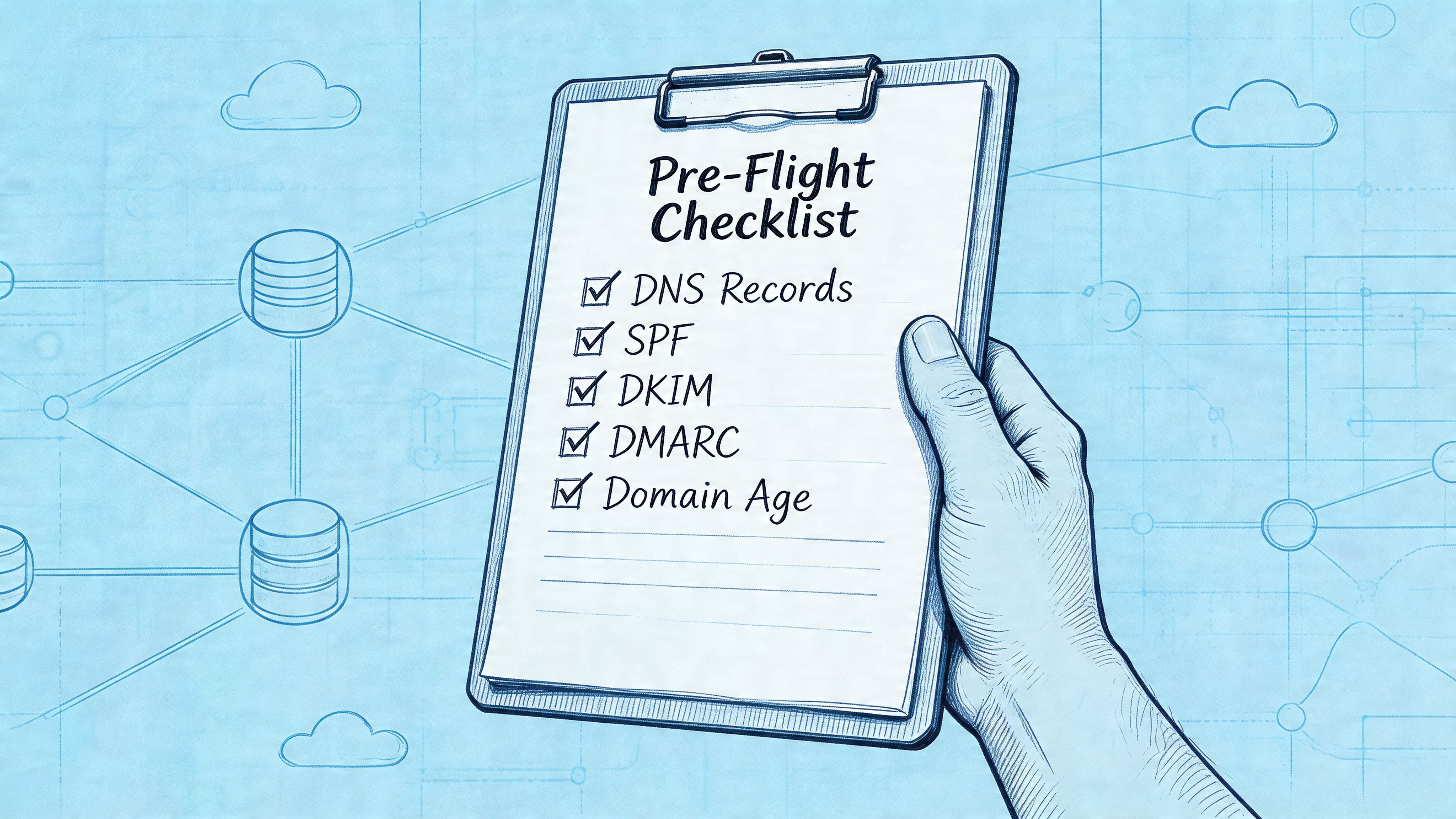
Before you send a single message, lock down the basics. SPF, DKIM, and DMARC are essential authentication records, and Mailreach notes that misconfigured or incomplete DNS records are a common cause of poor deliverability.
Authentication comes first
Each record solves a different trust problem.
- SPF tells receiving servers which systems are allowed to send on behalf of your domain. If you need help building it cleanly, use an SPF record generator instead of guessing.
- DKIM adds a cryptographic signature that helps prove the message wasn’t altered and came from an authorized sender.
- DMARC ties alignment and policy together. It tells receivers how to handle messages that fail authentication and helps protect the domain you’re trying to build.
A lot of teams stop at “record added.” That’s not enough. Records need to be present, aligned, and validated against the exact provider and sending identity you plan to use.
Practical rule: If authentication isn’t verified before launch, you’re not warming a domain. You’re stress-testing mailbox filters.
Choose the right sending domain
Don’t warm your root domain for outreach unless you have a very specific reason and a high tolerance for risk.
A dedicated subdomain gives you separation. If marketing mail runs into trouble, it’s less likely to interfere with critical business communication. That matters for brands running both lifecycle and transactional traffic, and it matters even more for developers splitting traffic across providers.
A clean structure usually looks like this in practice:
- Promotional traffic on one subdomain so campaigns build their own reputation.
- Transactional mail on another so receipts, account notices, and product emails stay insulated.
- Cold or outbound programs on a separate identity if you run them at all.
That separation gives you cleaner diagnostics too. When something slips, you can see which stream caused it.
Validate before launch
Once records are live, test them. Don’t assume the provider dashboard tells the whole story.
Check alignment, make sure the signing domain is correct, and verify that the visible sender identity matches the domain strategy you intended. Also confirm that bounce handling and reply handling are pointed where your team can act on them.
A quick visual walkthrough can help if you’re doing this for the first time:
One more thing often gets missed here. If you plan to use click tracking or branded links later, decide that now. Tracking domains have their own reputation implications, and bolting them on mid-stream can muddy your warm-up signals.
Crafting Your Phased Sending Schedule
Warm-up fails when senders treat it like a calendar exercise instead of a reputation exercise. The schedule matters, but the recipient mix matters more.
The core method is straightforward. Warm-up works best when you segment by mailbox provider and start with highly engaged recipients, with a method that begins at 50 to 100 emails per provider and doubles every two days through Week 1. That’s not a license to blast. It’s a reminder that each provider evaluates trust separately.
Start with the people most likely to engage
Your first recipients should be the safest names you have. Recent openers. Recent clickers. People who know your brand and won’t hesitate if they see a message from a fresh sender identity.
For the first stretch, I’d prioritize contacts who are likely to do at least one of these:
- Open quickly because they already expect your mail
- Reply without friction because there’s an existing relationship
- Avoid complaints because the sender identity is recognizable
- Generate no bounce risk because the data is clean
Before you load any list, run it through an email address validator. If the warm-up is for a cold outreach program, the cold email outreach use case guide covers how to structure the first sends. Warm-up is the worst possible time to discover your segment contains old addresses, role accounts, or obvious formatting errors.
Warm by mailbox provider, not as one blended list
At this stage, many teams become complacent. They send one global batch and hope the averages look fine.
Mailbox providers don’t work that way. Gmail can like you while Outlook remains skeptical. Yahoo can throttle while AOL is fine. If you blend them all together, you lose the signal you need to make smart adjustments.
A better operating pattern looks like this:
| Provider split | Why it matters |
|---|---|
| Gmail segment | Engagement signals strongly influence placement |
| Outlook segment | Volume tolerance and filtering can behave differently |
| Yahoo segment | Separate monitoring helps catch provider-specific issues |
| AOL segment | Small segment, still worth isolating during early warm-up |
If one provider underperforms, hold or reduce only that lane. Don’t punish the whole program because one mailbox family needs more time.
If you can’t explain how Gmail performed separately from Outlook yesterday, you’re warming blind.
Sample 14-Day Domain Warm-Up Schedule
Use this as a working model, not a rigid template. The right pace depends on your target volume, list quality, and whether the early engagement is strong enough to justify the next step.
| Day | Daily Sending Volume | Recipient Group | Primary Goal |
|---|---|---|---|
| 1 | Low volume per provider | Most engaged contacts only | Establish clean first signals |
| 2 | Same or slight increase | Same highly engaged group | Confirm stable engagement |
| 3 | Increased volume | Most engaged contacts only | Expand carefully if metrics hold |
| 4 | Same provider-based pacing | Most engaged plus a few additional safe contacts | Maintain positive response |
| 5 | Higher but still controlled volume | Highly engaged contacts by provider | Reinforce consistency |
| 6 | Incremental increase | Engaged recipients with recent activity | Test broader acceptance |
| 7 | Controlled increase | Mix of top-tier engaged recipients | Complete first-week baseline |
| 8 | Moderate scale-up | Recent engagers by provider | Extend trust without a spike |
| 9 | Similar or slightly higher volume | Same engaged segments | Watch for provider differences |
| 10 | Increase if stable | Add broader recent-engagement cohort | Expand reach carefully |
| 11 | Controlled increase | Engaged contacts with solid recent history | Maintain quality while scaling |
| 12 | Incremental growth | Mixed engaged cohort by provider | Keep complaint risk low |
| 13 | Hold or grow based on data | Same segments, slightly wider pool | Prepare for sustained sending |
| 14 | Stable scaled volume | Engaged recipients across providers | Finish warm-up phase with consistency |
A few operating rules keep this schedule useful:
- Keep early volume boring. Consistency builds trust faster than heroic jumps.
- Continue mailing your best responders while adding new contacts. That keeps overall engagement stronger.
- Pause increases when signals slip. A flat day is cheaper than a recovery month.
- Document every change. Subject line, sender name, provider split, and audience criteria all matter when you diagnose results later.
The goal isn’t speed. The goal is to make the sending pattern look earned.
Sending Patterns and Content Best Practices
A domain can have solid authentication and a sensible schedule and still struggle because the actual emails look wrong for a fresh sender. Early warm-up mail should feel human, expected, and easy to engage with.
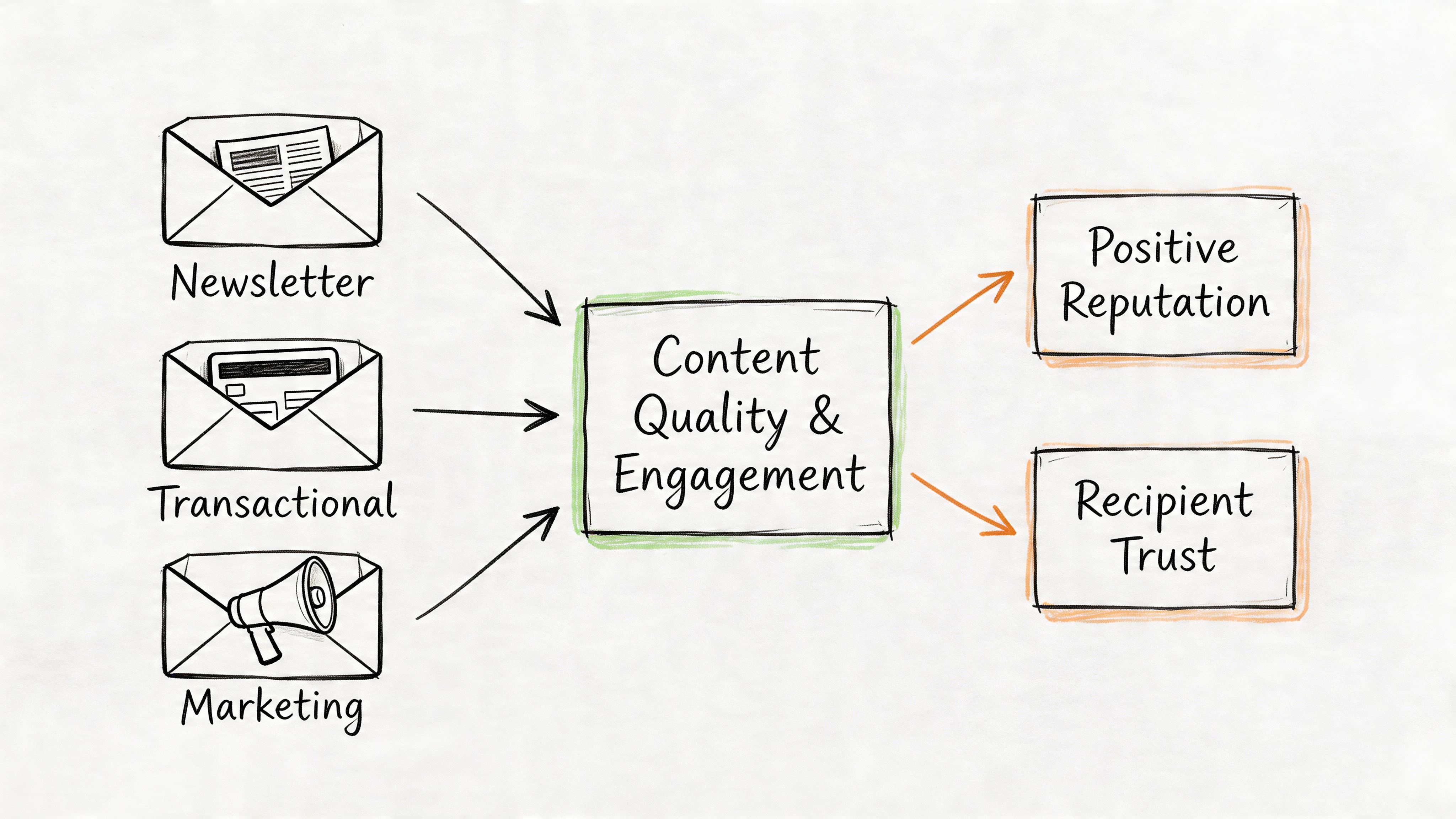
What your early emails should look like
Start plain. Light formatting is fine. Heavy design is not where you begin.
For a new domain, I prefer emails that are simple enough to read like normal correspondence. That usually means short copy, limited links, no unnecessary image blocks, and a clear reason the recipient got the message.
The wrong early pattern looks like this:
- Template-heavy layouts that scream bulk mail before trust exists
- Multiple tracked links when you haven’t established a clean content reputation
- Overwritten subject lines that try too hard to force opens
- Sales-first copy sent before the domain has earned recognition
The better pattern is quieter. Write like a real sender. Keep the ask narrow. Make the message easy to reply to.
Replies matter more than polish
A reply is one of the strongest positive actions you can generate during warm-up. That’s why the first messages should invite low-friction responses, not push for clicks.
Good warm-up prompts include a simple confirmation, a short answer, or a clear question the reader can answer in one line. You’re not trying to maximize design performance yet. You’re trying to generate believable interaction.
Early warm-up emails should look like mail a person would send, not mail a platform would generate.
Sending cadence matters too. Avoid robotic timing. If every message leaves your system at the exact same moment in a neat mechanical burst, it doesn’t help. Spread sends naturally across the day and avoid abrupt shifts in tone between one batch and the next.
Keep your sender identity stable as well. Don’t change the from name, reply behavior, link style, and content style all at once. When you change too many variables together, mailbox providers get mixed signals and you lose clean feedback on what helped or hurt.
Monitoring Your Reputation and Interpreting Key Metrics
Warm-up without monitoring is guesswork. You need a dashboard mindset from day one.
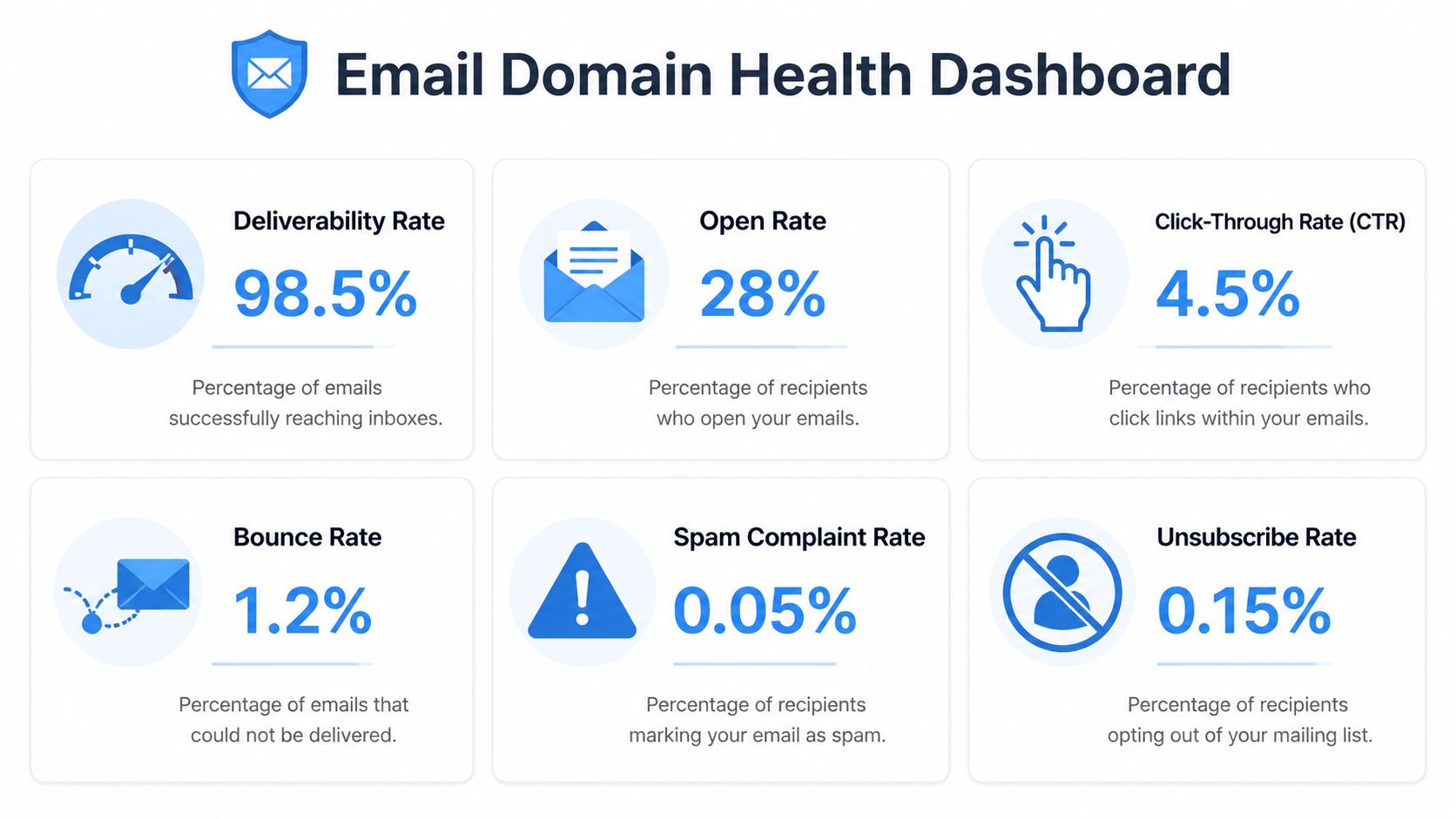
The benchmark set I watch first is simple. According to Postmark’s warm-up guide, open rate targets should land in the 20-50%+ range, reply rates in the 3-30%+ range, bounce rates should stay below 2%, and spam complaints should stay capped at 0.1%. Those numbers aren’t vanity metrics. They’re trust signals.
The numbers that actually matter
You don’t need a giant analytics stack to monitor warm-up well. You need the right few indicators, reviewed daily.
- Open rate tells you whether messages are getting seen and whether the recipient pool is still strong enough for the current phase.
- Reply rate is one of the clearest signs that recipients view the mail as legitimate and relevant.
- Bounce rate tells you if your data quality or sending setup is introducing avoidable damage.
- Spam complaints are the metric that should stop you fastest. A complaint spike means the sender, audience, or message expectation is off.
For broader context on inboxing mechanics, especially when automated systems or outbound workflows are involved, this guide on email deliverability for AI agents gives useful tactical perspective.
You also need external visibility. Check domain health with an email blacklist checker, and use mailbox-provider tools such as Google Postmaster Tools where available to compare your internal metrics with what receivers are seeing.
How to react when metrics go sideways
The best warm-up operators don’t just watch numbers. They change behavior quickly when those numbers drift.
If open rates fall below your expected range, don’t immediately rewrite the entire campaign. First inspect provider split, recipient recency, sender identity consistency, and spam folder placement clues.
If reply rates soften, the issue is often content fit or audience quality. Your message may be too polished, too sales-heavy, or too distant from the recipient’s last interaction with your brand.
If bounce rates approach or exceed the threshold, stop expanding. Check list quality, remove bad data, and verify that your sending identity is configured exactly as planned.
If complaints rise, narrow the segment fast. That usually points to expectation mismatch. The recipient didn’t recognize the sender, didn’t want that message, or shouldn’t have been included at this stage.
Don’t scale through warning signs. Hold volume, tighten the segment, and make the domain earn the next increase.
One practical habit makes all of this easier. Review metrics by provider, by audience segment, and by sending day. Aggregate reporting hides early damage. Segmented reporting helps you catch it while recovery is still simple.
Advanced Strategies for Scale and Long-Term Health
A successful warm-up isn’t the finish line. It’s the first proof that your sending operation can behave predictably.
As volume grows, you need structure that protects the reputation you built. That usually means separating traffic types, controlling infrastructure changes, and paying attention to overlooked pieces of the email stack.
Use separation to protect reputation
When teams scale, they often cram multiple use cases through one sender identity because it feels easier. It isn’t.
Promotional campaigns, product announcements, transactional mail, and outbound sequences generate different engagement patterns. They should not all share the same reputation surface if you can avoid it. Separate subdomains keep mistakes contained and make troubleshooting far cleaner.
If you use more than one provider, keep each lane intentional. Don’t rotate traffic randomly. Assign clear use cases, monitor each stream independently, and avoid mixing unstable traffic with your most trusted sender identity.
Warm the tracking domain too
This step gets skipped constantly. It shouldn’t.
Existing guidance usually focuses on SPF, DKIM, DMARC, and the main sending domain. But Instantly highlights that custom tracking domains can also harm deliverability if they’re not warmed properly. If your emails include tracked links on a fresh branded domain, that tracking layer can introduce risk even when the sender domain itself is behaving well.
A practical approach is simple:
- Introduce tracked links gradually instead of adding them to every early message
- Use engaged recipients first so link activity looks natural
- Keep link patterns stable rather than changing domains or redirect behavior mid-warm-up
- Monitor performance after tracking is enabled so you can isolate whether placement changed
That’s especially important on self-managed infrastructure, where custom domains and provider settings expose the full reputation picture instead of hiding it inside a shared ESP environment.
Keep warming even after launch
Domains cool off when behavior changes too abruptly. Large jumps in volume, sudden audience expansion, or a new campaign type can all trigger fresh scrutiny.
Long-term deliverability comes from discipline. Mailtani's email warmup feature is designed to automate this ongoing discipline without manual tracking:
- Keep list hygiene tight
- Scale in steps, not leaps
- Watch provider-level reactions
- Treat every new subdomain like a new reputation asset
The teams that stay in the inbox aren’t always the teams with the best creative. They’re the teams that keep sending patterns believable.
If you want full control over your sender reputation without paying bloated ESP markups, Mailtani is built for that model. You connect your own provider such as Amazon SES, Resend, or Mailtrap, keep ownership of your infrastructure, and run broadcasts, automations, and outbound sequences without getting trapped in subscriber-tier pricing.


