
Affordable Email Marketing Platforms: A 2026 Cost Guide
Stop overpaying. We compare affordable email marketing platforms, uncover hidden costs, and show you how to cut your bill by 90% with the right model.

On this page
Most advice about affordable email marketing platforms is wrong at the point where it matters most. It treats affordability like a signup problem. Lowest monthly fee. Biggest free plan. Cheapest first tier.
That's not how email costs break a business.
A platform can look cheap at the start and still become expensive the moment your list begins to work. The usual pattern is familiar. You start on a free or low-cost plan, add a few automations, grow your list, and then discover the product wasn't priced around your needs. It was priced around your dependence. Your bill rises because you added subscribers, not because your provider's underlying costs changed in any meaningful way.
That distinction matters because email infrastructure itself is a commodity. If you're paying a large markup on top of that commodity, you're not really buying software. You're renting marked-up sending capacity with a friendly dashboard attached.
The better way to judge affordability is simple. Ask what happens when your audience grows, your sends become consistent, and deliverability starts affecting revenue. If the answer is “your bill climbs faster than your business can justify,” it was never affordable.
| Platform | Entry pricing | Free tier or notable limit | Pricing model | Notable trade-off |
|---|---|---|---|---|
| Zoho Campaigns | $3.50/month (pricing reference) | 2,000 contacts / 6,000 emails | Contact-led | Low entry price, but ecosystem fit matters |
| Sender | $7/month (pricing reference) | 2,500 contacts / 15,000 emails | Contact-led | Good entry value, evaluate scale carefully |
| Brevo | $9/month (pricing reference) | 300 emails/day and high contact allowance | Send-based | Strong contact flexibility, lower deliverability than top performers |
| Mailtrap | $15/month (pricing reference) | 10,000 emails / 5,000 contacts | Infrastructure-efficient | Better for teams that care about scaling economics |
| Mailchimp | $13/month (pricing reference) | 250 contacts / 500 emails | Subscriber-tiered | Easy start, expensive growth curve |
The True Meaning of 'Affordable' in Email Marketing
Most founders define affordable email marketing platforms by the number on the pricing page. That's understandable, but it's also how they get trapped.
The full cost doesn't show up when you have a small list and a single newsletter. It shows up when email becomes part of your retention engine. The moment you rely on broadcasts, automations, transactional messages, and segmentation, subscriber-based pricing starts taxing your growth instead of supporting it.
Cheap monthly plans hide expensive growth
The most useful fact in this entire category isn't about a free plan. It's about long-term economics. At 25,000 subscribers, platforms like Mailchimp can cost ~€1,980/year, while the underlying infrastructure from a provider like Amazon SES might cost €30/year for the same volume, which represents a 100x+ markup according to Brevo's comparison of cheap email marketing economics.
That's the part most listicles skip.
They compare the monthly sticker price but avoid the markup underneath it. If you only look at the software layer, you miss the fact that many ESPs are reselling commodity sending infrastructure at rates that stop making sense as soon as your list becomes an asset.
Practical rule: If your bill rises mainly because your contact count rises, you're not paying for better software. You're paying rent on your own growth.
This is why two tools can both be called affordable while behaving completely differently over time. One keeps cost tied to actual sending needs. The other turns every subscriber into a pricing event.
Affordability means cost control
An affordable platform does three things.
- Keeps pricing predictable: You should be able to estimate future costs without guessing how many billing thresholds your list will cross.
- Separates software value from infrastructure markup: The dashboard, automation builder, forms, analytics, and workflows are software. The email delivery rail underneath is infrastructure. Those should not be bundled in a way that punishes scale.
- Lets you keep optionality: If a provider changes terms, throttles an account, or raises pricing, you need a way out that doesn't require rebuilding your entire email operation.
The standard “best cheap email platform” advice usually rewards convenience over control. That works for hobby projects. It's a poor strategy for a brand that expects email to drive retention, launches, onboarding, or lifecycle campaigns.
There's nothing wrong with starting simple. The mistake is confusing a low monthly fee with true affordability.
Comparing Pricing Models The True Cost at Scale
Different affordable email marketing platforms aren't just charging different amounts. They're charging on different logic. That's why two products with similar entry pricing can feel completely different a year later.
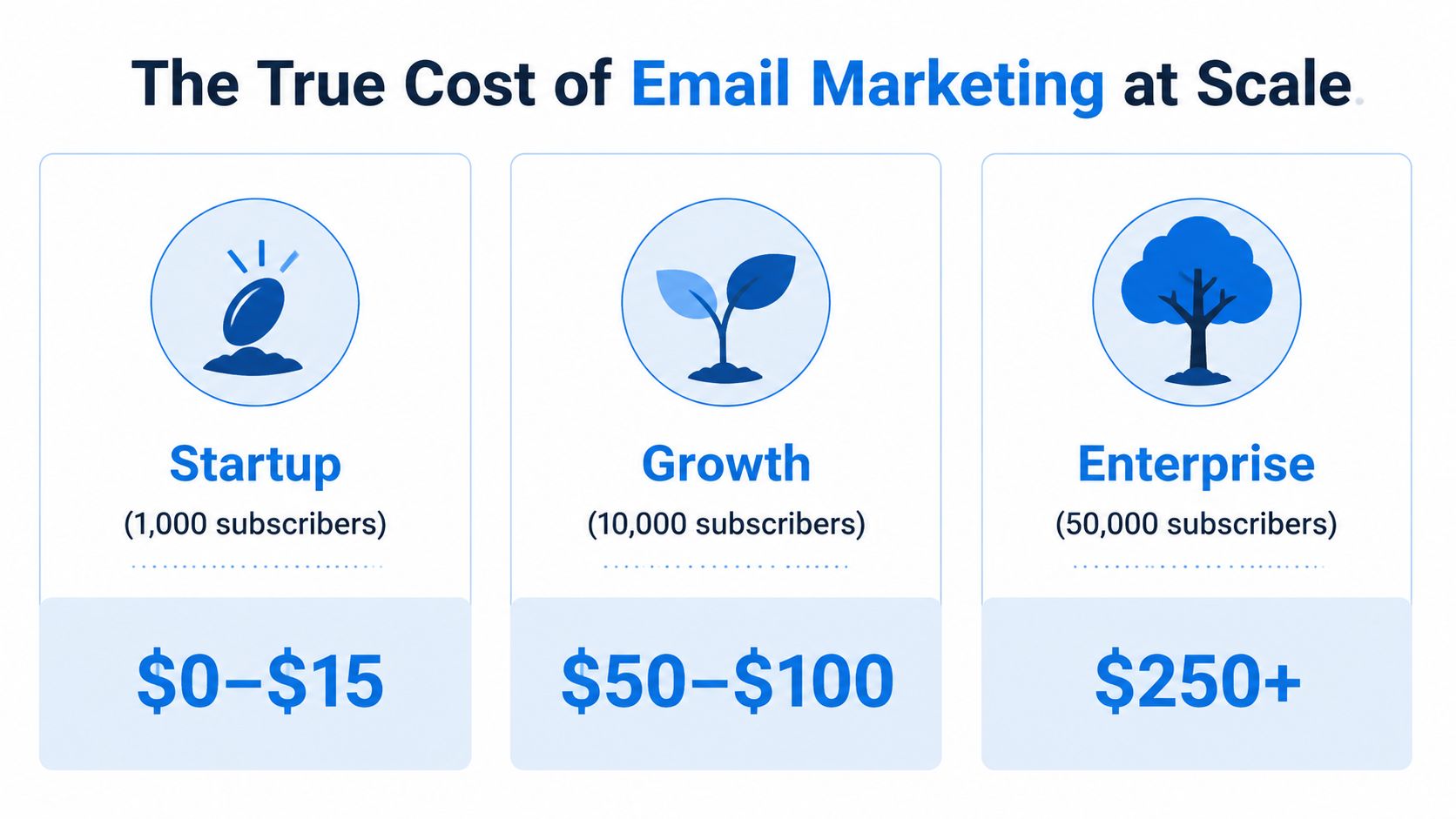
Cheap at signup expensive in practice
The entry-tier spread alone tells the story. By May 2026 price checks, Sender starts at $7/month, Zoho starts at $3.50/month, Brevo offers a $9/month plan, while Mailchimp charges $13/month for just 250 contacts, according to Sender's 2026 pricing comparison.
That gap matters, but the bigger issue is what those plans train you to accept. A low starter tier can still funnel you into a pricing model that gets worse as the business gets healthier.
Here's how I think about the models:
| Model | Example tools | What you pay for | What happens as you grow |
|---|---|---|---|
| Subscriber-tiered | Mailchimp | Number of contacts | Costs often rise even if send volume stays reasonable |
| Send-based | Brevo, Mailjet-style tools | Email volume | Better for larger lists with moderate cadence |
| Infrastructure-efficient | Mailtrap-style setup | Software plus direct sending economics | Costs track more closely to real usage |
| BYO-API | Your app plus your provider | Software separately, sends direct | Highest control over long-term cost |
A lot of teams should be using this framework before they compare templates or automation screens.
What the models actually optimize for
Subscriber-tiered pricing is easy to understand, which is why it wins beginners. It's also the model most likely to become irrational once your list compounds. You're billed for audience size first, not for the actual commodity cost of sending.
Send-based pricing is often fairer for brands with large databases that don't hammer the list every day. Brevo's structure is a good example of why many growing teams tolerate it. The contact ceiling is flexible enough that the first stages of growth don't immediately trigger a pricing jump.
Infrastructure-efficient models are where things get more interesting. Mailtrap's plans begin at $15/month for 10,000 emails and 5,000 contacts and scale linearly up to $750 for 1.5M emails and 1.5M contacts, according to Mailtrap's pricing analysis. That's not “cheap” in the superficial sense. It's affordable in the operational sense because the cost curve is understandable.
If pricing only feels good at low volume, it isn't a pricing advantage. It's an onboarding tactic.
The most founder-friendly model is usually BYO-API. You use software for campaign building, automations, and reporting, but you pay your sending provider directly. That strips out much of the markup and reduces the chance that your software vendor becomes your infrastructure landlord.
If you're modeling spend for the next year, don't stop at monthly fees. Build a simple projection based on list growth, sending frequency, and whether the platform prices contacts or sends. If you need a broader framework for evaluating those trade-offs, this breakdown of email advertising cost is a useful companion.
Deliverability Is Your Reputation Worth a Discount
Cheap email that lands in spam isn't cheap. It's wasted budget, damaged sender reputation, and missed revenue.
That's why I get skeptical whenever a platform wins on price alone. Entry-level discounts often come with shared infrastructure, thinner controls, and less visibility into what's hurting deliverability.
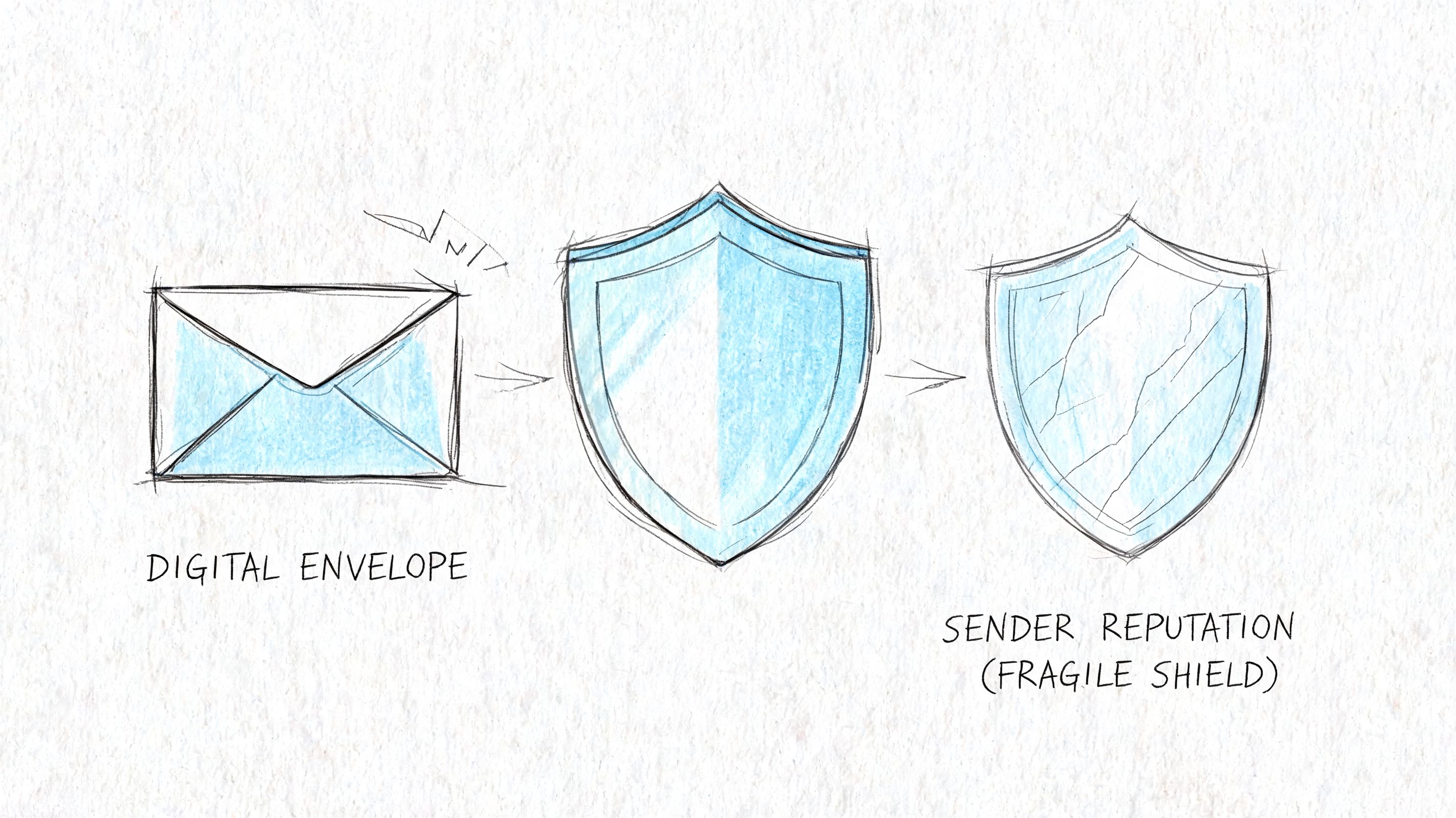
Shared infrastructure changes the risk
In 2026 deliverability tests, ActiveCampaign reached 94.2% inbox placement while Brevo sat at 88.3%, a meaningful gap according to ActiveCampaign's software comparison guide. The same source notes that shared IP pools on entry-level ESPs can degrade sender reputation by 15-20% during peak sending times.
That's the hidden tax on low-cost plans. You can do everything right with subject lines, list hygiene, and segmentation, then still inherit reputation problems from other senders sharing the same environment.
If email drives launches, retention, or partnership outreach, you need more than a “deliverability score” in a dashboard. You need ownership over authentication, routing, and sender reputation.
A practical example is outreach. If your team runs creator partnerships or sponsorship campaigns, your list quality matters, but so does the infrastructure you send from. Good contact discovery helps, which is why resources like how to find YouTube emails are useful upstream. Still, clean contacts won't save a sender reputation that's tied to a crowded shared pool.
Inbox placement changes the economics
A lot of teams treat an inbox placement gap like a technical detail. It isn't. It affects whether your campaign gets a fair chance.
Your best email can't outperform a poor sending reputation.
That's why I prefer platforms and setups that expose the mechanics. Bounce classifications, event webhooks, warmup controls, authentication visibility, and log access matter more than another template pack.
If you're tightening your own process, start with a simple checklist:
- Authenticate fully: Proper DKIM and DMARC alignment should be treated as standard, not advanced.
- Reduce shared-pool dependence: If the platform keeps you on generic sending infrastructure, understand the risk you're accepting.
- Watch failures closely: Hard bounces, spam complaints, and sudden placement swings are not reporting trivia. They're reputation signals.
- Test before scaling: Large sends amplify existing problems. They don't create them.
For a solid operational baseline, these email deliverability best practices are worth reviewing before you blame campaign creative.
A short explainer on the mechanics helps if your team needs a refresher:
Effort vs Control Evaluating Setup and Migration
The biggest reason people stay on overpriced ESPs isn't love. It's inertia.
They don't want to re-authenticate domains, reconnect forms, migrate automations, or retrain the team. That's fair. Migration always looks harder from the outside than it usually is. But teams also overvalue the convenience of “all-in-one” platforms and undervalue the long-term cost of being locked into them.
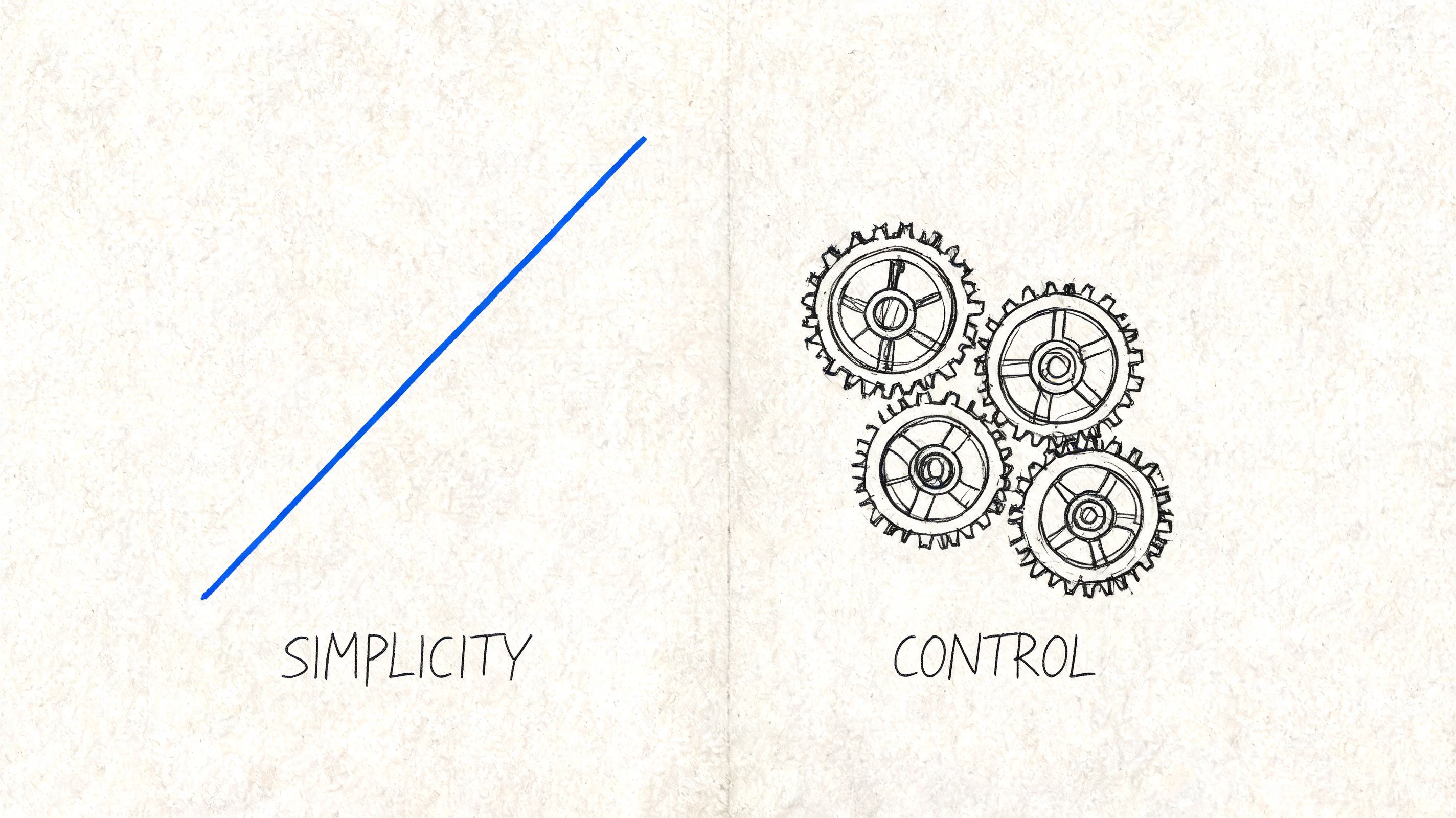
Convenience now control later
An integrated ESP gives you speed. You sign up, import contacts, verify a domain, and start building. For early experiments, that's fine.
The trade-off appears later. The provider often owns the whole stack: your audience structure, automation logic, sending infrastructure, suppression behavior, and reporting conventions. That makes migration feel risky because the product was designed to be sticky.
BYO-API setups ask for a little more effort up front. Usually that means connecting a provider account, pasting an API key, verifying your sending domain, and checking event flow. That's still manageable for most startups and operator-led teams. This approach separates your software layer from your delivery layer.
Migration lens: A setup that takes a bit longer on day one can save you repeated pricing shocks, replatforming stress, and provider dependence later.
Migration pain usually comes from hidden dependencies
When teams say migration is hard, they usually mean one of four things:
- Automations were built around vendor-specific logic: Recreating flows is easier when your triggers and data model are clean.
- CRM sync is tangled: If contact updates, lead status, and campaign events are stitched together loosely, moving platforms exposes the mess.
- Suppression data is incomplete: Teams forget that unsubscribes, bounces, and reply states need to move too.
- Replies live in too many places: That's common in teams mixing marketing sends, cold outreach, and support-style follow-up.
If your operation touches a CRM, forms, product events, and lifecycle email, the migration quality usually depends more on integration discipline than on the ESP itself. In these cases, process beats brand. A practical reference for that side of the work is BuildForm's CRM integration best practices, especially if your email stack is tied to sales workflows or product events.
The useful question isn't “Which platform is easiest to start?” It's “Which platform leaves me with the least regret after two years of growth?”
Best-Fit Platforms for Your Business Model
There isn't one winner in affordable email marketing platforms. There are better fits for specific business models.
That matters because SMEs represent 57.94% of the email marketing sector, and 80% of small businesses rely on email for retention, according to Email Marketing for Business platform statistics. If email is part of retention, the wrong pricing model stops being a software problem and becomes an operating margin problem.

For ecommerce merchants and DTC brands
Ecommerce brands need automations that make money, not broad feature lists. Cart recovery, post-purchase flows, win-back campaigns, product alerts, and segmentation are the basics.
Brevo often makes sense when a store has a large list but doesn't send constantly. The send-based model is friendlier than subscriber-led pricing when contact growth outpaces campaign frequency. Omnisend can still fit stores that want ecommerce-specific workflows packaged for them, but teams should be strict about whether they're paying for convenience or for real lift.
The mistake I see most often is sticking with a platform long after its economics stopped matching the business. Once list growth accelerates, the default tool can become the most expensive line item in the stack relative to what it contributes.
For developers and growth engineers
Developers usually care less about template galleries and more about control. They want reliable APIs, event visibility, transactional and marketing sends under one strategy, and fewer arbitrary restrictions.
That's why API-first options tend to make more sense here. Mailjet, Resend-style setups, and infrastructure-efficient tools fit teams that think in systems. A BYO-API product such as Mailtani fits this category too because it lets teams use their own provider account for sending while keeping campaign and automation workflows in a separate software layer.
This crowd usually benefits from one principle: don't let your marketing tool become the gatekeeper for your infrastructure.
For indie founders and SaaS teams
Bootstrapped teams should be almost ruthless about this category. A recurring software bill tied to contact growth is the wrong default if cash discipline matters.
A simple decision filter works well:
- If you're validating a new product and just need newsletters, a low-friction starter platform is fine.
- If email is part of onboarding, activation, or lifecycle messaging, think beyond the free plan immediately.
- If you expect meaningful list growth, choose a setup where the software layer and the sending layer can be separated without a painful rebuild.
A startup doesn't need the cheapest first month. It needs the lowest regret at meaningful scale.
Creators, stores, and SaaS teams can all start on different tools. What they shouldn't do is confuse ease of signup with long-term fit.
The Mailtani Advantage Owning Your Email Marketing
The strongest case for changing your stack isn't a prettier interface. It's ownership.
Most ESPs combine two separate things into one bill: software and sending infrastructure. That bundling is convenient for them because it makes margin expansion look like product value. For you, it means rising costs, less portability, and weaker control over deliverability decisions.
What changes when you separate software from sending
A cleaner model is to treat infrastructure as infrastructure and software as software.
That's why infrastructure-efficient products are worth paying attention to. Mailtrap shows the model clearly. Its $15/month plan for 10,000 emails stands in sharp contrast to Mailchimp costs that can climb to over $350/month at 10,000 contacts, according to Mailtrap's analysis of cheap email marketing platform pricing. The important lesson isn't “choose Mailtrap for everything.” It's that decoupling the software layer from marked-up sending is financially viable.
Mailtani follows that logic from the start. Instead of charging a recurring subscription tied to your list size, it sits as the software layer while you bring your own sending provider. That means your sending economics stay tied to your provider account instead of an ESP's markup structure.
The model is simple to evaluate:
- You keep cost visibility: You know what the software costs and what sending costs.
- You reduce lock-in: If one provider stops fitting, your whole email operation doesn't have to be rebuilt from scratch.
- You own more of deliverability: Reputation is less abstract when the infrastructure is closer to you, not hidden behind a mass shared pool.
Who should choose this model
This approach isn't for everyone.
If you want the fastest possible setup and never expect your list to become a serious asset, a traditional ESP can be good enough. But if you run lifecycle email, ecommerce campaigns, product messaging, or high-frequency outbound, the old bundle starts looking expensive fast.
The sharper comparison is economic. The publisher's model is €99 once for lifetime access, while traditional ESP costs at 25,000 subscribers can reach ~€1,980/year, and the raw infrastructure underneath may be only a fraction of that, as noted earlier from the same economics discussed above. That gap is the whole argument.
You're not just picking from affordable email marketing platforms. You're deciding whether your email stack should get more expensive because your audience grows, or whether your software should help you use commodity infrastructure intelligently.
If you want to evaluate that model directly, review the current Mailtani pricing options and compare them against what you'd spend over a year on a subscriber-tiered ESP.
If you're tired of paying markup-heavy ESP pricing for infrastructure you could control directly, Mailtani is worth a serious look. It gives you the software layer for campaigns, automations, forms, and analytics while letting you use your own sending provider, so your costs stay tied to actual sending instead of subscriber rent.


