How to Track Website Visitors: A 2026 Implementation Guide
Learn how to track website visitors with our step-by-step 2026 guide. Covers GA4, server-side tracking, UTMs, and privacy compliance for your business.

You launched the site. The homepage looks sharp, the checkout works, and the welcome email is queued. Then the first campaign goes out and the same question hits every founder at the same time: who visited, what did they do, and did any of it turn into revenue?
Most first analytics setups stop at pageviews. That’s not enough. If you want to know how to track website visitors in a way that helps you make decisions, you need more than a traffic counter. You need a system that shows where visitors came from, what actions they took, where they dropped off, and which email campaign pushed them over the line.
That matters even more when email is part of the funnel. A click from a newsletter isn’t valuable because it created a session. It’s valuable if that visitor signed up, started checkout, booked a demo, or came back later and converted. That full-funnel view is what turns analytics from a dashboard into an operating system.
From Anarchy to Analytics Why Tracking Visitors Matters
A new site without analytics feels busy but blind. You can see traffic logs in your host, maybe a rough count in your CMS, but that doesn’t answer the questions that affect revenue. You still don’t know whether visitors came from search, email, referrals, or direct traffic. You don’t know whether they read your pricing page or bounced after the first screen.
That uncertainty gets expensive fast. A founder sends a campaign, sees clicks, and assumes it worked. A week later, sales are flat. The problem usually isn’t that traffic failed. The problem is that no one tracked the journey between click and conversion.
Visitor tracking fixes that by turning a stream of anonymous sessions into patterns you can act on. You stop asking vague questions like “Is marketing working?” and start asking useful ones.
- Acquisition: Which channels bring visitors who engage?
- Behavior: Which pages hold attention, and which pages lose people?
- Conversion: Which actions signal buying intent?
- Retention: Which visitors come back after an email or product announcement?
If you can’t connect a campaign click to an on-site action, you’re measuring activity, not outcomes.
For ecommerce, that means tying traffic to add-to-cart, checkout starts, and purchases. For SaaS, it means mapping the path from landing page to demo request, trial start, or qualified lead. For a content-driven business, it often starts with newsletter signup and repeat visits.
The useful shift is simple. Stop thinking in terms of “visitors” as a single number. Start thinking in terms of visitor journeys. The journey is where the business signal lives. That’s also where email ROI becomes measurable, because you can finally see whether the subscriber who clicked your campaign did anything that mattered after the click.
Client-Side vs Server-Side Your First Big Decision
A founder sends a Mailtani campaign on Monday, sees healthy click volume, and assumes the campaign is working. By Friday, revenue has barely moved. The gap is usually tracking architecture. If the browser loses the click, drops the session, or fails to fire the conversion event, email looks weaker than it really is.
That is why this decision matters early.
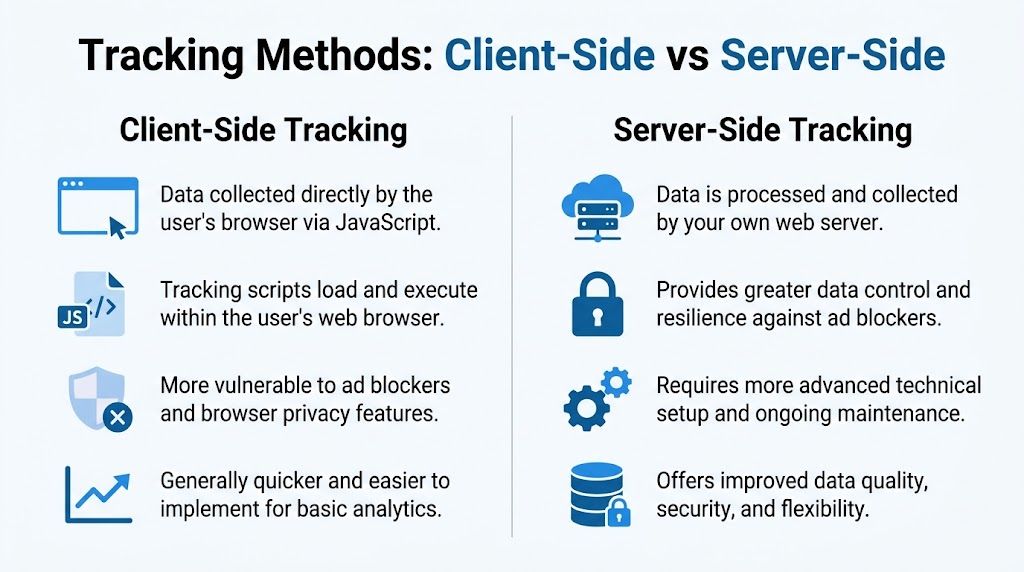
Client-side tracking sends data from the visitor’s browser to your analytics platform. It is the standard setup for GA4, many CMS plugins, and most tag manager deployments. You can launch it fast, test it without backend work, and start collecting pageviews and events the same day.
Server-side tracking adds your own server into that path. The browser still matters, but your backend can receive events, enrich them, and forward them to tools like GA4 or Matomo. That gives you more control over attribution, especially for high-value actions such as purchases, form submissions, and trial starts.
What client-side tracking gets right
Client-side is still the right starting point for many teams.
It is cheaper to implement, easier to debug in the browser, and usually enough when you are still validating channels or building your first measurement plan. If a small SaaS site needs to track landing page visits, pricing page views, demo requests, and newsletter signups, client-side tracking can handle that without much overhead.
It works well for:
- Fast deployment: Install a tag or tag manager and publish without major application changes.
- Common analytics use cases: Pageviews, scroll depth, outbound clicks, and simple conversion events are easy to set up.
- Lower operational load: There is no separate event pipeline to maintain.
The weakness is reliability. Browser privacy controls, ad blockers, script failures, and consent choices can all interrupt collection. Mozilla documents that Firefox’s Enhanced Tracking Protection blocks many cross-site tracking mechanisms by default, which is one reason browser-based analytics can miss part of the journey on privacy-focused browsers: https://support.mozilla.org/en-US/kb/enhanced-tracking-protection-firefox-desktop
For email attribution, that matters. A subscriber can click a Mailtani link, browse product pages, and convert later, but if the browser drops identifiers or blocks the analytics request, the sale may end up unattributed or assigned to another channel.
Why server-side is worth the extra work
Server-side tracking makes sense when missed data starts changing business decisions.
That usually happens once you are spending meaningfully on acquisition, running lifecycle email at scale, or reporting revenue back to campaigns. In those cases, the question is not “Can we see traffic?” It is “Can we trust the path from click to conversion?”
A server-side setup helps in three ways:
- Better delivery of key events: Your backend can send purchase, lead, or subscription events even if the browser fails to fire them cleanly.
- More control over data quality: You can standardize event names, attach order IDs, and filter junk traffic before it reaches reporting tools.
- Stronger attribution for email and paid media: You can preserve campaign metadata deeper into the funnel and connect a Mailtani click to the final on-site result.
The trade-off is real. Setup takes longer. Debugging gets harder because issues can happen in the browser, the server endpoint, or the destination tool. Costs also rise if you use a server container, cloud functions, or a customer data pipeline.
Here is the practical comparison:
| Criterion | Client-Side Tracking (Browser) | Server-Side Tracking (Your Server) |
|---|---|---|
| Setup speed | Faster to launch | Slower to launch |
| Technical complexity | Lower | Higher |
| Resistance to blockers | Weaker | Stronger |
| Data control | Limited | Better |
| Cost | Lower upfront | Higher upfront |
| Debugging | Easier at first | More moving parts |
| Best fit | Early-stage sites, simple reporting | Mature funnels, stricter attribution needs |
The best first move for many founders is hybrid tracking.
Use client-side tracking for engagement events such as pageviews, scrolls, and button clicks. Use server-side tracking for business events you cannot afford to lose, such as checkout completion, qualified lead submission, account creation, or paid subscription start. That setup gives you speed now and cleaner revenue attribution later, which is what you need if you want to prove whether a Mailtani campaign produced pipeline or sales instead of just visits.
Setting Up Your Analytics Engine with GA4
A founder sends a Mailtani campaign, sees a spike in visits, and still cannot answer the only question that matters. Did those clicks turn into revenue, qualified leads, or trial starts? GA4 is often the fastest way to build that answer, as long as you set it up to measure business actions instead of raw traffic.
Google Analytics is still the default for many teams because it is free to start, widely supported, and easy to connect with tools you already use. Google’s own GA4 setup documentation explains the property and data stream model clearly, and that event-based model fits modern websites better than the old page-and-session-first approach.

Install the property the right way
The mechanics are simple. The quality of the setup is what determines whether your reports help or waste time.
- Create a GA4 property in your Google Analytics account.
- Add a web data stream for the website you want to measure.
- Install the Google tag directly on the site or deploy it through Google Tag Manager.
- Check Realtime reports and DebugView to confirm pageviews and basic events are arriving.
- Write down your event naming plan early, especially for lead forms, trial starts, purchases, and email-driven visits.
I see one mistake constantly. A site gets GA4 installed once through Tag Manager, then again through a CMS plugin, Shopify app, or theme setting. The result is duplicate pageviews, inflated conversions, and channel reports nobody trusts. Pick one deployment method and document it.
If Mailtani is part of your growth motion, add one more check during setup. Visit the site from a tagged email link, confirm the session lands in GA4 with the correct campaign parameters, and make sure the visitor can still be tied to later form submissions or purchases. If that connection fails on day one, campaign ROI will stay fuzzy no matter how clean the rest of the dashboard looks.
Know what GA4 is actually measuring
GA4 measures events first. A page_view is an event. So is a scroll, a click, a sign_up, or a purchase. That gives you more flexibility, but it also means the default reports only get you part of the way.
Start with a few baseline questions:
- Which pages attract visits from email campaigns?
- Which traffic sources produce engaged sessions instead of quick exits?
- Which on-site actions show buying intent?
- Which final conversions can be tied back to a Mailtani campaign or newsletter click?
Those are the reports founders use. Session metrics still have value, but they are supporting signals. If an email campaign sends traffic to a landing page and visitors leave without clicking, the problem is usually offer match, page clarity, or load speed. If visitors engage but never submit a form or start checkout, the friction is deeper in the funnel.
GA4 can handle that analysis well, but only if you treat the property as an operating system for measurement instead of a box to check.
This walkthrough is useful if you want a visual reference while configuring your property:
When Matomo makes more sense
GA4 is practical for a first setup. It is not the right answer for every company.
Some teams choose Matomo because they want tighter control over hosting, retention, and privacy settings. That usually matters more for regulated businesses, companies with stricter legal review, or teams that do not want their reporting stack centered on Google.
The trade-off is straightforward:
- GA4 is easier to launch, easier to staff for, and easier to connect to ad platforms and common marketing workflows.
- Matomo gives you more control over data handling and can fit a stricter privacy posture, but setup and maintenance usually take more effort.
For many founders, GA4 is the right first analytics engine because it gets reporting live quickly and supports the funnel questions you need to answer now. If your main goal is proving whether Mailtani campaigns drive pipeline, demos, or sales, start there and keep the implementation clean. If data ownership is already a board-level concern, evaluate Matomo before you build your event model around GA4.
Tracking What Matters Events and Conversions
A founder opens GA4 and sees 3,000 sessions from last week’s Mailtani email. That number feels useful until the next question comes up: how many of those visits turned into trials, purchases, or qualified leads? Session volume cannot answer that. Events and conversions can.
Good tracking starts with business outcomes, then works backward to the actions that predict them. Pageviews still matter, but they are context, not proof of intent. If someone visits a pricing page, clicks a demo CTA, starts a form, and submits it, those steps tell a very different story than a single pageview from the same campaign.
Use two event tiers.
- Micro-conversions: actions that show progress, such as newsletter signup, pricing page click, demo CTA click, account creation start, or add to cart
- Macro-conversions: completed outcomes tied to revenue or pipeline, such as purchase completed, paid subscription started, trial activated, or qualified lead submitted
This is the part many first setups miss. They track the thank-you page or final purchase and skip the steps before it. Then a campaign underperforms, and there is no way to tell whether the problem was weak traffic, low intent, or friction in the form or checkout flow.
As noted by WP Statistics in its review of common analytics mistakes, poor event configuration often distorts reporting through bot traffic, internal visits, and missing funnel steps. The practical takeaway is simple: if your event model is sloppy, your conversion rate and campaign ROI reporting will be sloppy too.
Track the moments that change a decision.
For a SaaS site, a clean event map usually looks like this:
- Campaign landing viewed
- Pricing page viewed
- Demo CTA clicked
- Form started
- Form submitted
- Trial activated or plan purchased
For ecommerce, the sequence is different:
- Product viewed
- Add to cart
- Checkout started
- Shipping info submitted
- Payment info submitted
- Purchase completed
Tracking every click is a mistake. Tracking only the final conversion is also a mistake. The useful middle ground is to capture the steps that help you diagnose drop-off and attribute revenue back to the traffic source.
If email is a core acquisition channel, include email-specific intent signals in your model. For example, if a Mailtani campaign sends visitors to a feature page, track whether they clicked the primary CTA, started the signup flow, and completed the target action. That is what lets you answer, “Did this email drive revenue?” instead of “Did this email get clicks?” If you are still building your list, a separate event for newsletter signup gives you a cleaner read on top-of-funnel performance. This guide on how to start a newsletter is useful if that motion is still being set up.
Keep event names plain and stable. generate_lead, begin_checkout, purchase, and sign_up are easier to maintain than custom labels that change every quarter. I also recommend writing down each event’s trigger, parameters, and business owner before implementation. That prevents the common situation where marketing, product, and engineering all use the same event name to mean different things.
A good rule is one event, one question. Did the visitor show interest? Did they start the process? Did they finish it? If your tracking answers those three questions cleanly, you can connect on-site behavior to Mailtani campaign ROI without guessing.
Connecting Campaigns with UTM Parameters
If event tracking tells you what happened on the site, UTM parameters tell you where that session came from in the first place.
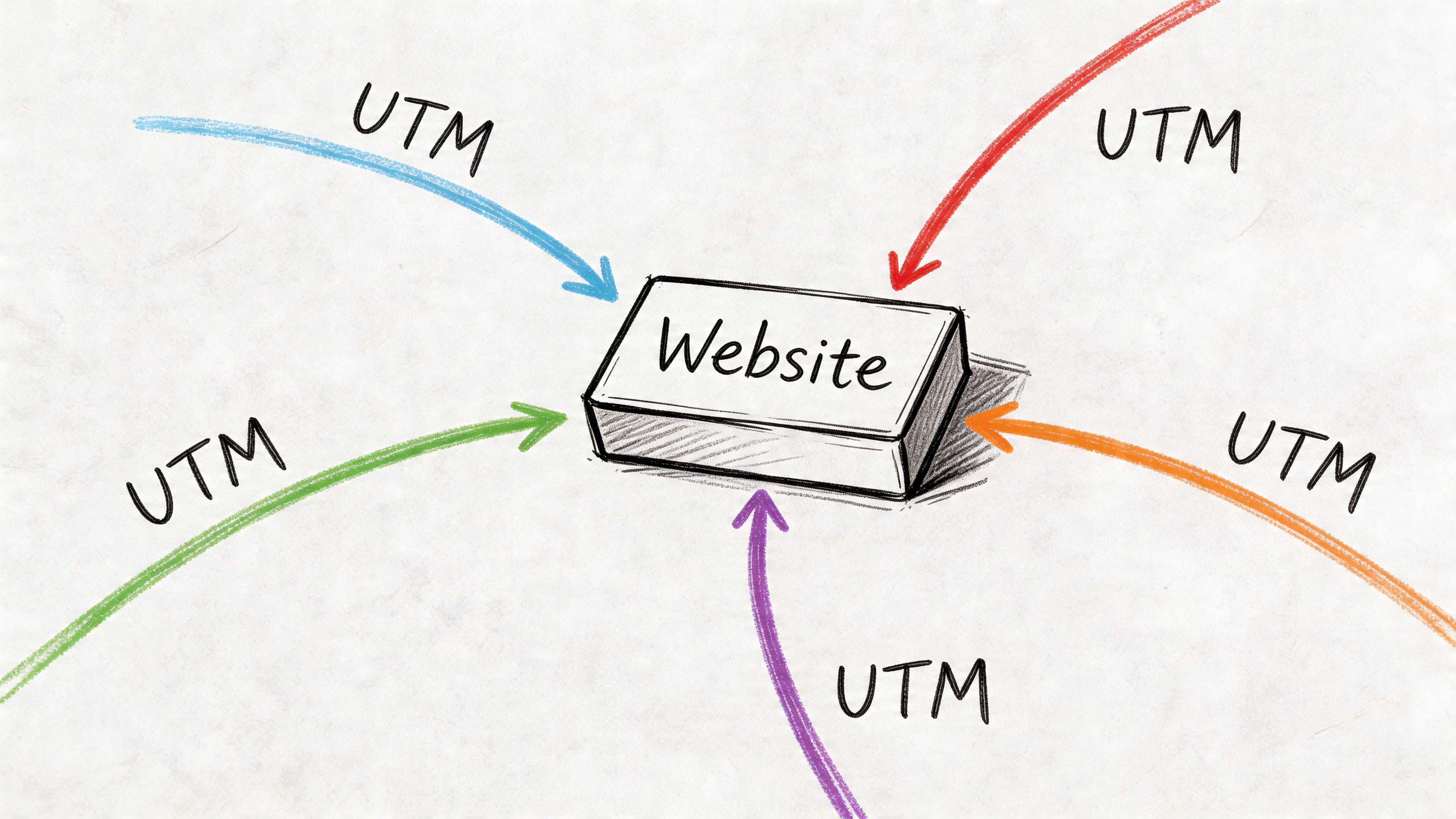
They’re just labels added to links. But those labels are what let you separate traffic from a newsletter, a product launch email, a partner mention, or a paid campaign. Without them, a lot of campaign traffic collapses into “direct” or vague referral buckets.
Think of UTMs as labels
The standard fields are simple:
- utm_source identifies the platform or sender
- utm_medium identifies the channel
- utm_campaign identifies the specific campaign
- utm_term is often used for paid keyword targeting
- utm_content distinguishes link variations, such as button vs text link
The mistake isn’t failing to use UTMs. It’s using them inconsistently. If one campaign uses email, another uses newsletter, and another uses broadcast, your reports fragment.
A naming convention beats creativity here. Keep it boring and consistent.
A Mailtani email example
Say you’re sending a product update email to subscribers and linking to a feature page.
A clean tagged URL would include a source for the email platform, a medium of email, a campaign name, and optional content labels for different links inside the message. In GA4, that lets you isolate traffic from that exact send and compare it to other campaigns using the same destination page.
That’s how you close the loop between the click and the on-site event. You can see whether one email drove signups while another drove only visits. If you’re still building the list itself, this guide on how to start a newsletter is a good foundation before you worry about campaign attribution.
A tagged link turns “someone visited from email” into “this specific campaign sent this specific visitor who completed this specific action.”
For teams learning how to track website visitors, UTMs are the lowest-effort upgrade with the highest reporting payoff. They don’t require a new platform. They require discipline.
Navigating Privacy Compliance and User Consent
A founder launches a Mailtani campaign, sees clicks come in, then opens analytics and finds a gap. Visits are lower than expected. Conversions look incomplete. That usually is not a broken campaign. It is consent doing its job.
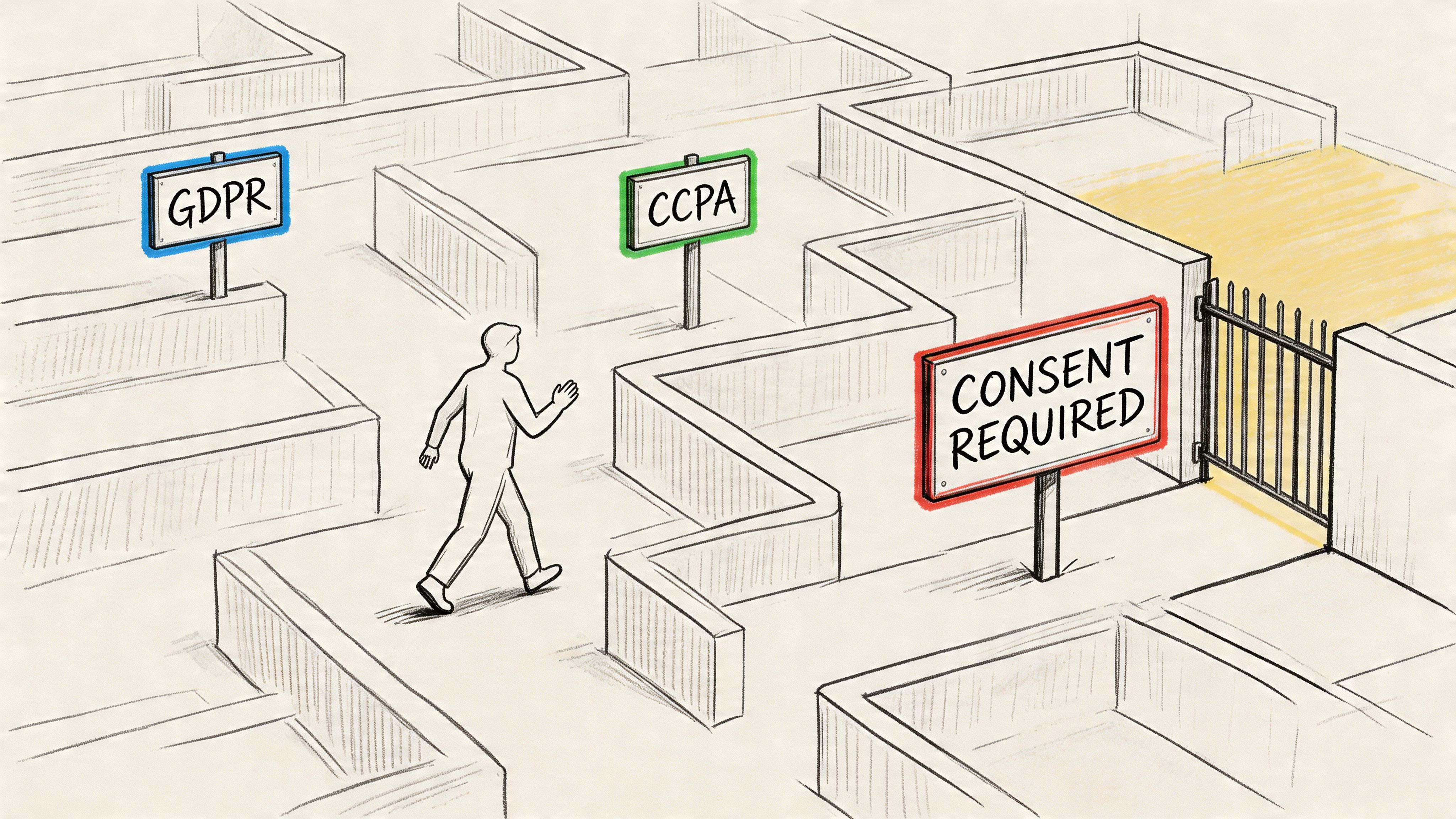
Privacy rules shape what you can measure, when you can measure it, and how confidently you can tie an email click to revenue. A tracking setup that ignores that reality creates legal risk and weak reporting at the same time.
Compliance changes the shape of your data
According to Cometly’s article on compliant visitor tracking, 67% of global websites still fail basic GDPR compliance checks as of 2026, fines for non-compliant analytics setups average €250k, and up to 98% of traffic may remain anonymous due to consent restrictions.
Those numbers matter because they force a different measurement strategy. The goal is not full visibility. The goal is reliable visibility from the users who have given permission, plus enough aggregate trend data to judge channel performance.
That trade-off hits email attribution hard. A Mailtani campaign can drive a qualified visitor to your site, but if consent blocks non-essential tracking, you may not get the full client-side session history you expected. You still need a setup that can answer the business question: did this campaign produce signups, demos, or purchases at an acceptable cost?
If a subscriber revokes consent or unsubscribes, that choice has to propagate across reporting and audience handling. Good unsubscribe management for email consent and list hygiene protects deliverability, but it also keeps your attribution model from counting people you no longer have permission to market to.
What a safer setup looks like
A safer setup starts with consent mode or a comparable mechanism in your tag manager. Record the user’s choice first. Then fire analytics, ad, and remarketing tags based on that state. If you skip that sequencing, reports may look more complete for a while, but the data is harder to defend in a legal review.
First-party collection is usually the better default. Capture the events you use, such as signup started, signup completed, checkout completed, and demo booked. Keep those definitions consistent across your site, CRM, and email platform so campaign ROI does not break when anonymous sessions drop out.
Server-side collection can help, but it is not a loophole. It gives you more control over data routing, retention, and event shaping. It does not remove the need for consent. I usually recommend it when a team wants cleaner event delivery and tighter control over what gets stored, not because they want to bypass browser limits.
Tool choice follows risk tolerance. GA4 gives broad reporting and native ad ecosystem integrations. Matomo gives more control and can be easier to align with stricter privacy requirements, especially for teams that want hosted or self-hosted options with fewer external dependencies. The right choice depends on what matters more in your business: ad platform integration depth, or tighter ownership over data collection and retention.
You will lose some visibility. Accept that early.
The practical fix is to design reports that still work with partial data. Track a short list of high-value conversions. Tie Mailtani campaign links to those conversion events with consistent UTMs. Compare campaigns on qualified visits, conversion rate, and revenue per send, not on raw pageview volume alone.
Teams that handle privacy well usually make better decisions because their metrics are narrower and cleaner. Clear consent flows, restrained data collection, and conversion-focused reporting produce data you can use to judge campaign ROI.
From Data to Action Integration and Quality Assurance
Analytics setups fail, often unnoticed. A tag fires twice. A checkout event never arrives. Internal visits pollute reports. Then someone makes a budget decision from bad data.
That’s why the last step isn’t installation. It’s quality assurance.
Debug before you trust the dashboard
Before you report on anything, test the core path yourself.
- Use a validation tool: Google Tag Assistant is useful for confirming whether tags and events are firing.
- Check your primary funnel: Visit key pages and trigger the important events manually.
- Test UTM links end to end: Click a tagged campaign URL and confirm the session lands in the right source and campaign bucket.
- Filter obvious noise: Remove internal traffic and known bot patterns where your setup supports it.
A healthy analytics setup should answer simple questions cleanly. Did the campaign click appear? Did the session start? Did the signup event fire? Did the conversion get attributed?
Turn visitor data into decisions
Value is realized when website behavior feeds action in other systems. A visitor clicks an email, reads pricing three times, and starts a form without finishing. That isn’t just a dashboard row. It’s a retargeting segment, a follow-up trigger, or a signal that your offer page needs work.
Email teams benefit most when campaign data and on-site behavior live in the same workflow. If your email reporting is separated from visitor behavior, you’ll always be guessing which campaigns produced real intent. A tighter loop starts with strong email analytics and gets better when those campaign clicks are tied to site events and conversion paths.
The best setups are rarely the most complicated. They’re the ones the team trusts enough to use every week.
If you want email campaigns and website conversion tracking to work together without bloated platform costs, Mailtani is worth a look. It gives you the sending stack, campaign automation, forms, segmentation, and analytics layer while letting you use your own email provider infrastructure, so you can measure campaign ROI without paying enterprise-style markups for basic sending.