
Mailtani: Build Automated Email Response
Create a powerful automated email response system with Mailtani. Connect providers, build flows, & own deliverability for less.

You’re probably in one of two situations right now.
Either your “automated email response” setup is still a basic out-of-office style autoresponder that confirms receipt and does little else, or you’ve already built flows inside a traditional ESP and started noticing a major problem: your bill keeps climbing while the actual sending infrastructure underneath it is still something like Amazon SES.
That’s the part most guides skip. They teach subject lines, welcome sequences, and support macros, but they assume you should rent your email stack forever. For a lot of founders, that becomes expensive long before email becomes advanced. The pain isn’t just monthly spend. It’s losing control over deliverability, authentication, sender reputation, and portability when one vendor policy change can disrupt the whole setup.
That’s why I think the better frame for automated email response isn’t “how do I send an automatic reply?” It’s “how do I build a response system I actually control?”
The performance upside is real. Automated email sequences generate 320% more revenue than non-automated emails, and businesses have continued adopting automation as a core channel rather than a nice-to-have, according to Landbase’s email sequence statistics roundup. If you want a concise refresher on the broader concept, this breakdown of email marketing automation is useful before getting into infrastructure decisions.
Owning the stack changes how you think about the whole channel. You stop acting like a tenant inside someone else’s deliverability model and start building an asset. Costs become tied to actual sending. Authentication becomes your responsibility. Reputation becomes something you can protect instead of inherit from a shared pool.
That’s the difference between a basic auto-reply and a real automated email response engine.
Introduction Beyond the Basic Auto-Reply
A basic auto-reply is a courtesy. A serious automated email response system is part sales process, part support process, and part infrastructure decision.
A common starting point is messaging. They write the confirmation email, the welcome message, the abandoned cart reminder, the onboarding follow-up, or a survey reminder for non-responders. That’s fine, but it puts the copy before the plumbing. If the plumbing is weak, every “good” automation sits on a bad foundation.
The usual failure pattern looks like this:
- Costs rise first: Your list grows, your contact tier expands, and the bill stops matching the actual cost of sending.
- Deliverability gets fuzzy: You don’t fully control domain authentication or reputation, and troubleshooting turns into guesswork.
- Portability disappears: Moving providers becomes painful because the workflow logic and the sending layer are tied together.
Practical rule: Build the sending foundation first. Then automate on top of it.
There’s also a mindset shift here. Rented email stacks encourage convenience over clarity. Owned infrastructure forces you to understand how your sending domain, authentication, and response handling work together. That sounds more technical, but it usually leads to fewer surprises later.
A good automated email response setup should do four things well:
| Function | What it should accomplish |
|---|---|
| Send | Trigger the right email at the right moment |
| Identify | Prove your domain is legitimate to inbox providers |
| Receive | Pull replies back into one workable place |
| Learn | Show enough performance data to improve the flow |
Most tutorials spend almost all their time on the first row. Operators who care about margin and reliability spend time on all four.
That’s where infrastructure ownership becomes practical, not ideological. If your automated responses matter to revenue or customer experience, then cost control and deliverability control belong in the same conversation.
Connect Your Provider and Verify Your Domain
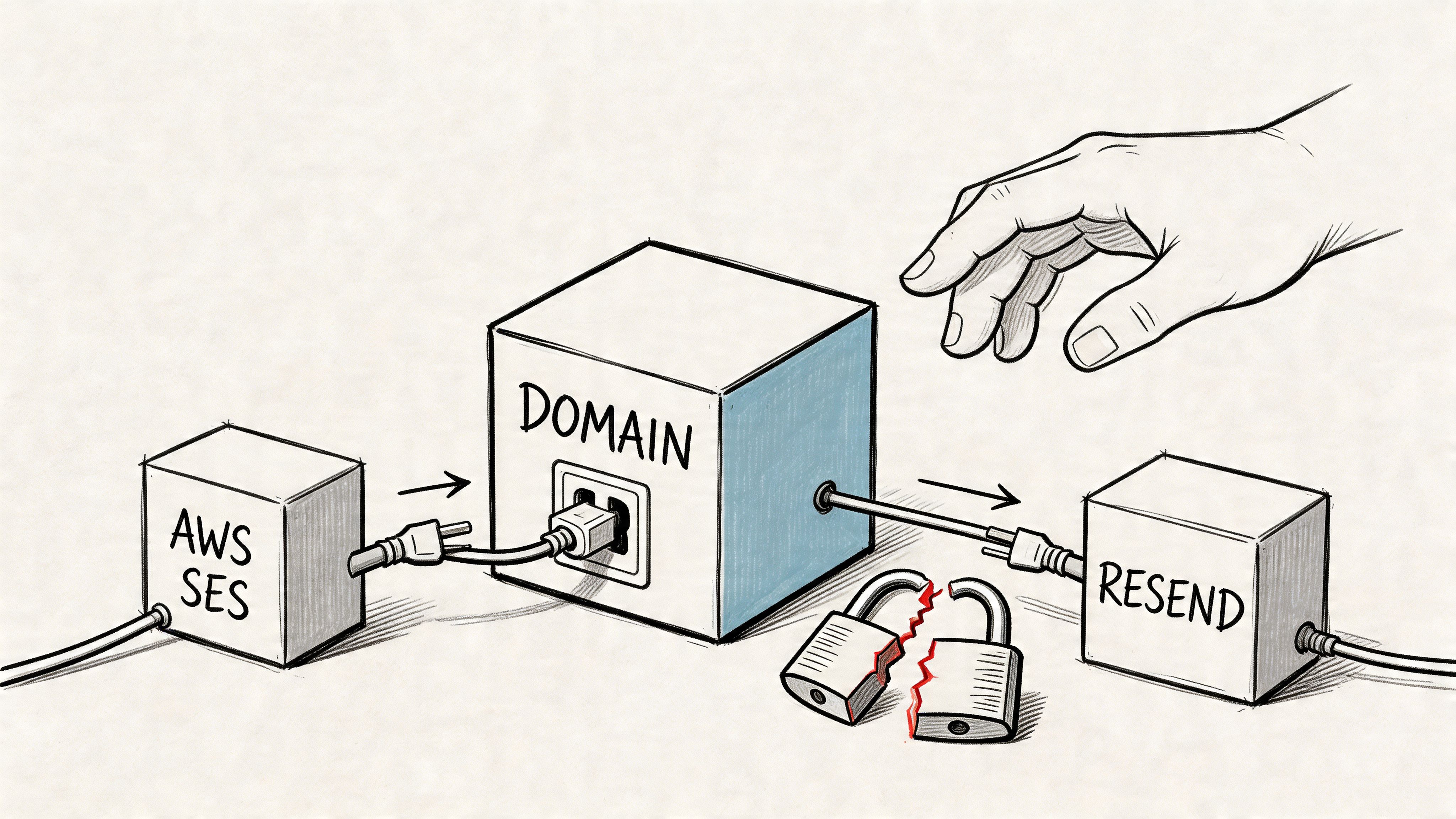
The first real step is connecting your own sending provider instead of using a bundled sending layer you can’t inspect properly.
Why ownership matters before the first send
A lot of email software is reselling infrastructure with a heavy markup. One of the clearest gaps in existing guidance is that it ignores the financial trade-off. Traditional ESP pricing can reach €100+/month for 2,000 contacts, while bring-your-own sending through SES or Resend can be around €0.10 per 1,000 emails, as noted in this analysis of automated email response tooling economics.
That changes the economics of automation completely.
Instead of paying for inflated subscriber tiers, you connect a provider directly and pay the underlying sender for actual volume. More importantly, you separate two concerns that shouldn’t be bundled by default:
- Application layer: the flow builder, segmentation, analytics, and reply management
- Sending layer: the provider that pushes mail out
Once those are separated, you gain options. If one provider becomes inconvenient, you can change the sending layer without rebuilding your whole operation.
What to configure first
The setup is straightforward if you do it in the right order.
-
Create an API key in your sending provider
Use a provider such as Amazon SES, Resend, or Mailtrap. Generate a key with the permissions needed for sending. -
Add that key inside your email platform
Keep the credentials scoped and documented. Don’t bury them in one founder’s password manager and hope nobody ever leaves. -
Verify your sending domain
Many first-time setups get sloppy at this point. Domain verification is what tells inbox providers that you’re authorized to send from that domain. -
Enable DKIM and DMARC records
If you need a faster way to create the right values, a DKIM record generator helps remove the trial-and-error. -
Review your authentication status before sending any automation
Don’t treat this as a checkbox exercise. Authentication affects trust, placement, and troubleshooting.
If you want a plain-English refresher on why these records matter, this guide to email authentication is worth bookmarking.
Your first automated email response should go out from a domain that already looks trustworthy, not one you plan to “fix later.”
A small operational habit helps here. Keep one simple internal document with your provider, verified domains, authentication status, and who owns access. Founders often skip this because the setup feels obvious in the moment. Six months later, nobody remembers what was configured where.
The teams that keep email stable aren’t necessarily more advanced. They’re usually just more disciplined at the foundation.
Build Your First Automated Flow
A useful first flow isn’t complicated. It’s focused.
For most businesses, that means a welcome sequence. Someone signs up, requests a resource, starts a trial, or joins after a purchase. They’ve raised their hand. That’s the moment when automation works best because the context is fresh and the intent is clear.
A simple welcome flow that does real work
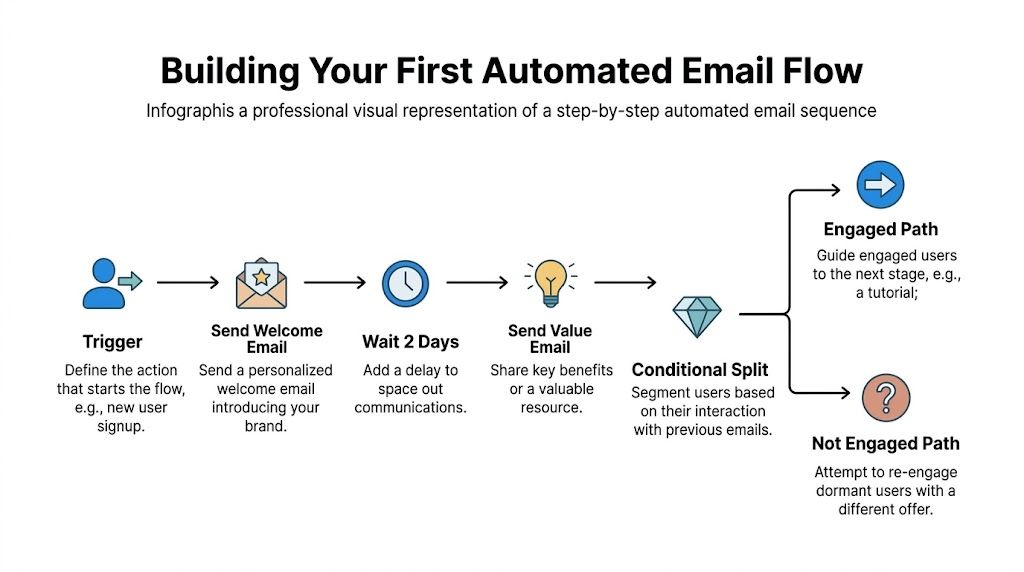
Here’s the version I’d build first.
- Trigger on signup: A user joins through a form, checkout, or product event.
- Send the first email immediately: Confirm the action, set expectations, and point them to one next step.
- Wait before the next touch: Give the user space to act.
- Send a value email: Teach, demo, or clarify something they’re likely to need next.
- Split based on behavior: If they clicked, move them forward. If they didn’t, change the angle rather than repeating the same message.
That structure maps cleanly to a visual sequence builder, including tools built for email sequences. The point isn’t to add lots of branches. The point is to make each branch earn its place.
Automated emails perform well when the message matches the moment. In e-commerce, cart abandonment emails reached 46.6% open rates and welcome emails reached 36.9% open rates in 2023, according to Statista’s automated email marketing data. The same source notes welcome emails have shown roughly 50% opens, 27% CTRs, 240% ROI, and 8x more opens and clicks than bulk promotional sends.
That’s why the welcome sequence deserves more attention than the weekly newsletter. It’s usually the highest-intent automation you have.
What makes the flow perform
The biggest mistake is writing the sequence like a brochure.
A good first automated email response inside a welcome flow should feel like progress, not promotion. That means each message has a job.
| Purpose | Bad version | Better version | |
|---|---|---|---|
| Email 1 | Confirm and orient | Generic brand intro | Clear next step |
| Email 2 | Deliver value | Feature dump | One use case or one win |
| Email 3 | Segment intent | Same CTA again | Different CTA based on behavior |
The strongest automated flows don’t “say more.” They reduce friction at the exact moment a user is most likely to act.
A simple narrative works well here:
What I’d actually write in the sequence
First email: “You’re in. Here’s the one page to start with.”
Second email: “This part is often overlooked, so here’s the faster path.”
Third email for clickers: “Since you already checked that out, here’s the next useful step.”
Third email for non-clickers: “If you skipped the last email, this shorter version will get you there faster.”
That’s still automation, but it reads like a person thought about what happens next.
You don’t need a giant lifecycle map to start. One well-built welcome flow beats a dozen disconnected autoresponders.
Unify Your Replies with IMAP Sync
Sending is only half the system. Replies are where weak setups start leaking value.
Why scattered replies break automation
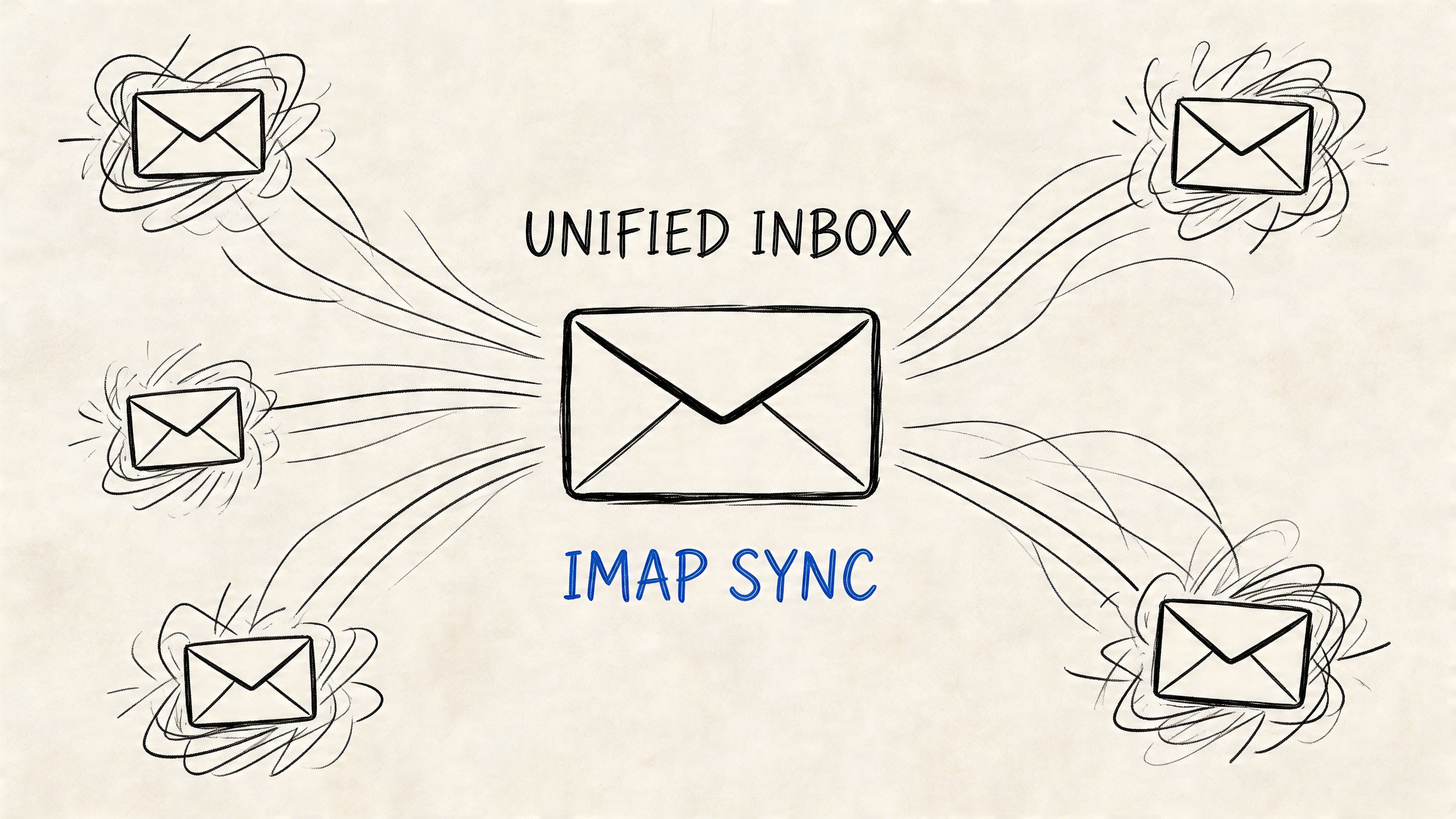
Most platforms are good at firing emails and bad at handling what happens after someone answers. Replies end up in a founder’s Gmail, a support inbox, a sales alias, or nowhere obvious. Then follow-up becomes manual archaeology.
That problem is bigger than people admit. Research cited in Robylon’s discussion of AI auto-response workflows says 74% of DTC brands lose 30%+ of leads to siloed inboxes. The operational fix is IMAP sync that pulls replies into one view so teams can segment and follow up without jumping between inboxes.
If you run onboarding, outbound, post-purchase, or reactivation campaigns, reply context matters. You need to know who replied, which automation they replied to, and whether that response should stop, reroute, or escalate the sequence.
How to make reply handling usable
The practical version is simple:
- Connect the mailbox your campaigns send from
- Sync replies into the same workspace where the campaign lives
- Tag or route based on campaign, sender, or intent
- Pause automation when a human conversation starts
That last point matters. A lot of bad automation comes from continuing to send scheduled emails after someone already responded. It makes the brand look disconnected.
A quick walkthrough helps if you haven’t configured this before:
If replies live in one place and sequences live somewhere else, your “automation” is still manual. It’s just harder to see.
There’s also a strategic advantage. Once replies are unified, you can treat automated email response as a conversation system instead of a send-only channel. That changes how you write. You ask cleaner questions. You invite shorter replies. You create branch points that are useful, not just clever.
For founder-led sales, customer onboarding, and support triage, that’s often where the essential lift comes from. Not from sending more. From missing fewer human signals.
Test Warm Up and Launch with Confidence
A new automation shouldn’t go from draft to full send in one jump.
That’s how domains get stressed, bad assumptions get locked in, and weak copy gets mistaken for a deliverability issue. Before launch, treat your system like a production feature. Warm it up. Test it. Then scale it.
Warm up before you trust the numbers
If you’re using a fresh domain or changing sending behavior, warm-up comes first. Increase volume gradually so inbox providers can observe a normal pattern instead of a sudden spike. A dedicated warm-up feature like email warmup makes this easier to manage consistently.
Warm-up isn’t busywork. It protects the reputation you just spent time establishing through authentication and domain verification.
A simple pre-launch routine looks like this:
- Start with a limited segment: Don’t expose your whole list to a new flow immediately.
- Review message rendering: Check links, personalization fields, and plain-text fallback.
- Watch reply quality: If people respond with confusion, the sequence logic is probably off even if open data looks fine.
- Scale only after the first cycle finishes: Let the automation complete before deciding it works.
A practical A/B testing loop
For automated response testing, keep it boring. Boring testing is reliable testing.
The methodology from Amplispot’s guide to common outreach mistakes is the right one: form a hypothesis, test one variable at a time, run the test over a full cycle, and evaluate using reply rates instead of open rates. The same source notes personalized subject lines produced 30.5% higher responses, and one follow-up increased replies by 65.8%.
That leads to a clean loop:
-
Write the hypothesis
Example: a clearer subject line will increase replies from qualified leads. -
Choose one variable
Subject line, CTA, delay timing, or first-line framing. Not all of them at once. -
Run the full sequence cycle
Don’t call a winner halfway through if follow-ups are part of the design. -
Judge by action, not vanity
Replies and clicks tell you more than opens.
Operational note: If open rate data conflicts with what replies and clicks are telling you, trust replies and clicks.
A professional launch is quiet. No heroics. No giant blast. Just controlled volume, clean instrumentation, and enough patience to let the sequence show you what it’s doing.
Monitor Deliverability and Performance
Once the automation is live, the job shifts from building to watching.
That’s where a lot of systems degrade. The sequence worked on day one, so nobody checks it closely again until bounce issues or weak campaign performance force attention. By then, the sender reputation problem is usually harder to unwind.
The metrics that actually matter
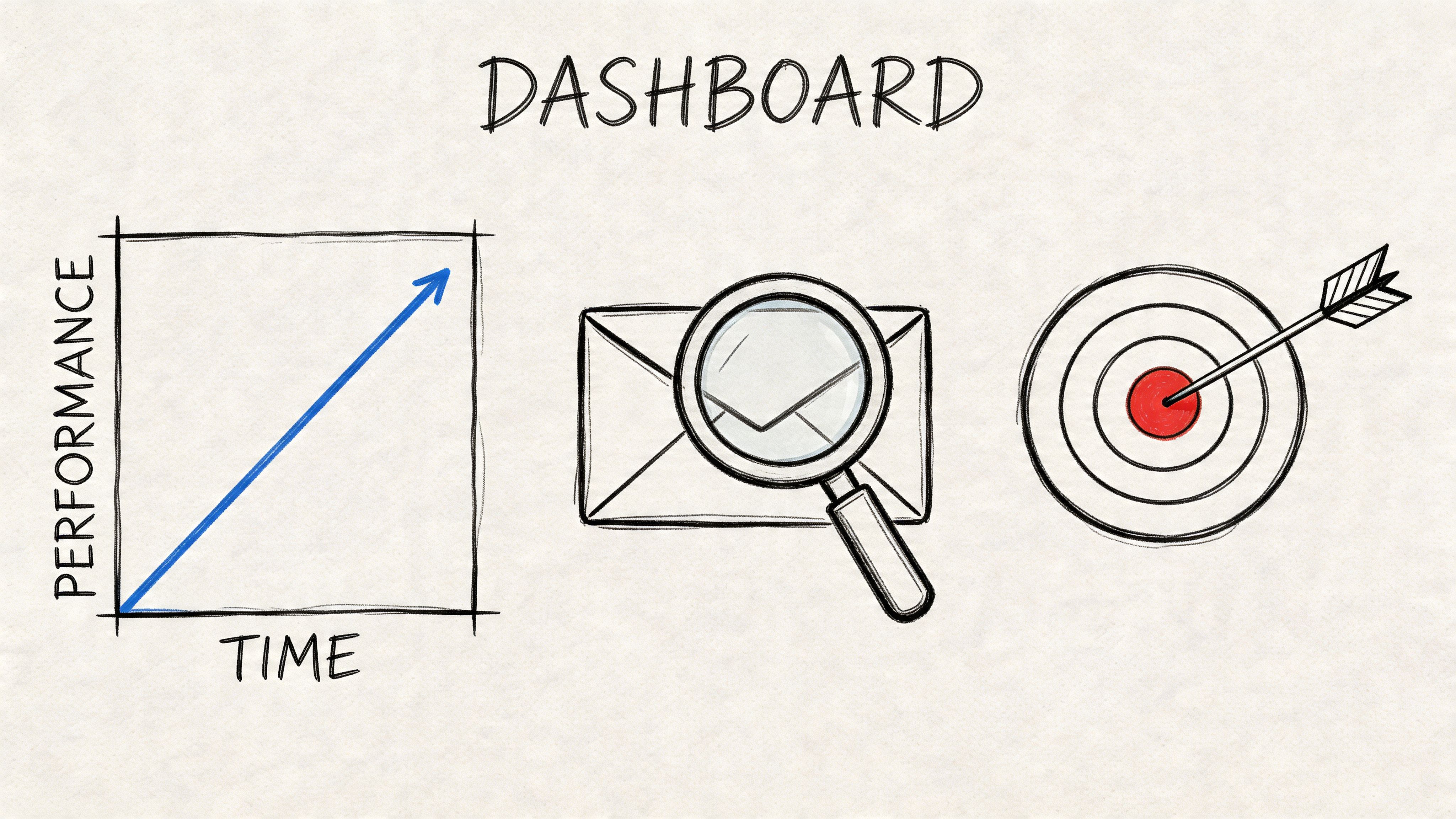
The basics still do most of the work.
According to EzpoolBiller’s guidance on automated follow-up mistakes, you should keep bounce rates below 2% and unsubscribe rates below 0.5%. The same source warns that bounce spikes above 5% can trigger throttling from providers like SES, and notes that proper follow-ups can lift replies by 65%. SaaS teams building these monitoring habits will find additional context in the email marketing for SaaS use case guide.
That gives you a sensible hierarchy:
| Metric | Why it matters | What to do when it worsens |
|---|---|---|
| Bounce rate | Signals list quality and sender health | Pause questionable segments and clean inputs |
| Unsubscribe rate | Shows message mismatch or over-frequency | Tighten targeting and reduce repetitive sends |
| Reply rate | Shows real engagement | Review message intent and CTA clarity |
| Click rate | Measures action on the offer | Improve relevance and landing continuity |
Open rates can still be directionally interesting, but they’re not strong enough to carry the analysis on their own.
How to respond when the numbers drift
When performance slips, don’t rewrite everything at once.
Use a diagnosis sequence:
- If bounces rise: inspect list quality, signup sources, and old imported contacts.
- If unsubscribes rise: the targeting or expectation set earlier in the flow may be wrong.
- If clicks drop but replies hold: the email may be useful, but the CTA or landing page is weak.
- If replies drop after adding more steps: you may have overbuilt the flow.
One of the easiest mistakes to make is treating every performance issue like a copy problem. Sometimes the copy is fine. The core issue is poor audience fit, stale segments, or sending to people who should have been excluded.
Healthy automation is less about squeezing every metric and more about keeping the system trustworthy over time.
That’s the operator’s view of automated email response. You’re not just shipping messages. You’re managing a sending asset that needs maintenance, feedback loops, and restraint.
If you want the economics of owned infrastructure without stitching the whole stack together yourself, Mailtani is built for that model. You bring your own provider, keep control of deliverability and authentication, avoid subscriber-tier markup, and run automations, sequences, warm-up, and reply sync from one place. See the Mailtani pricing page for the one-time cost model. It’s a practical option for founders who want email capability without renting the underlying infrastructure forever.
