
Transactional Email Vs Marketing Email: The Ultimate Guide
Master transactional email vs marketing email. Learn crucial differences: purpose, legal rules, deliverability, and metrics to optimize your email strategy.

Transactional email and marketing email aren't just two campaign types. They operate under different legal rules, different technical constraints, and different business expectations. The gap is large enough that treating them the same can break onboarding, hurt revenue, and drag your deliverability down.
The headline number is hard to ignore. Transactional emails average an 80 to 85% open rate, while marketing emails typically sit around 20 to 25% according to FluentCRM's summary of Experian data. The same source notes that transactional emails generate 8x more opens and clicks and can generate 6x more revenue than bulk promotional mailings. That doesn't mean marketing email is less important. It means the recipient's intent is different, and your infrastructure has to reflect that.
For founders, that distinction matters in practical ways. A password reset that arrives late creates support load. An order confirmation that lands in spam creates distrust. A promotional blast sent from the same reputation pool as your receipts can damage more than one campaign. If you're trying to improve retention, you'll also want adjacent systems like better cart recovery, and this AI guide for Shopify brands is useful because it connects behavior-driven follow-up with purchase intent.
If you're benchmarking program health, even a simple reference point like Mailtani's breakdown of open rate for emails helps show why these streams need different expectations from day one.
Introduction The 4x Engagement Gap You Can't Ignore
Most email advice starts with definitions. That misses the core issue. The operational difference between transactional email vs marketing email shows up in revenue, support tickets, inbox placement, and compliance risk.
A customer expects a receipt, login alert, or shipping update immediately. They asked for it through an action they just took. That expectation is why transactional mail performs so differently from a weekly newsletter or a promo campaign. One message completes a job. The other asks for attention.
Practical rule: If the email exists to fulfill a user action, treat it like product infrastructure, not a marketing asset.
Founders often collapse both streams into one tool because it feels simpler. It usually stays simple right up until a list quality issue, a complaint spike, or a sender reputation problem starts affecting critical messages. Then a promotional problem becomes a customer experience problem.
There's another reason this topic deserves more nuance. Smart teams don't keep transactional and marketing email in separate silos forever. They separate the infrastructure and compliance logic, but they still use transactional behavior to inform marketing. Purchase events, account activity, trial milestones, and support interactions all create signals. Those signals are valuable if you route them correctly.
The business question behind the category question
The actual question isn't whether a message is transactional or marketing in the abstract. It's this:
- What triggered the send
- What the recipient expects
- What legal basis you have
- What happens if the message is delayed or blocked
- Whether this send helps or harms the rest of your program
Teams that answer those five points clearly almost always make better infrastructure decisions.
A Head-to-Head Comparison Chart
If you need the short version, use this rule. Transactional email fulfills an expected action. Marketing email tries to influence a future action.
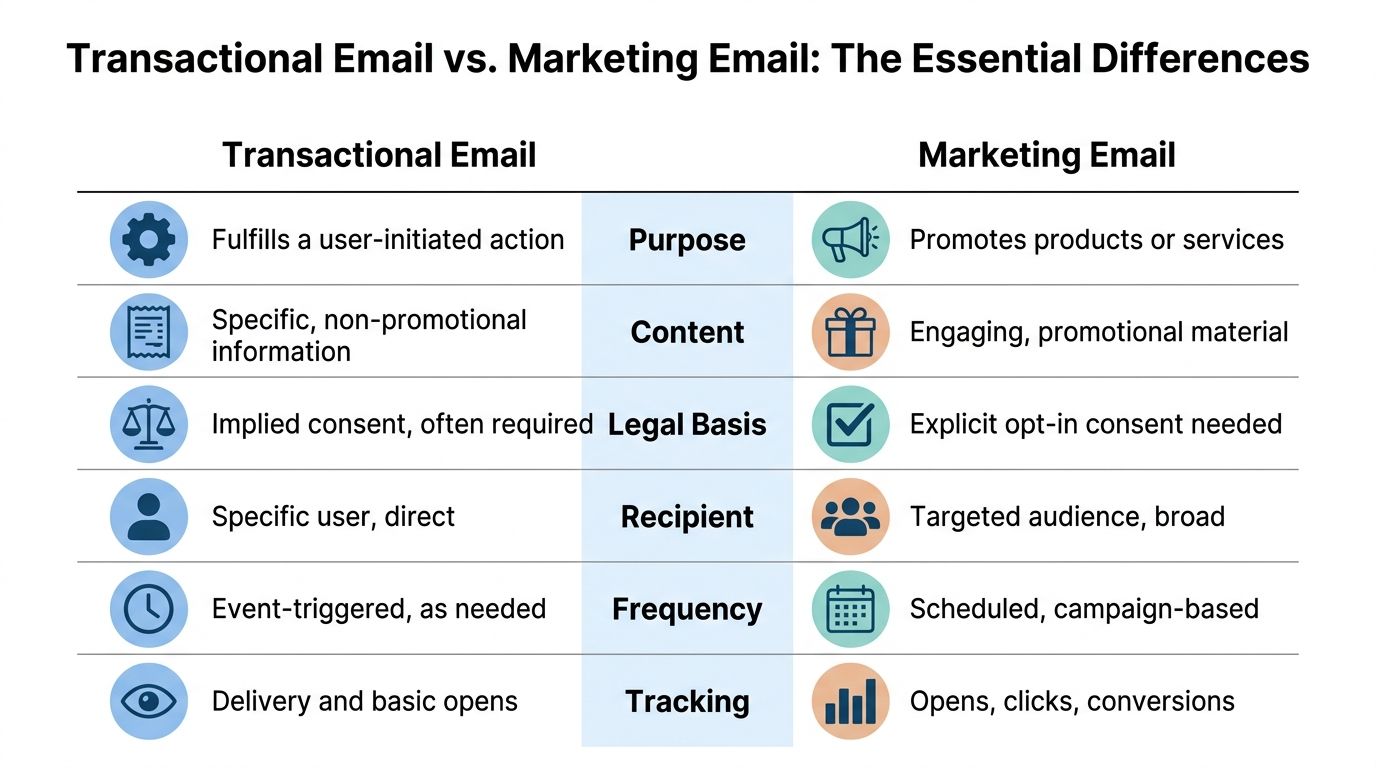
| Category | Transactional email | Marketing email |
|---|---|---|
| Primary purpose | Completes or confirms a user-initiated action | Promotes, nurtures, re-engages, or sells |
| Trigger | Real-time event such as purchase, signup, password reset | Scheduled campaign or behavior-based promotion |
| Recipient expectation | Immediate and specific | Optional and persuasive |
| Consent basis | Usually tied to implicit permission from the underlying action | Requires explicit consent |
| Timing sensitivity | High. Delays break flows and create support issues | Lower. Scheduling and throttling are normal |
| Content style | Utility-first, narrow, contextual | Promotional, editorial, segmented |
| Operational owner | Product, engineering, lifecycle, support | Marketing, CRM, growth |
| Core risk if mishandled | Failed account access, missed receipts, poor customer trust | Complaints, unsubscribes, poor list health |
| Best sending setup | Dedicated stream with event-driven delivery | Campaign system designed for segmentation and scheduling |
For teams comparing platforms, a broad email providers list is useful because the right vendor mix often depends on whether you're optimizing for triggered delivery, campaign management, or both.
The fast way to classify an email
Use a few common examples.
A password reset is transactional. The user asked for it. The message has one job. If it arrives late, the product feels broken.
A 20% off flash sale is marketing. Even if it's personalized, it still exists to generate demand rather than fulfill a requested action.
An order confirmation is transactional. A post-purchase upsell sequence is marketing, even though the purchase event triggered the segment entry.
Where teams usually get confused
The gray area isn't random. It usually appears in messages that sit close to a transaction.
Examples include:
- Welcome emails: If the message confirms account creation and explains next steps, it's usually transactional in function. If it shifts into brand storytelling, featured products, or promotions, it starts acting like marketing.
- Abandoned cart emails: These are generally treated as marketing because they try to recover a purchase that didn't happen.
- Shipping emails with recommendations: The shipping update is transactional. The recommendation block is only safe when it remains secondary and directly related to the original transaction.
The easiest mistake is assuming that because a user action triggered the email, the whole email is automatically transactional. It isn't. The primary purpose still decides the classification.
That's why the transactional email vs marketing email debate isn't academic. You can send both off the same customer journey, but each message still needs its own logic, consent basis, and reputation strategy.
Legal Rules and Deliverability Risks
The legal split is one of the cleanest distinctions in email. Transactional emails don't require prior opt-in because they're sent on implicit permission tied to a user action, while marketing emails require explicit consent under laws like CAN-SPAM and GDPR, which can carry fines up to 4% of global revenue according to EmailLabs.
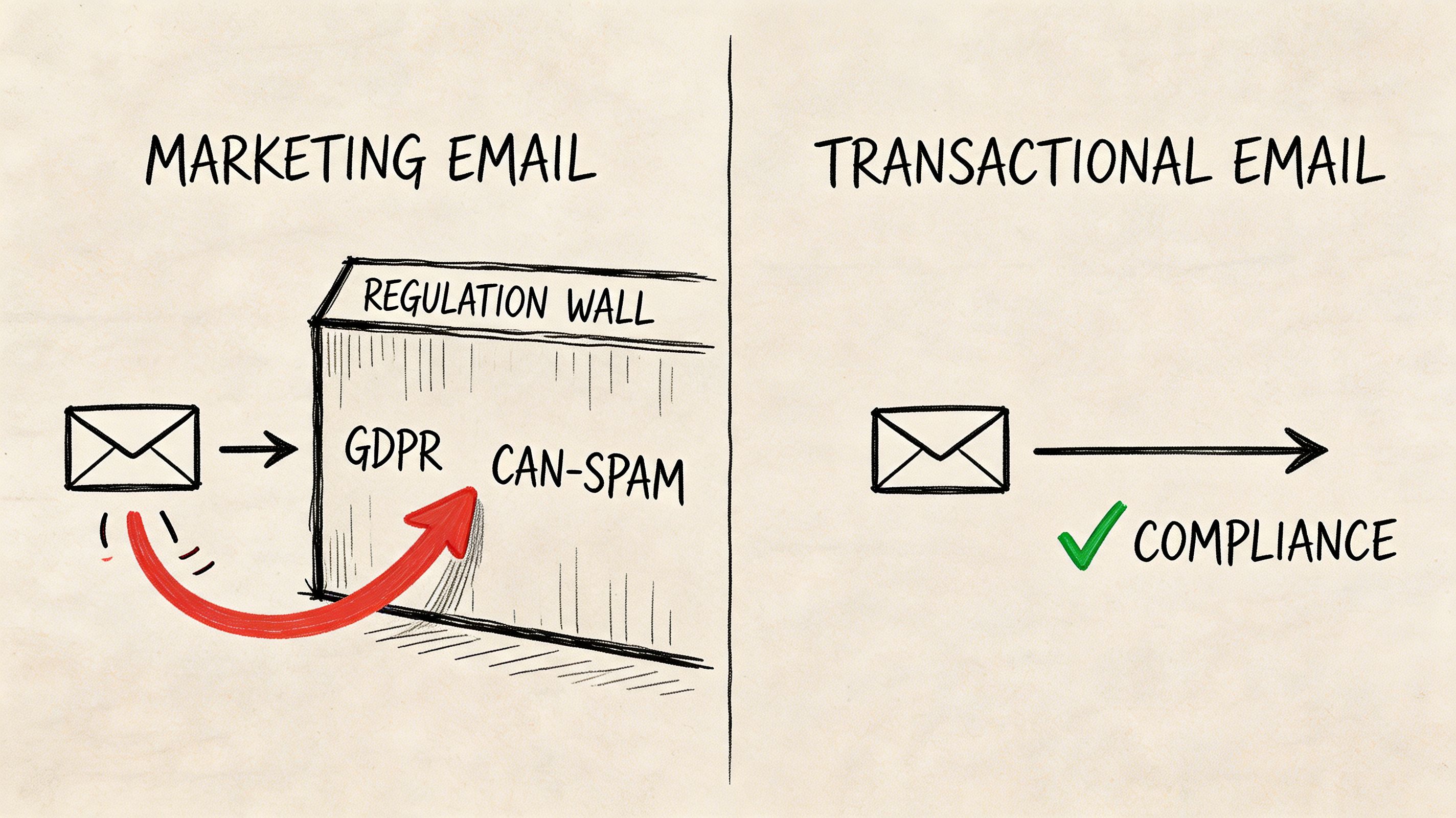
That same distinction affects how providers and inbox systems treat your mail. Transactional streams get more trust because they serve account security, purchases, and expected notifications. Marketing streams face much stricter filtering because recipients are more likely to ignore, unsubscribe, or complain.
If you're building a new sender reputation, Mailtani's guide on how to warm up email domain is relevant because warm-up isn't only about volume. It's also about which type of mail you send first and how clean that behavior looks to inbox providers.
Consent changes the classification
A lot of teams make a subtle but expensive mistake. They start with a transactional message, then keep adding promotional blocks until the message no longer behaves like a transactional one.
A receipt with order details, support info, and delivery expectations is fine. A receipt that heavily pushes unrelated products, discount banners, and newsletter CTAs starts to look like a marketing send dressed up as a receipt.
That changes your risk profile in three ways:
- Compliance risk because the message may no longer fit the consent basis you assumed
- User trust risk because an expected utility email now feels opportunistic
- Filtering risk because mailbox providers react to how recipients engage with the message
Compliance shortcut: Ask what the email would still need to contain if every promotional element were removed. If the answer is "almost everything important," it's likely transactional. If the answer is "not much," it's probably marketing.
Later in the workflow, marketing can still follow. It just needs to follow under the right consent and segmentation logic.
Reputation spillover is the hidden risk
The second problem is deliverability bleed. Teams often share sender identity, infrastructure, or IP reputation across both streams because it feels efficient. It's usually not.
Consider a shared kitchen in a busy restaurant. If one station keeps burning food and leaving grease everywhere, every other dish gets delayed. In email, low-engagement marketing sends, stale lists, and complaints can contaminate the trust that your transactional mail depends on.
This walkthrough is a useful visual primer on where compliance and deliverability start to overlap:
Shared infrastructure doesn't just create a theoretical problem. It turns one bad sending habit into a system-wide issue. That matters most when the affected email is a receipt, security alert, or onboarding step that the user needed immediately.
The Technical Divide APIs vs SMTP Relays
When engineers talk about transactional email vs marketing email, the architecture tells the story faster than the copy does. These two streams are built for different jobs.
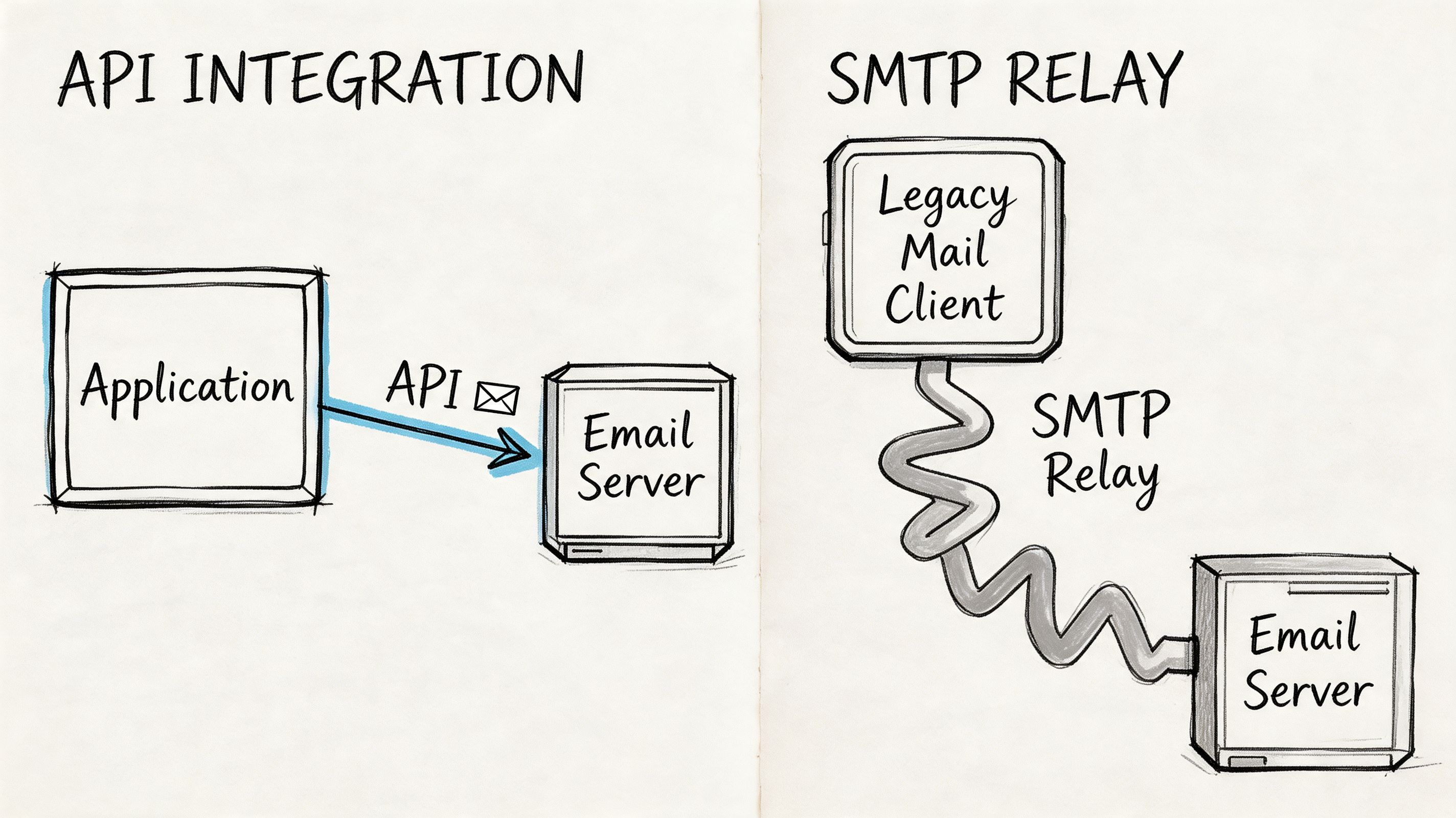
Transactional emails need immediate delivery within seconds, are prioritized by ESPs with dedicated high-uptime infrastructure, and can achieve 95%+ inbox placement, while marketing emails can tolerate delays and use throttling for bulk sends according to Mailchimp's breakdown of marketing vs transactional emails. The same source notes that using a shared IP for both can degrade transactional deliverability by 20 to 30% because marketing mail tends to generate more complaints. For alerts that can't wait for an inbox at all, some teams add SMS on top; can you text an email covers what still works in 2026. If you're choosing tools for each stream, our Mailchimp vs SendGrid comparison shows where a marketing platform ends and a transactional API begins.
Why transactional systems are built for speed
A transactional email usually starts inside your product. A user clicks "reset password." Your app calls an API. The provider assembles a dynamic template with the right variables and tries to deliver immediately.
That architecture exists for a reason:
- Latency matters: A delayed reset email creates product friction.
- Event fidelity matters: The system has to know which account action created the email.
- Status visibility matters: Engineering teams need delivery events, bounces, and failures in real time.
API-first providers like Amazon SES, Resend, Mailtrap, and similar tools fit this workflow because product systems can trigger sends directly. If you are deciding between two of the best-known APIs, our Resend vs SendGrid comparison covers pricing, free plans and developer experience. Teams evaluating the category often compare these against SendGrid alternatives that offer similar transactional depth with different pricing structures. You also get cleaner control over templates, event payloads, authentication, and monitoring.
The message content is narrower too. A password reset template isn't trying to maximize scroll depth. It's trying to get one secure action completed fast.
Why marketing systems are built for control
Marketing infrastructure solves a different set of problems. It needs audience segmentation, campaign scheduling, suppression management, preference handling, creative testing, and send pacing across larger lists.
SMTP relays and campaign platforms still matter here because the challenge isn't speed alone. It's orchestration. (If you're wiring up an SMTP relay, start with the right SMTP port and TLS mode.)
A marketing platform typically needs to answer questions like:
| Question | Why it matters |
|---|---|
| Who should receive this campaign? | Segmentation controls relevance and complaints |
| When should it send? | Timing affects engagement and list fatigue |
| How fast should it send? | Throttling helps avoid filtering and spikes |
| Who must be excluded? | Unsubscribes and suppressions protect compliance |
| Which variant wins? | Campaign optimization depends on testing |
This is why trying to run all transactional mail through a newsletter stack usually creates friction. The queueing model, reporting model, and failure model are different.
A campaign delay is inconvenient. A transactional delay is product breakage.
The reverse mistake happens too. Teams push all promotional sends through a developer-centric transactional provider with no real CRM layer. They can technically send the email, but they lose the tooling that marketers need to segment audiences, manage consent, and coordinate lifecycle campaigns.
The overlap that smart teams use
There is one useful bridge between these systems. Transactional events create the most trustworthy behavioral signals in your business.
A purchase, signup, trial activation, invoice payment, or failed card update tells you more than a generic newsletter open ever will. Good stacks capture those events in the product layer, send the necessary transactional mail immediately, then pass the event into a marketing system for compliant follow-up.
That means one event can create two distinct outcomes:
- A transactional send that fulfills the action now.
- A marketing decision about what, if anything, should happen next.
That's the right kind of blending. The logic connects. The streams stay distinct.
Measuring Success What KPIs to Track for Each
Teams get into trouble when they evaluate both streams with the same dashboard. A campaign marketer cares about response economics. A product or lifecycle team managing transactional email should care first about operational reliability.
The strategic opportunity sits in the handoff between them. As Iubenda notes in its discussion of transactional and marketing email, regulations can allow relevant marketing content that is directly related to the user's transaction. The important boundary is separating behavioral triggers, like browsing or retention logic, from transactional triggers, like a purchase confirmation.
Transactional email success is operational
The wrong KPI for a password reset is "nice open rate." The right questions are:
- Did it send immediately after the event?
- Was it delivered successfully?
- Did the user complete the intended action?
- Did failures trigger alerts fast enough for the team to respond?
For transactional programs, the best dashboard usually combines engineering and lifecycle metrics. Delivery outcomes, send latency, bounce handling, and downstream user actions matter more than superficial campaign-style reporting.
A shipping confirmation is successful if the customer gets the information they need without contacting support. A login alert is successful if it reaches the user in time to be useful. Those are operational outcomes.
Marketing email success is economic
Marketing KPIs are broader because the job is broader. Opens, clicks, conversions, unsubscribes, segmentation performance, and revenue contribution all belong here. If you want a practical companion for building that scorecard, this guide for email marketers on KPIs is a helpful reference.
What matters most is that you don't import campaign logic into utility email by accident.
A simple way to think about it:
- Transactional email answers, "Did we complete the promised communication?"
- Marketing email answers, "Did we create incremental business value?"
If the email is mandatory to the customer experience, measure reliability first. If the email is optional, measure persuasion.
Measuring the bridge without crossing the line
The interesting middle ground is post-transaction growth. In this area, many teams either leave money on the table or push too far.
A compliant approach looks like this:
- Send the transactional message with the required information as the clear primary purpose.
- Limit any added promotional content to material that is directly related to the transaction.
- Route broader upsell, win-back, or browse-based logic through marketing automations with the right consent basis.
- Measure the follow-up separately from the transactional email's core performance.
That last point matters. If a receipt includes a small, relevant recommendation block, don't let that turn the entire message into a campaign report. Keep the main success standard tied to receipt delivery and customer completion. Evaluate the attached commercial element as a secondary layer, not the point of the send.
Building Your Email Stack The Mailtani Advantage
Teams that send product emails and revenue emails through the same setup usually discover the downside during a problem, not during implementation. A spike in complaints from a campaign can drag down password resets, receipts, and login links right when support volume is already rising.
The better stack separates delivery risk from workflow flexibility.
Older ESP models bundle those two layers together. That feels efficient at first. Then pricing rises with volume, provider options narrow, and troubleshooting turns into guesswork because both message types share the same reputation pool. If transactional and marketing traffic ride on one vendor-controlled setup, one mistake in list hygiene or campaign targeting can affect mail your customers were expecting.
As noted earlier, high-engagement transactional traffic can help establish sender reputation. That advantage only pays off if you control how mail is routed, authenticated, and ramped. Otherwise, your highest-trust messages are just feeding a system you cannot tune very precisely.
Control matters more than convenience
For a growth-stage SaaS company or ecommerce brand, a practical stack usually includes four decisions. SaaS teams in particular benefit from understanding the email marketing for SaaS patterns before designing the split:
- Own the sending provider relationship: Send through infrastructure you choose, such as Amazon SES or Resend, instead of renting reputation entirely from an all-in-one ESP.
- Split reputation paths: Keep transactional and marketing traffic on separate domains, subdomains, or provider configurations so one stream does not contaminate the other.
- Keep the orchestration layer portable: Campaigns, automations, and event logic should survive a provider change.
- Use a clean SMTP integration layer: The SMTP integration is where the sending foundation connects to the application layer.
- Preserve shared customer context: Product behavior, purchase events, and lifecycle signals should still inform segmentation and follow-up.
Mailtani fits that model. Teams can run campaigns and automations while bringing their own provider credentials, including Amazon SES, Resend, or Mailtrap. That changes the economics as much as the technical setup. You keep workflow convenience, but you avoid locking deliverability, pricing, and provider choice into one vendor decision.
That distinction matters more than it sounds.
If a provider changes its policy, rate limits, or pricing, a portable setup gives you options. If inbox placement drops, your team can isolate whether the issue sits in audience quality, message strategy, authentication, or the provider layer. Founders rarely need more features here. They need cleaner failure boundaries.
A practical setup for mixed email programs
A stack that holds up under growth usually looks like this:
| Layer | What it handles |
|---|---|
| Product event layer | Signup, order, password reset, payment, account changes |
| Transactional sending layer | Real-time triggered delivery through your provider |
| Marketing automation layer | Segmentation, campaigns, lifecycle sequences |
| Inbox and reply layer | Handling customer responses and follow-up |
| Analytics layer | Separate reporting for utility performance and growth performance |
This structure treats transactional and marketing email as connected systems, not isolated channels. Transactional mail builds trust, trains inbox providers to expect wanted mail from your domain, and creates reliable behavioral signals. Marketing then uses those signals with the right consent model and the right sending lane.
Used well, they support each other. Used carelessly, one breaks the other.
Frequently Asked Questions
Can a transactional email include promotional content
Yes, but only carefully. The transactional purpose has to remain primary, and any marketing content should be directly related to the underlying transaction. If the promotional content takes over the message, treat it as marketing instead.
Is an abandoned cart email transactional
In practice, no. It may be behavior-triggered, but it is still trying to persuade the user to complete a purchase that hasn't happened yet. That makes it part of your marketing program.
Should transactional and marketing emails use the same sender identity
Usually not. Keeping them separated protects reputation and makes troubleshooting easier. If one stream has a complaint or list quality problem, you don't want it affecting receipts, login links, or order updates.
Can transactional email help warm up a new domain
Yes. Transactional mail is a strong reputation-building foundation because users expect it and engage with it. The key is controlling your infrastructure and ramping responsibly rather than dumping unrelated bulk mail onto the same setup.
What's the easiest rule for founders to use
Ask what the recipient believes the message is for. If they expect it because of an action they just took, you're in transactional territory. If you're asking them to take a new action for commercial gain, you're in marketing territory.
What's the most common implementation mistake
Teams often combine the streams too early. They use one sender setup, one reputation pool, and one reporting logic. It feels efficient until deliverability drops or compliance questions appear. Separation first, coordination second, is the safer order.
If you want one system to manage campaigns and automations while keeping control of the underlying sending infrastructure, Mailtani is built for that model. You connect your own provider, keep ownership of cost and reputation, and run both marketing and transactional workflows without handing the entire email stack to a middleman.

