
Email Providers List: 10 Email Service Providers (2026)
Email providers list for 2026: the main mailbox providers plus 10 email service providers (SES, Resend, Mailgun, SendGrid, Postmark…) compared with real pricing.

TL;DR: "Email providers" can mean two things. Mailbox providers (Gmail, Outlook, Yahoo, iCloud, Proton) are where people read email. Email service providers (ESPs) like Amazon SES, Resend, Mailgun and SendGrid are what apps and businesses use to send email at scale. This list covers both, with 2026 pricing for the 10 main ESPs: Amazon SES is the cheapest at $0.10 per 1,000 emails (on à-la-carte pricing), and Resend, Mailgun, Postmark and Mailtrap all start around $15–20 a month. A lot of teams are not paying for deliverability. They are paying for convenience layered on top of commodity sending infrastructure.
That trade-off can be fine at low volume. It gets expensive once email becomes part of the product. SaaS onboarding, receipts, alerts, lifecycle campaigns, and outbound sequences all add up fast. At that point, the useful question is not which provider has the nicest dashboard. The useful question is which layer you need to buy.
There are two common layers in any email providers list. Infrastructure providers give you the sending rails, domain authentication, and raw throughput. Managed API platforms sit on top with better docs, templates, analytics, and easier onboarding. There is also a third model that many teams miss: run your own sending stack through a platform like Mailtani, keep control of the infrastructure account, and avoid paying recurring markup forever.
That changes both cost and control. You keep ownership of domain setup, reputation work, and provider choice instead of rebuilding everything when pricing changes or account limits tighten. If your team is still sorting out SMTP basics, this guide on SMTP TLS port configuration for secure email delivery is a useful starting point.
Below is a practical email providers list organized with that lens. Some tools are infrastructure. Some are managed APIs. And for teams that want lower long-term cost without giving up control, the bring-your-own-infrastructure model deserves a place in the conversation.
Email Providers vs Email Service Providers
If you searched for a list of email providers to get an email address, you want a mailbox provider. If you want to send receipts, newsletters or app notifications from your own domain, you want an email service provider. They're different products, and the same company is rarely good at both.
| Mailbox provider | Owned by | Free plan | Known for |
|---|---|---|---|
| Gmail | Yes | The most widely used inbox; strict spam filtering | |
| Outlook.com | Microsoft | Yes | Built into Windows and Microsoft 365 |
| Yahoo Mail | Yahoo | Yes | One of the oldest free inboxes |
| iCloud Mail | Apple | Yes, with an Apple ID | Default on iPhone and Mac; Hide My Email aliases |
| Proton Mail | Proton AG | Yes | End-to-end encryption, based in Switzerland |
| Tuta | Tuta GmbH | Yes | Encrypted inbox and calendar, based in Germany |
| Zoho Mail | Zoho | Yes, for small teams | Custom-domain email for businesses |
| GMX | United Internet | Yes | Popular in Germany and Europe |
| AOL Mail | Yahoo | Yes | Legacy free inbox |
| Fastmail | Fastmail | No (free trial) | Paid, ad-free inbox with custom domains |
Gmail dominates the global mailbox market with about 1.8 billion accounts and 30.7% of global email client market share, according to Clean Email’s market overview.
The concentration matters if you send email: whichever ESP you choose, most of your messages land in Gmail, Outlook or Yahoo, so authentication (SPF, DKIM, DMARC) and sender reputation decide whether you reach the inbox. The rest of this list covers the sending side.
Email Service Provider Pricing at a Glance (2026)
Prices from each provider's pricing page, checked October 2026. "Entry plan" is the cheapest paid plan for API/SMTP sending.
| Provider | Free plan | Entry plan | Dedicated IP |
|---|---|---|---|
| Amazon SES | $200 AWS credits for 6 months (new accounts) | $0.10 per 1,000 emails (à-la-carte; new accounts start on the $0.16 Essentials plan) | $24.95/month per IP |
| Resend | 3,000 emails/month (100/day) | $20/month for 50,000 | $30/month (Scale plan) |
| Mailgun | 100 emails/day | $15/month for 10,000 | Included from Foundation ($35/month) |
| SendGrid | 60-day trial, 100 emails/day | $19.95/month for 50,000 | Included from Pro ($89.95/month) |
| Postmark | 100 emails/month | $15/month for 10,000 | From $50/month, 300,000+ emails/month |
| SparkPost (Bird) | 1,000 emails/month | From $15/month (50,000+) | $24.95/month (Growth plan) |
| Mailjet | 6,000 emails/month (200/day) | $9/month for 8,000 | Enterprise plans |
| Brevo | 300 emails/day | $9/month for 5,000 | Enterprise plan |
| Mailtrap | 4,000 emails/month (150/day) | $15/month for 10,000 | Included from Business ($85/month) |
| Elastic Email | 3,000 emails/month | $19/month for 50,000 | $40–50/month |
The headline price is rarely the whole bill: overage rates, dedicated IPs and log retention move to higher tiers on most of these plans. If you're comparing two of them directly, see AWS SES vs SendGrid, Resend vs SendGrid and Mailgun vs Postmark.
1. Amazon Simple Email Service SES
For teams that want to own the foundation, Amazon SES is usually the first serious stop on an email providers list. It’s infrastructure, not a polished marketing suite. That distinction matters. SES gives you SMTP and API sending, inbound receiving, Mail Manager, dedicated IP options, and deliverability tooling inside AWS.
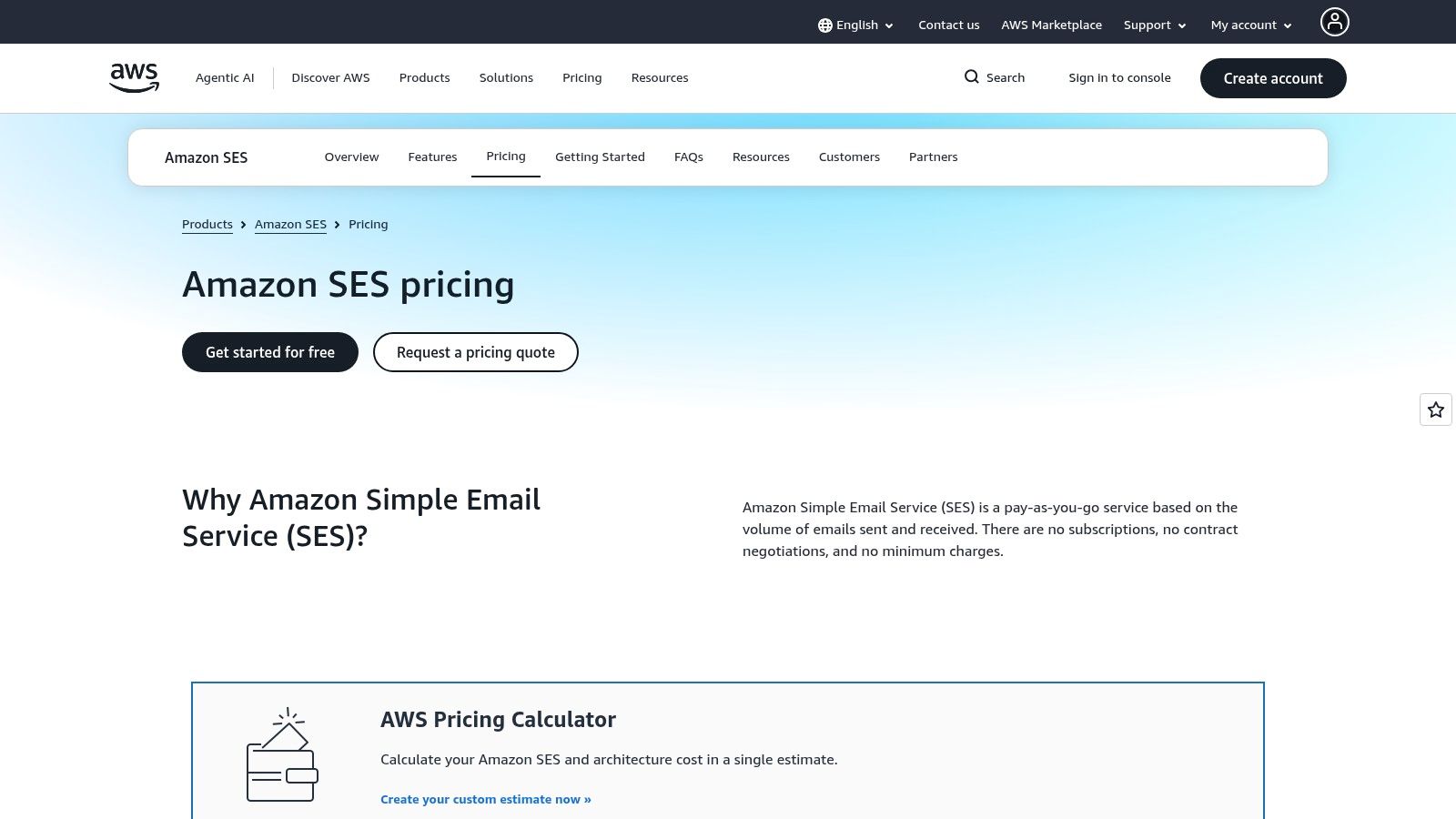
Pricing (2026): $0.10 per 1,000 emails on à-la-carte pricing. Since July 21, 2026, new accounts start on the Essentials plan at $0.16 per 1,000, so switch to à-la-carte in the SES console if you only need sending. New AWS accounts get up to $200 in free-tier credits for 6 months. Dedicated IPs cost $24.95/month each. More detail in our Amazon SES email marketing guide.
The upside is control. You manage domains, DNS, authentication, reputation, and the rest of the plumbing directly. The downside is also control. If your team wants a polished campaign builder and hand-holding, SES will feel sparse.
Why teams choose SES
SES fits engineers who already live in AWS or don’t mind a little setup friction in exchange for lower baseline sending cost. It’s elastic, predictable, and pairs cleanly with your own event pipelines, suppression logic, and app infrastructure.
A few practical strengths stand out:
- Raw infrastructure ownership: You control the sender identity, authentication setup, and reputation strategy.
- AWS-native integration: It plugs into the rest of your stack without awkward adapters.
- Room to grow: Dedicated IPs, managed options, and deliverability tooling are there when you need them.
Practical rule: If your team can handle DNS and event webhooks, SES usually makes more sense as a base layer than paying a premium for features you don't use.
The common failure mode is assuming cheap infrastructure means low effort. It doesn’t. You still need sane bounce handling, complaint monitoring, authentication, and SMTP configuration. If you're sending over SMTP, it helps to understand basics like how SMTP TLS ports actually work before you troubleshoot the wrong layer.
2. Resend
Resend took a different path from older providers. It feels like a product built by people who were tired of awkward email APIs and outdated dashboards. That shows up in the developer experience, the API design, and template workflow.
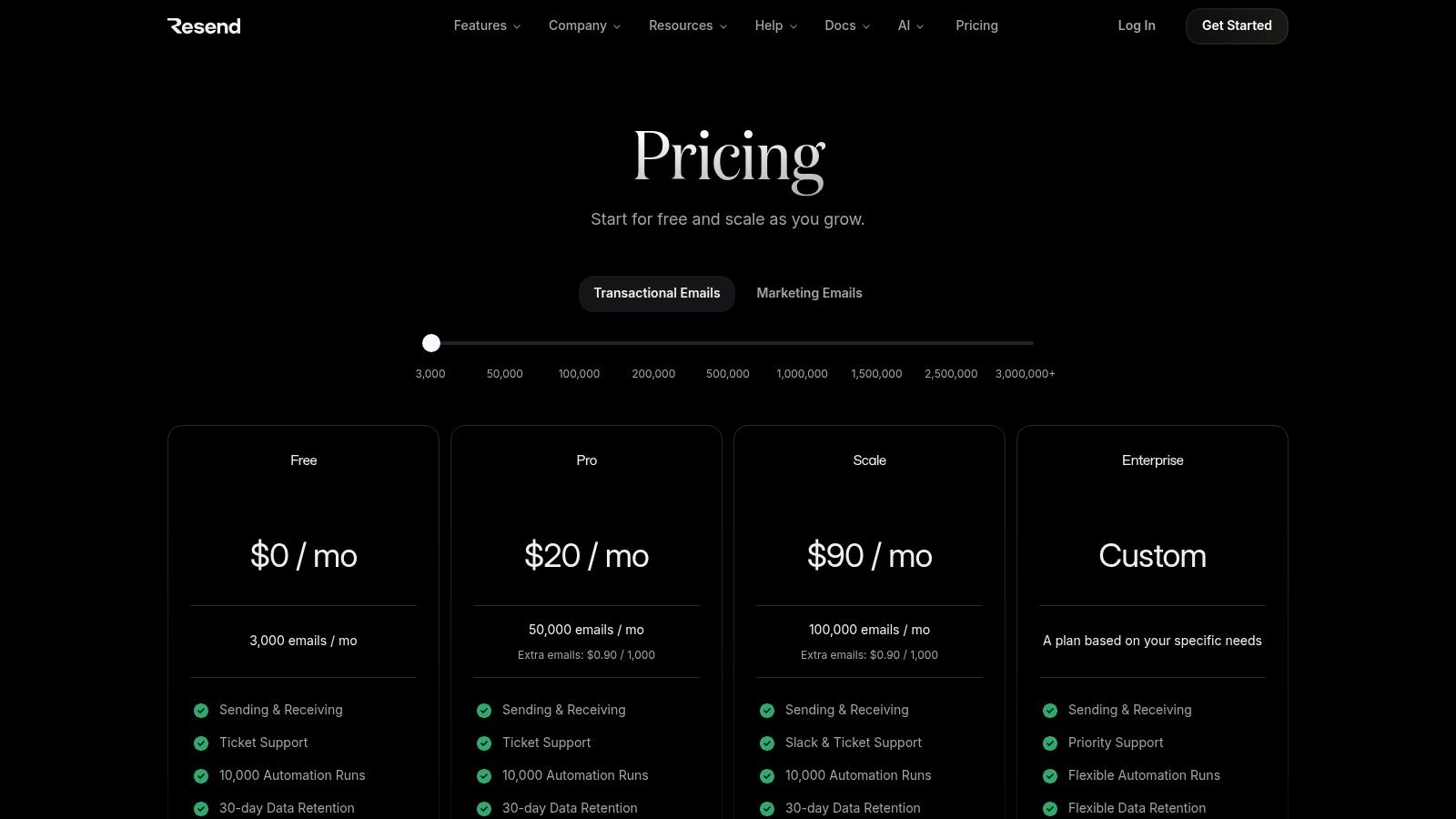
Pricing (2026): free for 3,000 emails/month (100/day). Pro is $20/month for 50,000 emails or $35 for 100,000; Scale starts at $90/month and adds a $30/month dedicated IP option. See how it stacks up in Resend vs SendGrid. Resend Marketing is priced separately by contacts; if that adds up, see mailtani as a Resend alternative, which can keep sending through Resend.
If you're shipping product email from a modern app stack, Resend is often the fastest route from “we need email” to “it's live.” REST API and SMTP are both there. So are templates, webhooks, inbound parsing, audiences, broadcasts, and multi-region delivery.
Where Resend feels different
The primary advantage isn't just feature count. It's that the setup feels current. React Email support, straightforward docs, and a cleaner mental model make it easier to wire transactional and light marketing email without dragging in a bulky marketing suite.
Resend is a good fit when you want:
- Fast implementation: Fewer legacy concepts to learn.
- Clear scaling behavior: Optional dedicated IPs and readable overage behavior are easier to reason about than opaque enterprise packaging.
- A modern app-team workflow: Templates and events fit better with product teams than with traditional marketing ops.
What it doesn't have is the long institutional history of some older incumbents. If your organization wants a giant ecosystem, layers of account management, or a long procurement trail, Resend may feel young. If your team values speed and clarity, that youth is usually a feature.
3. Mailgun by Sinch
Mailgun is one of the most familiar names in developer email for a reason. It’s mature, well-documented, and battle-tested across SaaS products, internal tools, and customer messaging systems. If you’ve inherited an older codebase, there’s a good chance Mailgun is already in the stack somewhere.
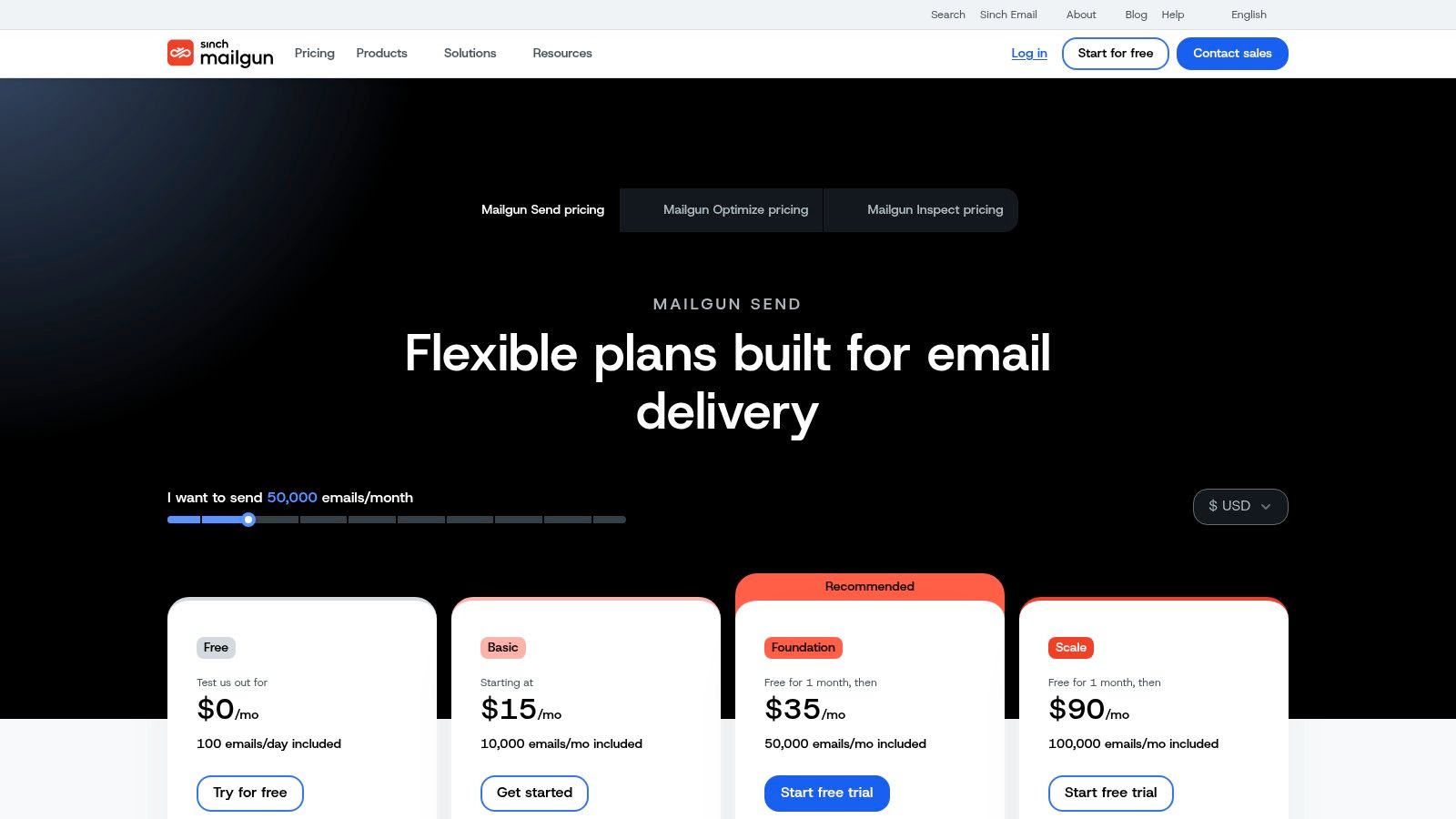
Pricing (2026): free for 100 emails/day. Basic is $15/month for 10,000 emails, Foundation $35/month for 50,000 and Scale $90/month for 100,000, with one dedicated IP included from Foundation 50k.
Mailgun combines email API and SMTP sending with templates, webhooks, inbound routing, and higher-tier options like dedicated IPs, send-time optimization, SSO, and regional hosting choices. That makes it a solid middle ground between pure infrastructure and a more managed platform.
Who Mailgun fits best
Mailgun works well for teams that need stability more than novelty. It has enough tooling to support serious production workloads, but it still feels like something developers can control without fighting a marketer-first interface.
Three reasons teams keep it around:
- Proven API surface: Mature docs and predictable behavior matter in production.
- Inbound routing support: Useful when replies, parsing, or workflow triggers matter.
- Operational headroom: Data residency options and higher-tier deliverability features help larger teams.
Mailgun is rarely the cheapest long-term choice once overages and gated features start stacking up. It's often the safest choice for teams that value familiarity.
The trade-off is cost creep. Entry tiers can feel reasonable, then become less attractive as volume rises or advanced features move to higher plans. That doesn't make Mailgun a bad option. It just means you should price the full operating model, not the entry screen. If you're evaluating Mailgun alongside similar tools, this Mailgun alternatives comparison covers where the trade-offs land.
4. Twilio SendGrid
A lot of teams land on Twilio SendGrid because it feels like the default enterprise answer. There’s a reason for that. SendGrid has one of the best-known delivery networks in the category, broad SDK support, event webhooks, templates, analytics, and dedicated IP options with automated warmup.
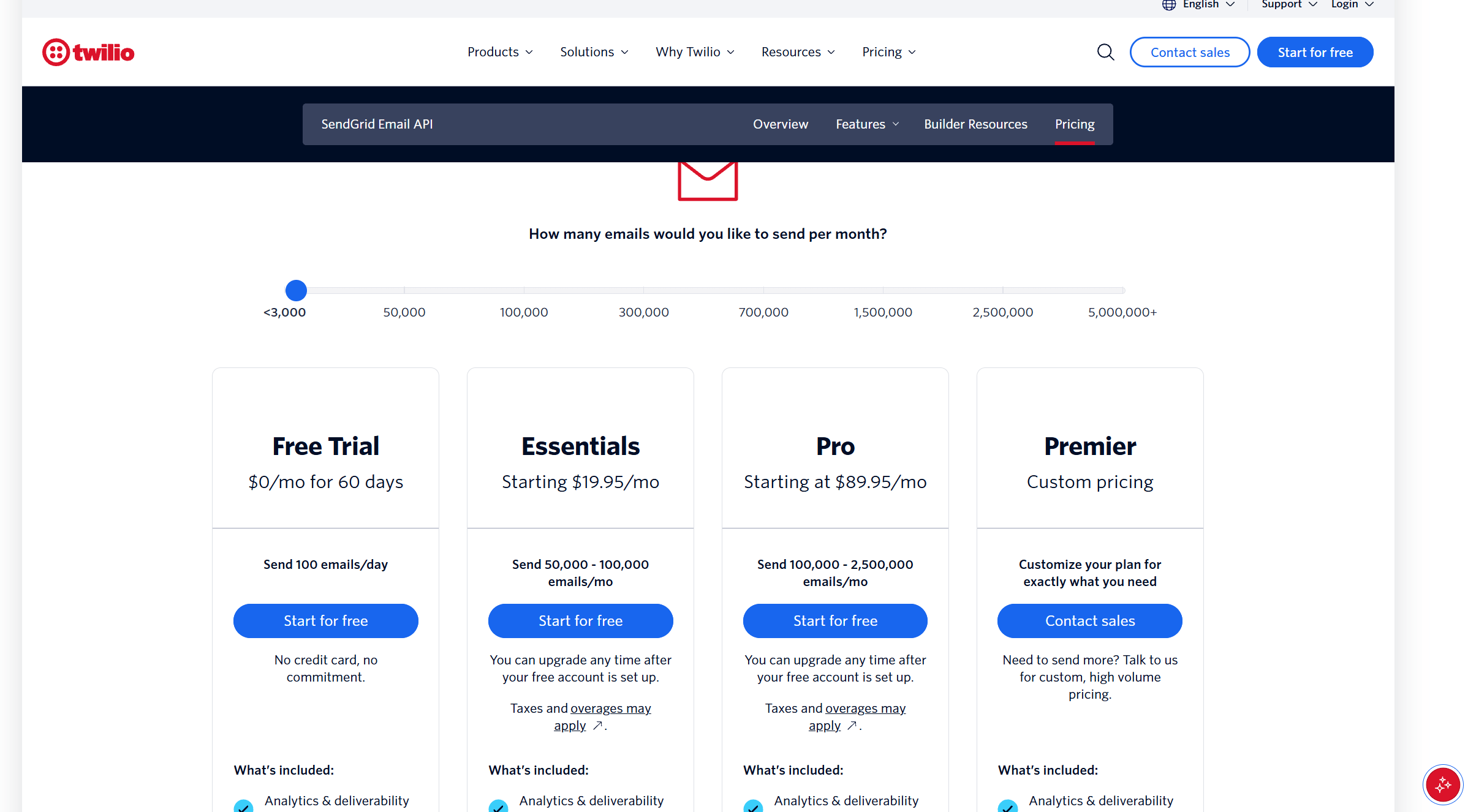
Pricing (2026): the permanent free plan ended in March 2025; new accounts get a 60-day trial at 100 emails/day. Essentials is $19.95/month for 50,000 emails ($34.95 for 100,000) and Pro starts at $89.95/month for 100,000 with a dedicated IP. If you're also weighing a marketing platform, see Mailchimp vs SendGrid.
What SendGrid gets right
SendGrid is a strong fit for teams that need scale, analytics, and a large support footprint. It’s less appealing for teams that want a simple pricing model or a lightweight developer-first surface.
What stands out in practice:
- High-volume readiness: It’s built for organizations sending a lot of mail across many workflows.
- Strong event data: Webhooks and activity data are useful for product and growth teams.
- Automated warmup support: Helpful if you're using dedicated IPs and want less manual work.
The weak point is complexity. Plan structure, add-ons, and migration-era packaging can make total cost harder to predict than it should be. If your procurement team likes big vendors and your engineering team wants a known quantity, SendGrid still works. If you're deciding between SendGrid and a marketing platform, our Mailchimp vs SendGrid comparison breaks down pricing and Mailchimp's transactional add-on. For a broader look at the category, the SendGrid alternatives page covers where teams land when they outgrow or move away from it. If you're cost-sensitive and want clean ownership, it can feel heavier than necessary. Teams comparing it against lighter options often also weigh Mailchimp alternatives that sit between SendGrid's scale and a simple newsletter tool.
5. Postmark by ActiveCampaign
Postmark has a very specific reputation. Teams trust it for transactional email because it stays focused. It isn't trying to be a giant all-in-one marketing cloud. It does sending, streams, inbound processing, and delivery-oriented operations with less clutter.
Pricing (2026): a free developer plan covers 100 emails/month. Basic is $15/month for 10,000 emails, Pro $16.50 and Platform $18. Dedicated IPs start at $50/month and need 300,000+ emails/month. Compare it with Mailgun in Mailgun vs Postmark.
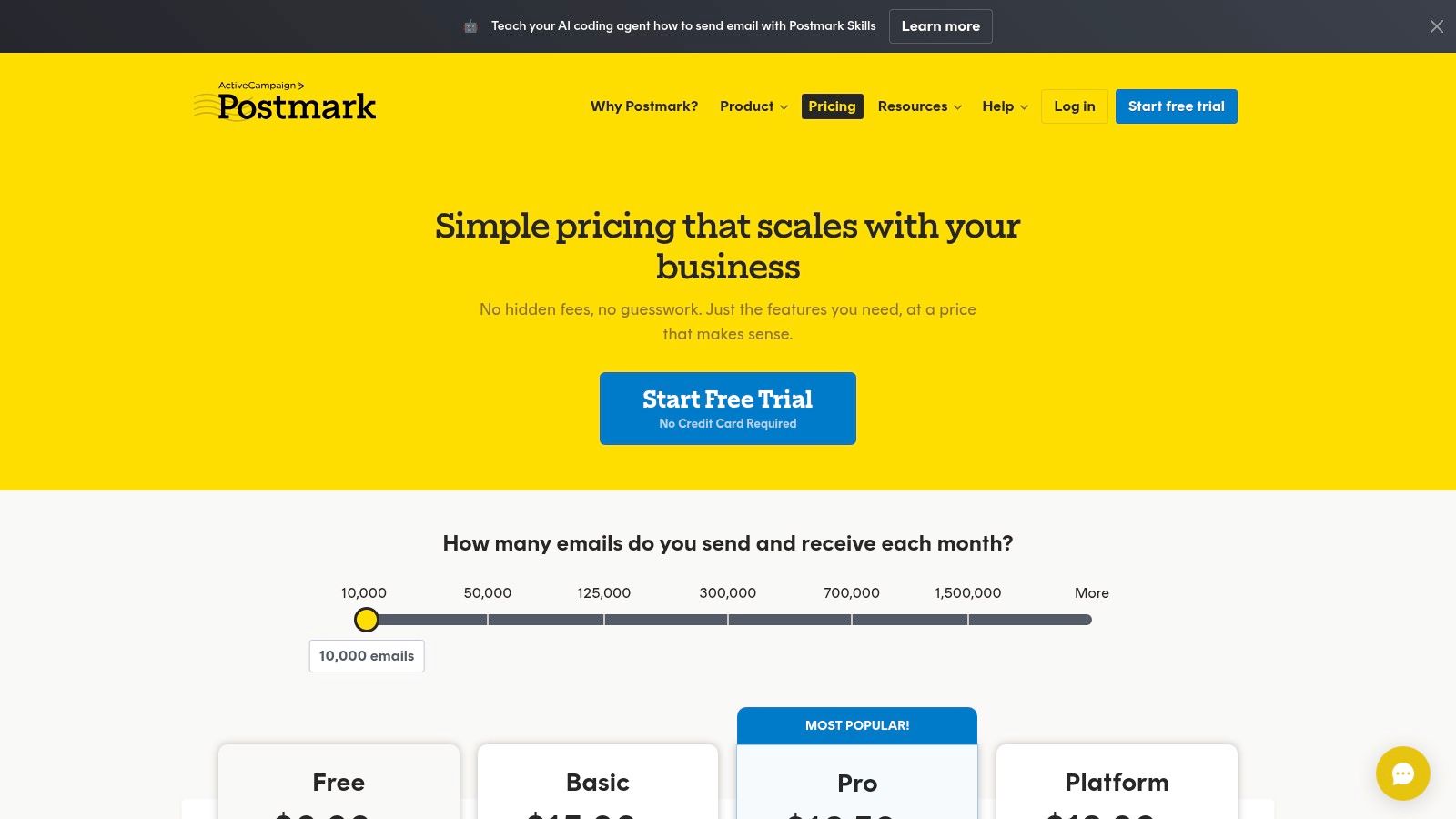
The feature that matters most is Message Streams. Separating transactional and broadcast traffic is one of those operational choices that sounds minor until a marketing blast starts affecting password resets. Postmark treats that separation as a first-class concept, which is one reason developer teams keep coming back to it.
Why Postmark stays popular
Postmark works best when reliability and clean message separation matter more than building a huge marketing machine inside one vendor.
Its strongest points are practical:
- Message Streams: You can isolate transactional and broadcast traffic cleanly.
- Fast processing: Useful for product notifications and time-sensitive mail.
- Straightforward docs: Integration tends to be cleaner than with more bloated suites.
If you're comparing it to broader marketing platforms, it's worth seeing how narrower delivery tools differ from platforms like ActiveCampaign alternatives built for different email models.
Field note: Postmark is easy to recommend for app email. It's harder to recommend if your team expects it to replace a full marketing stack.
The main friction is pricing at the low end and dedicated IP requirements for heavier senders. It’s not the budget pick. It’s the “I want fewer surprises in production” pick.
6. SparkPost (now part of Bird)
SparkPost sits closer to the enterprise side of this email providers list. It's now part of Bird (formerly MessageBird), and sparkpost.com redirects to Bird's email pricing. It’s built for high-scale sending, detailed analytics, validation, dedicated IP options, and deeper operational controls like SSO and SCIM.
Pricing (2026): free for 1,000 emails/month. The Startup plan starts at $15/month (50,000–100,000 emails) and Growth at $80/month, which adds dedicated IPs at $24.95/month each.
SparkPost’s appeal is less about a polished beginner experience and more about control at scale. Teams that care about event pipelines, deliverability oversight, and migration support tend to appreciate it more than smaller startups do.
Where SparkPost makes sense
If your requirements document includes words like governance, analytics depth, identity management, or provider migration, SparkPost deserves a look.
Its strengths show up in environments like these:
- Large sending programs: You want analytics and sending controls, not just a dashboard.
- Enterprise admin needs: SSO, SCIM, and structured access controls matter.
- Reputation-sensitive operations: Dedicated IP and BYOIP options can be part of a broader strategy.
The weakness is accessibility. Pricing detail and some product information can feel spread across too many pages or conversations. That’s manageable in procurement-heavy organizations. It’s frustrating for smaller teams that just want to evaluate quickly.
7. Mailjet by Sinch
Mailjet is what I’d call a hybrid utility pick. It tries to serve both developers and marketers without leaning completely into either camp. You get SMTP, API, webhooks, MJML support, templates, an editor, segmentation, and automation on higher tiers.
Pricing (2026): free for 6,000 emails/month (200/day, 1,000 contacts). Paid plans start at $9/month for 8,000 emails, with Essential at $19/month and Premium at $29/month for 15,000.
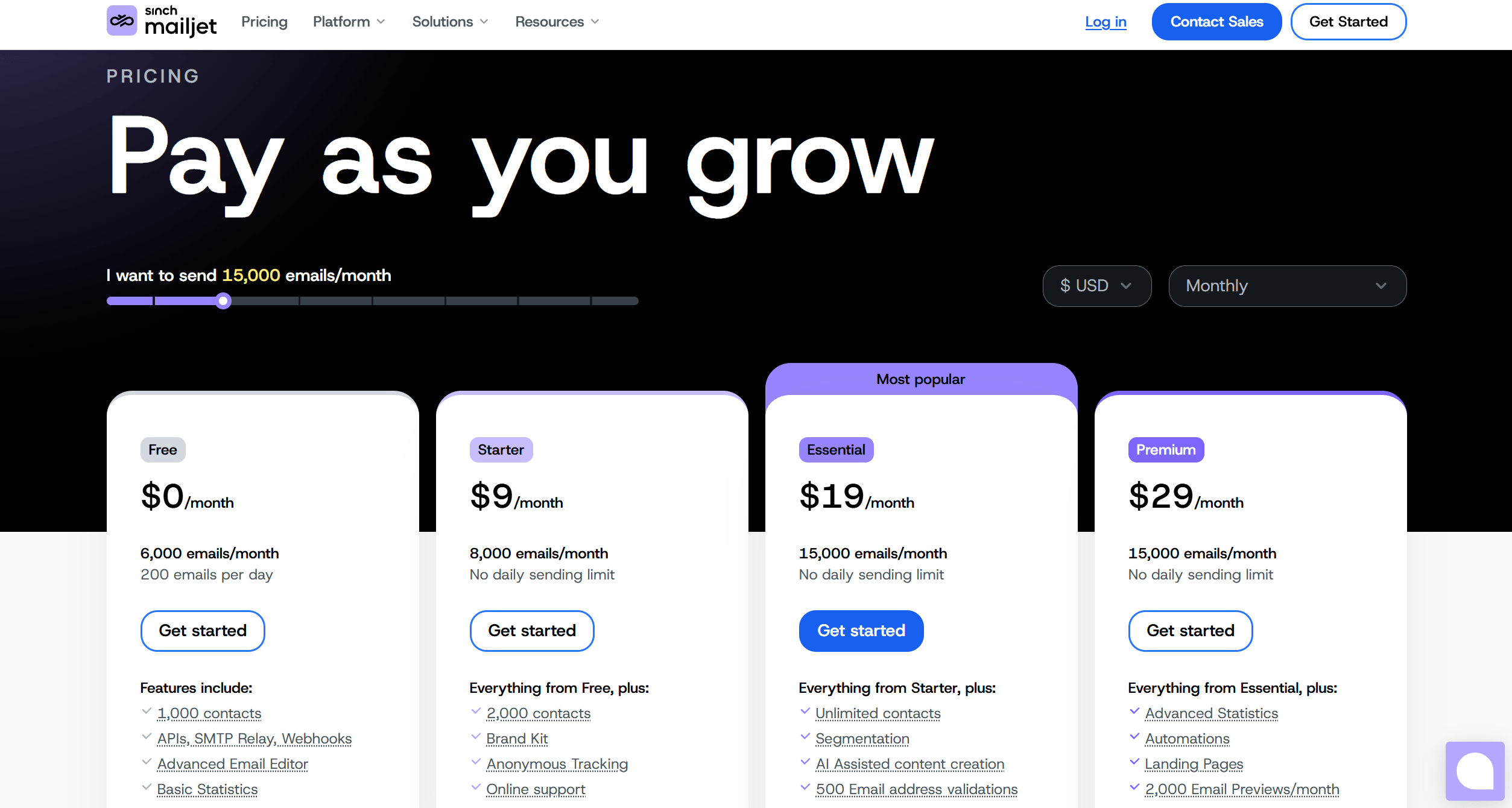
That balance can be useful if your team structure is mixed. A developer can own integration while a marketer edits campaigns without filing tickets for every copy change.
The trade-off with Mailjet
Mailjet is appealing when neither a pure API provider nor a pure marketing suite feels right. It’s not the strongest specialist in either direction, but it covers a lot of ground without being difficult to adopt.
Why some teams choose it:
- Shared workflow: Developers and marketers can both work in the same tool.
- MJML support: Helpful if your team prefers code-based email templates.
- Broader campaign tooling: Segmentation and automation exist without moving to a separate system.
The catch is feature gating. Some of the deliverability and automation depth you’ll want as volume grows sits higher in the plan stack. That’s common in this category, but it matters more with hybrid tools because teams often adopt them assuming they'll cover everything indefinitely.
8. Brevo formerly Sendinblue
Brevo is one of the better examples of an all-in-one platform that still takes transactional email seriously. You get SMTP and API sending, inbound parsing, logs, automation, segmentation, landing pages, and CRM-style features in the same product.
Pricing (2026): the free plan sends up to 300 emails/day, and every plan includes the transactional API and SMTP relay. Paid plans start with Starter at $9/month for 5,000 emails, Standard (automation and A/B testing) at $18/month, and Professional at $499/month from 150,000 emails. Dedicated IPs are on the Enterprise plan.
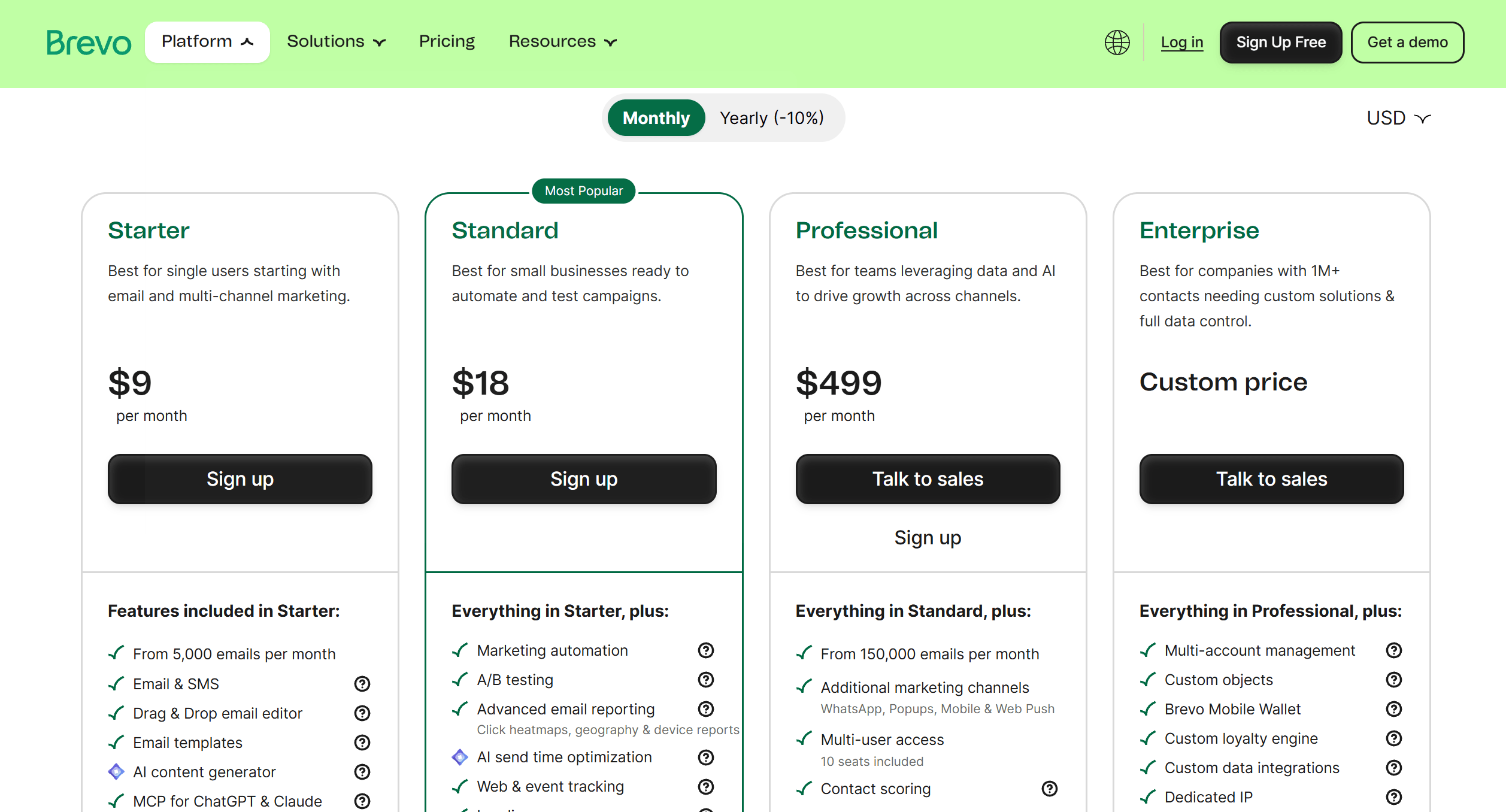
That all-in-one positioning works for a certain kind of business. Smaller teams often don't want separate vendors for transactional mail, marketing campaigns, and contact workflows. Brevo gives them one place to manage those jobs.
When Brevo is the right compromise
Brevo makes sense when operational simplicity matters more than pristine infrastructure ownership. You want one subscription, one UI, and enough sending features to support both product and marketing email.
It's especially useful for teams that need:
- Combined workflows: Transactional plus marketing plus CRM-ish functions in one place.
- Marketer-friendly tooling: Automation and segmentation without a lot of engineering work.
- Transparent send limits: Easier to understand than some enterprise platforms.
For teams comparing it against other bundled tools, this wider Brevo alternatives breakdown helps clarify where the trade-offs land.
Brevo’s weakness is the same thing that makes it attractive. The convenience layer is useful, but you’re still inside someone else’s operating model. If long-term cost control and provider portability matter, bundled convenience can become a constraint.
9. Mailtrap Email Sending by Railsware
Mailtrap Email Sending stands out because it connects development testing and production sending more directly than most providers do. If your team cares about staging, QA, and safe preview workflows, that matters more than another drag-and-drop builder.
Pricing (2026): free for 4,000 emails/month (150/day). Basic is $15/month for 10,000 emails; Business starts at $85/month for 100,000 and includes a dedicated IP.
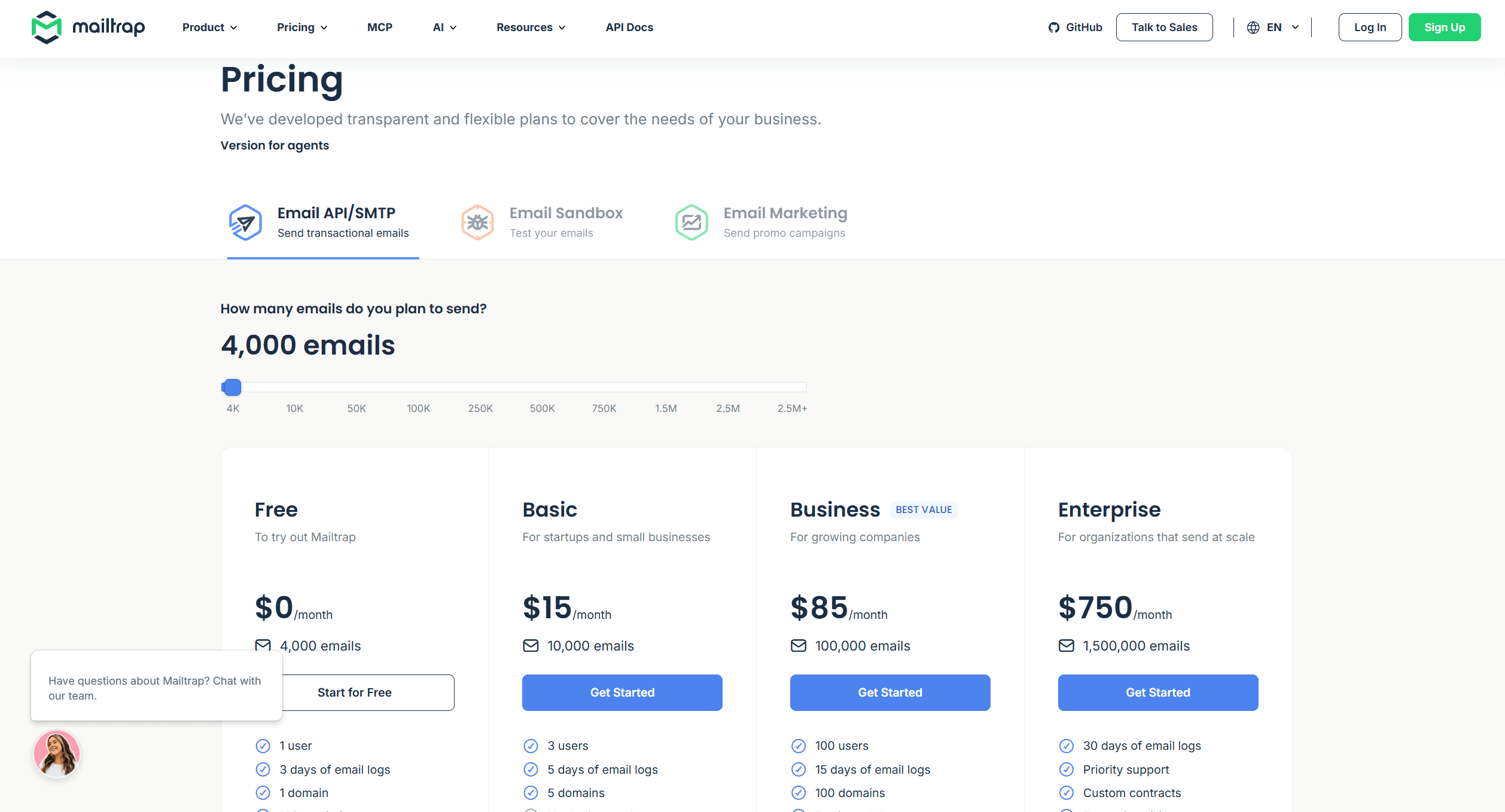
Mailtrap combines API and SMTP sending, templates, webhooks, analytics, suppression management, warming, and the Email Sandbox for development testing. That can simplify handoff from staging to production because the testing layer isn’t bolted on from another vendor.
Why developers like the staging path
Mailtrap is attractive when your sending workflow includes more than “push email to production and hope for the best.”
A few good reasons to use it:
- Integrated sandboxing: Developers can test safely before production.
- Cleaner release workflow: Fewer mismatches between staging and live environments.
- Useful migration support: Helpful if you're moving from another ESP and want fewer unknowns.
Testing and production usually live in separate tools. Mailtrap is more compelling when that split is causing mistakes.
The limitation is that some of the more advanced deliverability controls and longer retention settings sit on higher tiers. If your team is heavily operations-driven, you’ll want to verify those details early.
10. Elastic Email Email API
Elastic Email has always appealed to teams looking for a budget-first API option. It offers SMTP and API sending, templates, analytics, suppression management, webhooks, inbound processing on Pro plans, and private IP add-ons.
Pricing (2026): free for 3,000 emails/month. Starter is $19/month and Pro $49/month for 50,000 emails; private IPs cost $40–50/month. Logs are kept 3 days on Free and Starter, 7 on Pro.
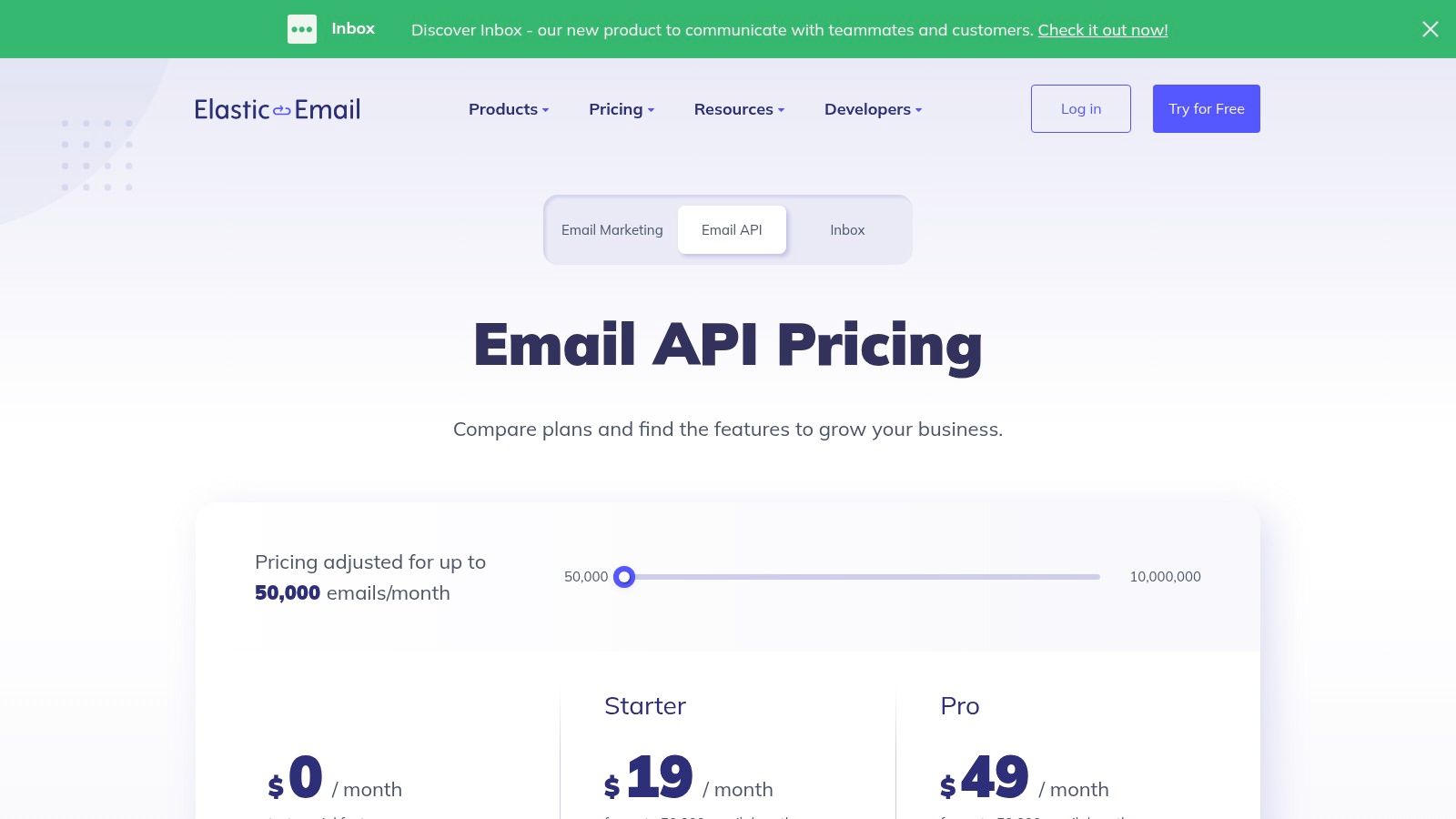
That makes it worth considering when spend matters more than brand prestige. It also has useful reseller and sub-account features, which some agencies and multi-tenant teams care about more than glossy dashboards.
Why cost-sensitive teams consider it
Elastic Email isn't the premium pick. It's the practical pick when your team is technical enough to tune things and wants to keep entry cost low.
Its appeal usually comes down to this:
- Affordable starting point: Easier to test without committing to a larger platform.
- Sub-account support: Useful for agencies or segmented client work.
- Enough API functionality: Covers the basics without forcing an enterprise contract.
The trade-off is that you may need to put more work into deliverability tuning and operational hygiene yourself. That’s acceptable for some teams. It’s a bad fit for teams that expect premium support and turnkey deliverability from day one.
Top 10 Email Providers Comparison
| Provider | Category / Best for | Core delivery & notable features | USP / Pros | Pricing & cost notes |
|---|---|---|---|---|
| Amazon SES | Infrastructure layer / Teams that want to own costs & AWS integration | SMTP & API, inbound receiving, dedicated IPs & BYOIP, deliverability tooling | Lowest baseline send cost; deep AWS compliance & ecosystem | Very low per‑email; pay‑as‑you‑go; dedicated IPs billed extra |
| Resend | Managed API / Developer‑first transactional & marketing | REST API/SMTP, templates, webhooks, inbound parsing, multi‑region | Modern DX, fast integration for devs | Clear tiering & overage behavior; pay‑as‑you‑go |
| Mailgun (Sinch) | Managed API / SaaS & high‑volume dev teams | API/SMTP, validation, inbound routing, templates, data residency | Battle‑tested API with high‑volume features | Entry tiers can incur per‑1k overages; advanced features on higher plans |
| Twilio SendGrid | Managed API / High‑volume senders & analytics users | API/SMTP, templates, event webhooks, dedicated IPs with warmup | Proven at scale; robust analytics & deliverability tools | Flexible but complex plans; overages/add‑ons raise TCO |
| Postmark (ActiveCampaign) | Managed API / Transactional & fast‑delivery needs | API/SMTP, Message Streams, inbound processing, detailed activity retention | Strong deliverability and fast processing; transparent model | Free 100/month; from $15/month for 10,000; dedicated IP from $50/month (300k+ emails) |
| SparkPost (Bird) | Managed API / Enterprise & analytics‑focused senders | API/SMTP, Signals analytics, events API, BYOIP, SSO/SCIM | Deep analytics and enterprise controls | Competitive for high volume; pricing/UI details sometimes via sales |
| Mailjet (Sinch) | All‑in‑One / Marketers + developers who want editor + API | SMTP/API, MJML editor, segmentation, automations, landing pages | Balanced feature set for marketers and devs | Generous contact limits; free plan capped daily (200/day); higher tiers for deliverability |
| Brevo (formerly Sendinblue) | All‑in‑One / SMBs needing CRM + automation | SMTP/API, marketing automation, CRM, inbound parsing, logs | Combines transactional, marketing and CRM in one platform | Tiered pricing; free cap 300 emails/day; advanced channels on higher tiers |
| Mailtrap (Railsware) | Managed API / Teams that need testing → production workflow | API/SMTP, Email Sandbox for QA, bulk stream, warming, webhooks | Smooth path from staging to production with QA tools | Clear overage pricing; some deliverability controls on higher tiers |
| Elastic Email | Managed API / Budget‑conscious teams & resellers | API/SMTP, templates, analytics, suppression, private IP add‑on, sub‑accounts | Very low entry prices; reseller/sub‑account features | Very low cost entry; shorter logs retention on low tiers; may need deliverability tuning |
The Right Choice Is About Control, Not Just Cost
The wrong way to choose an email provider is to treat every option as a prettier version of the same service.
They sit at different layers of the stack. SES is infrastructure. Resend, Mailgun, Postmark, and Mailtrap are managed APIs that charge for easier integration, tooling, and support. Brevo and Mailjet go further up the stack with CRM, templates, automations, and broader marketing features. If you do not separate those categories first, price comparisons get distorted fast.
Control is the key dividing line.
A large share of your recipients will read mail in Gmail, according to Statista’s chart on U.S. email provider usage. That has practical consequences. Domain authentication, IP reputation, bounce handling, and list hygiene are not back-office details. They directly affect whether receipts, login links, and lifecycle emails land in the inbox or disappear into promotions and spam.
Owning more of the sending layer changes the economics. Teams that send high volume transactional or lifecycle email often start on a managed API because it is faster to ship. That is a reasonable decision. The trade-off shows up later, when markup on delivery becomes a permanent line item and migration gets harder because templates, suppression data, automations, and event workflows all live inside one vendor.
There is a third model between raw infrastructure and a fully bundled ESP. Use your own provider account for delivery, then add an application layer on top for campaigns, segmentation, automations, and reply handling. That keeps the sending foundation portable while avoiding the engineering cost of building an internal email tool from scratch.
Mailtani fits that model. It works with bring-your-own-provider infrastructure instead of reselling the delivery layer, so teams keep direct ownership of accounts, authentication, and provider choice. The SMTP integration layer is how that connection works in practice. For a developer or growth team trying to lower recurring email costs without giving up operational control, that structure is materially different from another all-in-one subscription.
The practical question is simple. Are you buying convenience for the next six months, or are you designing an email stack you can still live with two years from now?
Email Providers FAQ
What is the difference between an email provider and an email service provider?
An email provider (mailbox provider) gives people an inbox to read and write email, like Gmail, Outlook or Proton Mail. An email service provider (ESP) sends email on behalf of apps and businesses at volume, like Amazon SES, Resend, Mailgun or SendGrid, with APIs, SMTP relay, analytics and deliverability tools.
Which email service provider is the cheapest?
Amazon SES, at $0.10 per 1,000 emails with no monthly fee on à-la-carte pricing (new accounts start on the $0.16 Essentials plan until they switch). The trade-off is setup: you handle domain verification, bounce and complaint processing, and getting out of the SES sandbox yourself, or use a tool on top of it.
Which email service providers have a free plan?
Resend (3,000 emails/month), Mailjet (6,000/month), Mailtrap (4,000/month), Elastic Email (3,000/month), Brevo (300/day), Mailgun (100/day), SparkPost/Bird (1,000/month) and Postmark (100/month). SendGrid replaced its free plan with a 60-day trial in March 2025.
What is the best email provider for developers?
For most new projects, Resend or Postmark for the developer experience, Amazon SES for the lowest cost, and Mailgun or SendGrid when you need a long track record at high volume. Postmark is the strongest pick when transactional deliverability matters most.
How many email providers are there?
There's no official count. There are hundreds of mailbox providers and sending services worldwide, but a handful dominate: Gmail, Outlook and Yahoo hold most inboxes, and a small group of ESPs (Amazon SES, SendGrid, Mailgun, Postmark, Resend and a few others) handle most application email.
Can I switch email service providers later?
Yes, if you keep your sending domain and authentication under your control. Moving means re-verifying the domain, updating SPF and DKIM records, and warming up any new IPs, so tools that let you bring your own provider make it easier to switch without rebuilding campaigns.
If you want the control of SES, Resend, or Mailtrap without building your own full campaign layer on top, Mailtani is worth a look. It lets you bring your own provider, keep direct ownership of sending infrastructure, and run campaigns, automations, segmentation, and reply management without the usual markup-heavy ESP model.


