
10 Email List Management Best Practices for 2026
Master these 10 email list management best practices for 2026. Improve deliverability, segmentation, and ROI with actionable tips for SaaS and e-commerce.

On this page
List growth gets too much credit. Email revenue usually improves faster when you tighten list quality, sending logic, and subscriber data than when you add another batch of contacts at the top of the funnel.
That is even more obvious on your own infrastructure. If you send through Amazon SES or a similar setup, poor list management does not just create soft marketing problems. It increases send volume, raises storage and processing overhead, hurts inbox placement, and gives you less control over recovery when metrics slip. Bigger is expensive when the list is noisy.
Lists also decay through job changes, abandoned inboxes, role transitions, typo-filled signups, and subscribers who stop engaging. The result is predictable. You keep paying to send messages that do not produce revenue, while mailbox providers see weaker engagement and more signs of neglect.
Experienced operators treat the list like an asset that needs maintenance, not a scoreboard. The job is to decide who should still receive mail, what type of mail they should get, and when a contact should be suppressed before they damage performance. That discipline matters in SaaS, e-commerce, and product-led apps alike.
If your stack lets you organize your customer data properly, the next step is operational control. That means segmenting by behavior, validating data before import, monitoring reputation, and setting rules for inactivity before waste piles up. Teams working through account-based funnels can also sharpen targeting with this guide to B2B segmentation for lead generation.
The practices below focus on cost savings and deliverability control first. That is the standard that matters when you own the sending setup and have to live with the consequences of every bad address and every unnecessary send.
1. List Segmentation and Behavioral Targeting
More segments do not create better email programs. Better sending decisions do.
Teams get into trouble when they build audience lists faster than they build sending rules. A segment only earns its place if it changes message, timing, offer, or suppression. If it does none of those, it adds reporting clutter and operational risk.
An e-commerce brand should separate recent buyers from product browsers, high-margin repeat customers from discount-driven shoppers, and engaged subscribers from people who have stopped clicking. A SaaS company should split trial users who reached activation from those who signed up and stalled, and treat customers differently from prospects. Those distinctions affect who gets promoted, who gets educated, and who should be left alone.
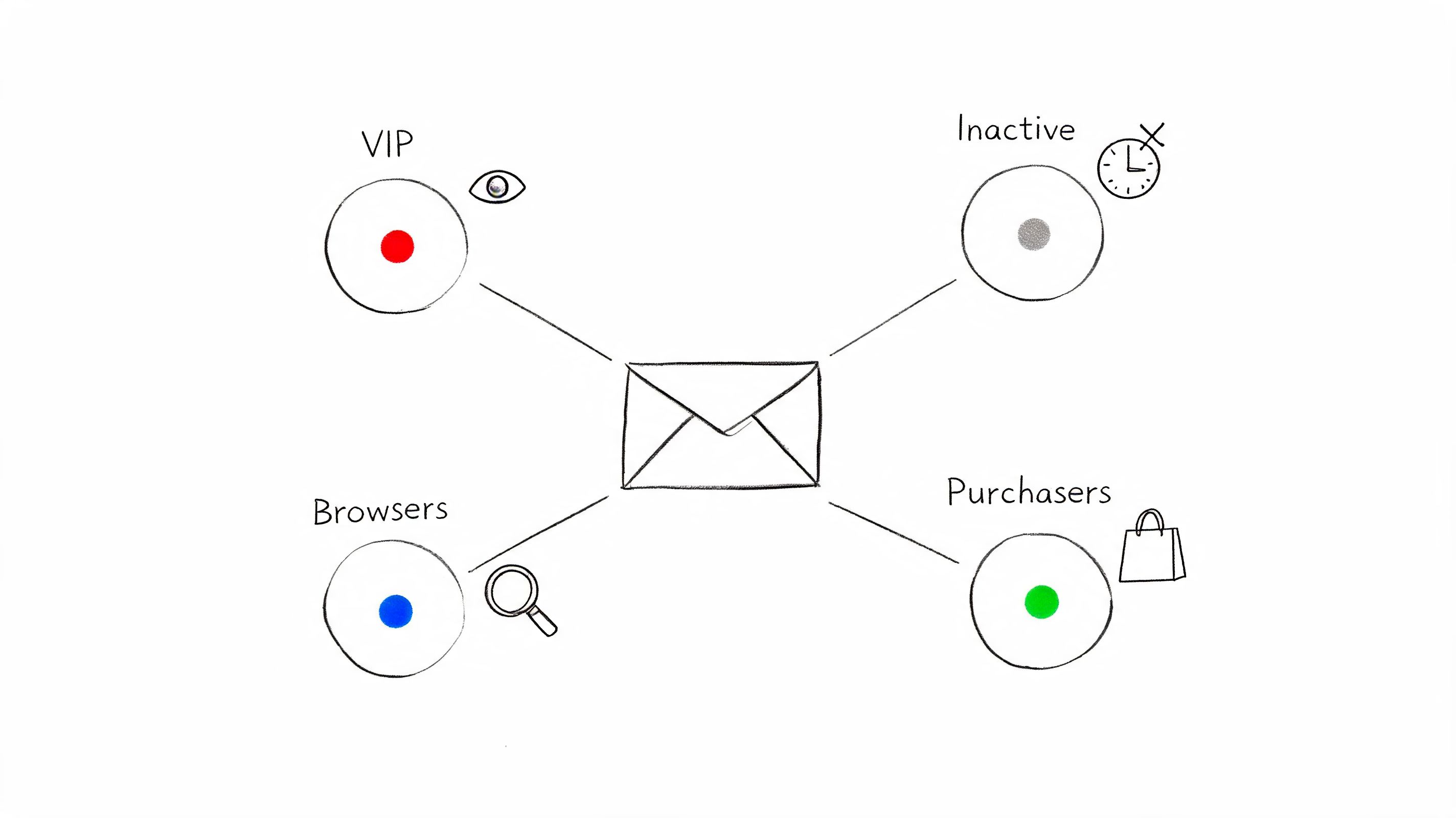
Start with segments that change sending decisions
The often-cited 760% revenue lift from segmented campaigns traces back to reporting summarized by Campaign Monitor in its email marketing benchmarks on segmented campaigns. The exact percentage matters less than the operating principle behind it. Relevant sends get more opens, more clicks, fewer complaints, and less waste.
That cost angle gets ignored too often. If you send through your own infrastructure, such as Amazon SES through a platform like Mailtani, every unnecessary message has a direct price. Broad sends also dilute engagement signals, which makes inbox placement harder to control. Segmentation is not only a conversion tactic. It is a cost-control and deliverability-control tactic.
Start with a small set of rules you can maintain:
- Use RFM where purchase history exists: Recency, frequency, and monetary value still give e-commerce teams a fast way to separate high-value customers from low-value buyers.
- Build event-based segments for product use: In SaaS, activation milestones, login gaps, feature usage, and trial age are usually more useful than static profile fields.
- Create an inactive pool early: Reduced engagement should lower send frequency or trigger suppression logic before it hurts reputation.
- Automate movement between segments: Purchases, replies, page views, feature activation, and inactivity windows should update audience membership through events, not spreadsheet work.
One rule has saved me a lot of cleanup work: if a segment does not change the send, delete it.
For B2B teams, the same discipline applies. Firmographics alone rarely tell you enough. Segment by buying stage, product interest, lifecycle status, and recent sales activity so marketing automation does not keep sending top-of-funnel content to late-stage opportunities. If you need a strong framework for that, this guide to B2B segmentation for lead generation is a useful reference.
Keep the model simple enough to trust. Four accurate segments that feed clean automation will outperform twenty vague ones that nobody can explain.
2. Double Opt-In Verification
List growth gets too much credit. On your own sending setup, a larger list is only an asset if the addresses are real, wanted, and likely to engage. Otherwise you pay for bad records twice. Once in sending cost, and again in lower inbox placement.
Double opt-in is one of the few controls that improves list quality before a contact reaches your main audience. It catches typos, fake submissions, bot signups, and people who entered a secondary email they never check. That matters more when you send through Amazon SES or another infrastructure you manage yourself, because weak acquisition practices show up fast in bounce rates, complaint rates, and reputation metrics.
Industry research from GetResponse's email marketing benchmarks and deliverability analysis has long shown that confirmed opt-in remains common among senders that care about engagement quality and list hygiene. The exact adoption rate matters less than the operational benefit. Confirmed addresses create a cleaner file from day one.
The trade-off is real. You will lose some signups between form submit and confirmation. I still recommend the extra step for SaaS trials, newsletter programs with organic or paid acquisition, and any business that wants tighter control over sender reputation. A smaller list of confirmed subscribers usually produces better revenue per send than a bigger list padded with junk.
Setup is what makes it work:
- Send the confirmation email immediately. Interest drops fast after signup.
- Use one clear call to action. "Confirm your email" beats vague copy.
- Tell people what they are confirming. Product updates, onboarding emails, discounts, or editorial content.
- Store unconfirmed records outside your active marketing audience. They should not enter broadcasts, automations, or lead scoring flows.
- Expire pending confirmations after a defined window. If someone does not confirm, stop carrying that record.
- Validate the address at capture. A free email list cleaner helps catch syntax issues and obvious bad entries before the confirmation email is sent.
Channel context matters too. In SaaS, double opt-in is useful when account security, work-email verification, or product onboarding quality matters more than raw signup volume. In e-commerce, it works best when the post-signup screen explains the next step clearly and the incentive is still available after confirmation. For developer tools and API products, it also reduces fake signups that distort activation reporting and waste lifecycle sends.
One practical rule. If a contact never clicks the confirmation email, do not treat that record as a subscriber. Trying to squeeze value out of unconfirmed contacts usually creates more cleanup work later through suppressions, re-permission campaigns, and reputation recovery.
3. Sunset Policy Re-engagement and List Cleaning
Keeping inactive subscribers is not cautious. It is expensive. If you send through your own infrastructure, every low-engagement contact increases cost, muddies performance data, and gives mailbox providers another reason to discount your mail.
A sunset policy sets hard rules for who keeps getting campaigns, who moves into a recovery flow, and who gets suppressed. That matters even more on Amazon SES or any setup where you control the domain, IP reputation, and sending bill. List hygiene is not just a cleanliness task. It is part of deliverability control.
Set inactivity rules around buying or usage cycles
The inactivity window should match the business model. SaaS teams can usually detect disengagement faster by looking at login recency, trial status, or product events. E-commerce brands often need a longer window because purchase frequency varies by category, season, and price point. B2B newsletters may sit somewhere in between, where opens are a weak signal but clicks, replies, and site return visits still tell you who is paying attention.
The mistake is keeping one default rule for everyone.
Start with a clear threshold, then adjust it by segment. For example, a trial user who has ignored onboarding emails for weeks should not sit in the same campaign pool as a paying customer who buys once a quarter. If you want a stronger operational baseline for inbox placement and engagement monitoring, Mailtani's guide to email deliverability best practices is a useful companion.
A workable sunset policy usually includes three stages:
- Pause regular campaigns after a defined inactivity window. Stop sending broadcasts to contacts who have not opened, clicked, purchased, logged in, or replied within the period that makes sense for that segment.
- Run a short re-engagement sequence. One or two emails is usually enough. Ask a direct question, offer a lower frequency option, or make the unsubscribe path obvious.
- Suppress non-responders. Do not keep retrying inactive contacts just because the address still accepts mail.
That last step protects both cost and reputation. On self-managed infrastructure, sending to stale contacts can lower engagement averages, make warmup harder, and obscure whether a campaign problem comes from the creative or the list.
If the database is already cluttered with old imports, role accounts, or malformed addresses, clean that layer before the next push. A free email list cleaner helps catch obvious issues before they turn into wasted sends.
One nuance is worth keeping. Not every quiet subscriber is equally cold. A customer with a long purchase cycle, a recent support conversation, or rising site activity may deserve more time than someone who has ignored every message for months. Good sunset policies leave room for that judgment, but they still end with suppression when the contact does not respond.
4. Authentication and Deliverability Monitoring SPF DKIM DMARC + Reputation Management
Authentication gets treated like a one-time DNS chore. On self-managed infrastructure, it is closer to cost control and risk control.
If you send through Amazon SES, Resend, Mailtrap, or your own stack, SPF, DKIM, and DMARC decide whether mailbox providers can verify that your mail belongs to your domain. That affects inbox placement, complaint handling, spoofing exposure, and how quickly you can diagnose a drop. Teams that own this layer can fix problems faster than teams stuck waiting on a shared platform to explain what changed.
Mailtani's guide to email deliverability best practices is a useful operational reference. If you are preparing a new domain or subdomain for higher volume, follow a proper email domain warm-up process before you put it under campaign load.
Set up authentication in the right order
Start with SPF and DKIM. Verify both are passing before you tighten DMARC. Then publish DMARC with a monitoring policy so you can inspect reports, find unauthorized senders, and catch alignment mistakes before legitimate mail starts failing.
DMARC matters because it gives you policy control, not just visibility. Without it, another service, an old CRM, or a spoofed source can send mail that looks close enough to your brand to create confusion, complaints, and reputation drag. With it, you can see who is sending on your behalf and decide what receiving servers should do when messages fail checks.
A practical setup usually includes:
- A clean SPF record: Keep it under DNS lookup limits and remove vendors you no longer use.
- DKIM enabled for every sending service: One forgotten tool can create alignment failures that are hard to spot from campaign metrics alone.
- DMARC in monitoring mode first: Review aggregate reports, then move toward quarantine or reject once legitimate traffic is aligned.
- Separate subdomains by mail type: Use different domains or subdomains for marketing, transactional, and outbound sales when the volume or risk profile justifies it.
- Ongoing reputation checks: Watch bounce rate, complaint rate, blocklist status, and inbox placement by provider, not just aggregate opens.
That separation step saves money as much as it protects deliverability. If promotional mail has a bad week, it should not drag password resets, receipts, or product alerts down with it. On SES and similar setups, that control is one of the biggest advantages of running your own infrastructure well.
This walkthrough explains the technical side visually:
Reputation problems rarely start with a dramatic failure. They usually show up first in small signals: a Gmail tab shift, Yahoo temp fails, a complaint spike from one segment, or a sudden drop in Microsoft engagement. Teams that monitor those signals weekly spend less time recovering domains, less money on wasted sends, and less effort guessing whether the problem is the copy, the offer, or the infrastructure.
5. Inbox Warmup and Gradual Send Rate Ramping
A new domain doesn't earn trust because you authenticate it. It earns trust because mailbox providers see consistent, sane sending behavior over time. That's why warmup matters.
Teams usually learn this the hard way. They migrate to a new platform, import the whole list, and send a big campaign immediately. Open rates crater, spam placement rises, and everyone blames the platform. The actual issue is that they skipped the reputation-building phase.
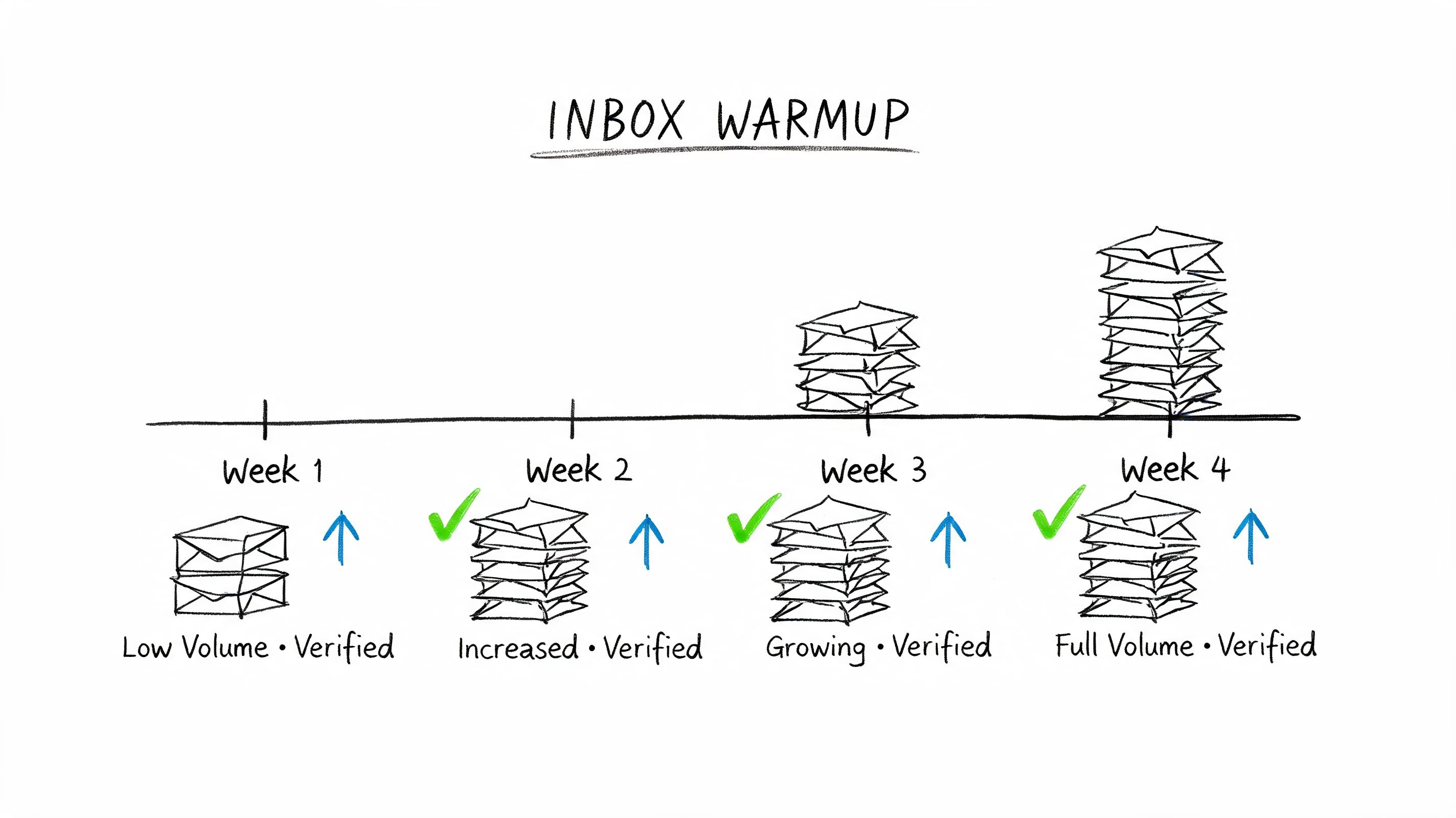
Warm the domain before you need it
Start with your best recipients. That usually means recent buyers, active users, newsletter readers who still click, or customers already expecting a message. Increase volume gradually and only expand after engagement and bounce patterns stay healthy.
If you're setting this up on your own infrastructure, this guide on how to warm up an email domain is the right place to start. The principle is simple. Don't ask a cold domain to carry a high-stakes campaign.
A few real-world examples:
- DTC before seasonal launches: Warm well before holiday traffic or product drops.
- SaaS migrations: Ramp onboarding and lifecycle email in stages instead of moving every sequence at once.
- Agencies and outbound teams: Isolate warmup traffic from prospecting experiments so a bad list doesn't poison the whole domain.
Send first to the people most likely to open, click, and reply. Mailbox providers notice that pattern.
Warmup also protects cost. If a domain goes sideways under high volume, you waste paid sends while trying to diagnose a reputation issue that could've been prevented with a slower ramp.
6. Preference Center and Subscription Management
An unsubscribe link is mandatory. A preference center is what keeps it from being the only option. When subscribers can lower frequency, change topics, or pause messages, some of them stay on the list instead of leaving entirely.
This matters more than commonly assumed. A lot of "disinterest" is really mismatch. The content might be fine, but the cadence is wrong or the topic mix is too broad.
Give subscribers a lower-friction exit
A useful preference center doesn't try to be clever. It gives people a small number of understandable controls. Weekly instead of daily. Product updates instead of promotions. Transactional only. Digest instead of every campaign.
The operational payoff is clean. You reduce unwanted sends, preserve consent, and feed better segmentation data back into your platform. That helps whether you're a publisher, a B2B SaaS company, or a store with multiple product categories.
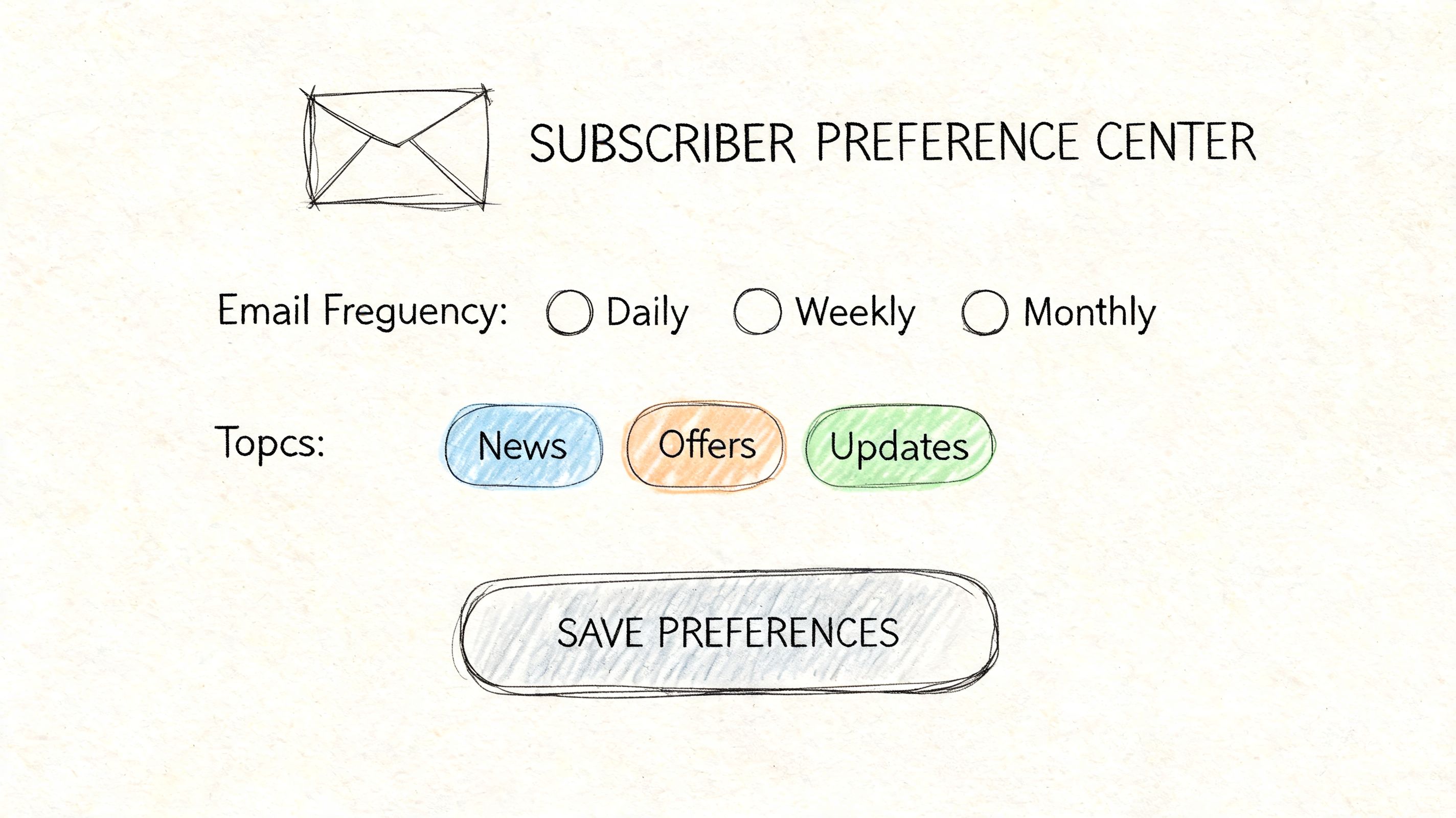
What works best in practice:
- Keep the options short: Too many choices create drop-off.
- Update segments immediately: Preference changes should affect future sends right away.
- Confirm changes: A simple confirmation email reduces confusion and support requests.
For e-commerce, category-level preferences are often enough. For SaaS, separate product education, release notes, and marketing. For newsletters, let readers choose digest format or specific topics.
Many brands hide this page in the footer and never improve it. That's backwards. It should be one of the most maintained pieces of your email system because it prevents avoidable churn and complaint risk.
7. List Import and Data Validation
Imports break good sending programs faster than weak copy ever will. One bad CSV can raise bounce rates, trigger complaints, and waste money on contacts who should never have been mailed in the first place. That risk gets sharper on Amazon SES or any setup where you own the domain reputation and pay for every send.
Imported data should be treated as untrusted until it passes checks. CRM exports, webinar lists, support tools, checkout systems, and old ESP backups all carry different failure points. Some records are outdated. Some lost consent context. Some were already unsubscribed in another system and are about to get mailed again unless suppression logic catches them.
The cost problem is straightforward. Bad imports create avoidable sends, and avoidable sends create avoidable reputation damage. On shared ESP infrastructure, a platform may absorb part of that risk. On SES, you are much closer to the consequences.
A sound import process usually includes four gates:
- Normalize the file first: lowercase email addresses, trim spaces, standardize fields, and map source columns before import.
- Remove duplicates across the full database: not just within the uploaded file. The same contact often exists in billing, product, and marketing systems under slightly different records.
- Apply suppression files before anything else: hard bounces, spam complaints, unsubscribers, and legal opt-outs should be blocked at import, not after the first campaign.
- Quarantine uncertain records: missing consent date, unknown source, role accounts, and stale contacts belong in a review segment, not in the first send.
Validation needs to cover more than syntax. An address can be formatted correctly and still be a poor candidate to mail. Check recency, source, consent evidence, engagement history, and whether the contact matches the type of mail you plan to send.
The first campaign to an imported segment should also be controlled. Start with the cleanest slice. Recent purchasers for e-commerce. Recent logins or trial activity for SaaS. Recent confirmed subscribers for publishers. That approach protects reputation and gives you a clean read on whether the data is usable.
I have seen migrations fail for boring reasons. A team imports an old master list, skips suppression sync, then sends a welcome campaign to everyone at once. The result is predictable. Higher bounces, more complaints, support tickets from people who thought they had already unsubscribed, and a domain that now needs repair work.
Quiet failures are the dangerous ones. Inbox placement softens, engagement drifts down, and send costs rise because too much volume is going to records with no real value. Good import hygiene prevents that by keeping list growth under your control instead of letting every upstream system contaminate the sending layer.
8. A-B Testing and Performance Optimization
A/B testing earns its keep when it reduces waste. If a test does not change who gets mailed, how often you send, or which version gets scaled, it is just extra volume and extra analysis.
For teams sending through their own infrastructure, that matters more than it does on pooled platforms. Every test consumes reputation, inbox opportunities, and direct send cost. On Amazon SES, the cost per message is low, but not zero. The primary expense shows up when weak tests burn sends on low-intent contacts and muddy your deliverability signals.
Test decisions that affect revenue and sender control
The strongest tests answer allocation questions first. Which segment should get the campaign. Which lifecycle flow deserves more traffic. Which message earns clicks from users likely to convert, not just users likely to open.
Subject line personalization can help, but only when it reflects actual context. Using a product viewed, plan type, or recent action usually gives you a cleaner test than dropping in a first name. The point is relevance, not novelty.
A disciplined testing process usually includes:
- One variable per test: Subject line, sender name, CTA, offer framing, or send time. Keep the rest fixed so the result is usable.
- Priority by business value: Trial activation, cart recovery, post-purchase, and renewal flows usually deserve more testing than broadcast newsletters.
- A holdout or control: Compare against the current baseline, not just two new ideas competing with each other.
- A decision log: Record the result, what changed, and where the winner will be used again.
I have seen teams spend weeks testing cosmetic changes in low-value campaigns while ignoring onboarding emails that drive upgrades. That is backwards. Put testing effort where one improvement can compound across a high-volume or high-margin flow.
The best optimization work also separates opens from downstream value. Privacy protections and image caching made open rate a weaker decision metric. Click quality, conversion rate, unsubscribe rate, complaint rate, and revenue per thousand emails sent are better filters. For SaaS, I usually care more about activated accounts or booked demos than a small lift in opens. For e-commerce, margin per send often matters more than raw click volume.
Here is a practical example. A SaaS team can test feature-led onboarding against outcome-led onboarding, but only within users who have the same activation status. An e-commerce brand can test discount versus urgency messaging inside a recent category-browse segment, then scale the winner only if revenue per recipient improves without pushing unsubscribe rates up.
The winner is the version you can send more often, to the right people, without paying for weaker engagement later.
That is the standard. Performance optimization should improve future allocation, protect domain reputation, and lower the cost of sending to contacts who are unlikely to act.
9. Unified Inbox and Reply Tracking
Replies are one of the most underused signals in email operations. Teams spend hours analyzing opens and clicks, then ignore direct responses sitting across multiple inboxes.
A unified inbox changes that. It turns replies into usable data for sales, support, onboarding, and list management. If someone responds to a campaign, that action should influence follow-up, segmentation, and handoff.
Replies are list data
This matters a lot for outbound, founder-led sales, and lifecycle email where responses reveal intent faster than many dashboard metrics. It also matters for e-commerce brands. Campaign replies often uncover shipping questions, product objections, stock confusion, or promo issues that marketing would otherwise miss.
Use one sending address for a clear purpose, then pipe replies into a shared view through IMAP or API. Tag by campaign, sequence, or mailbox. If someone replies positively, move them out of generic nurture and into a human follow-up path. If they ask support questions, route them accordingly.
A good system usually includes:
- Campaign-level labeling: So teams can see which send generated the response.
- Responder segments: Reply behavior should trigger different automation than click behavior.
- Shared visibility: Marketing, sales, or support should see the same thread when collaboration matters.
This is one place where infrastructure-aware tools help. If your platform syncs inbox activity instead of treating sends as one-way messages, you get a more accurate picture of what the list is telling you.
The businesses that do this well don't just "manage replies." They use reply patterns to improve targeting, content, and lead handling.
10. Compliance and Legal Requirement Management CAN-SPAM GDPR CASL
Compliance affects revenue faster than many teams expect. Get consent tracking or unsubscribe handling wrong, and the bill shows up in two places first. You keep paying to send to people who should be suppressed, and mailbox providers get another reason to distrust your mail.
That matters even more on your own infrastructure. If you send through Amazon SES or a similar setup, you do not have a big shared platform absorbing the risk for you. Bad suppression logic, unclear consent records, or region-specific mistakes can create complaint and reputation problems that you have to fix yourself.
Compliance is list control
CAN-SPAM, GDPR, and CASL differ on consent standards and disclosure requirements, but the operational playbook is straightforward. Store proof of consent. Honor opt-outs immediately. Keep suppression centralized. Make sure every form, import, automation, and resend flow checks the same source of truth before mail goes out.
Such scenarios often lead to teams losing control. A marketer uploads a CSV from an event. A developer migrates users from an old tool. A sales rep manually adds contacts back into a sequence. If suppression is handled in three different systems, someone who opted out last month gets mailed again this week.
The fix is procedural and technical:
- Store consent evidence: Save timestamp, capture source, form version, IP or session data when appropriate, and the exact disclosure shown at signup.
- Use one suppression layer: Apply unsubscribes, hard bounces, complaints, and legal exclusions across every campaign tool and import path.
- Separate consent types: Newsletter consent, product updates, sales outreach, and transactional email should not share the same flag.
- Audit forms and templates: Check footer identity, mailing address, unsubscribe link behavior, and country-specific language on a schedule.
- Block risky imports: Reject or quarantine lists with unclear provenance instead of debating them after the campaign is built.
For GDPR and CASL, vague permission is a liability. "We met them at a conference" is not a consent record. For CAN-SPAM, a broken unsubscribe link or delayed suppression is enough to create avoidable risk. In all three cases, loose process usually causes the problem before legal interpretation does.
Developers should treat compliance checks like send-time validation, not copy in the footer. Marketers should treat old or ambiguous contacts as a cost center, not a growth opportunity. Every address without clear permission increases complaint risk, muddies reporting, and burns budget.
The practical standard is simple. If you cannot show how the contact was acquired, what they agreed to receive, and whether they have since opted out, that contact should not be on the active list. Compliance done well keeps the list defensible, the infrastructure cleaner, and your sending costs under control.
Email List Management: 10 Best Practices Comparison
| Technique | Implementation complexity | Resource requirements | Expected outcomes | Ideal use cases | Key advantages |
|---|---|---|---|---|---|
| List Segmentation and Behavioral Targeting | Medium–High, requires logic and real‑time updates | CRM/data integration, analytics, automation rules | Higher open/CTR, lower unsubscribes, reduced send volume | E‑commerce, SaaS, lifecycle & targeted promotions | Personalized relevance, better ROI, improved deliverability |
| Double Opt‑In Verification | Low–Medium, set up confirmation workflows | Automation for confirmation/reminders, tracking | Fewer bounces/spam complaints, slower list growth | Newsletters, GDPR/regulated markets, high‑deliverability needs | Validated addresses, stronger sender reputation, compliance benefits |
| Sunset Policy (Re‑engagement & Cleaning) | Low–Medium, rule definition and automation | Monitoring, re‑engagement campaigns, removal workflows | Lower send costs, improved metrics, cleaner lists | Large lists with inactivity, pay‑per‑send platforms | Cost savings, reputation protection, focused engagement |
| Authentication & Deliverability Monitoring (SPF/DKIM/DMARC) | High, DNS config and ongoing monitoring | DNS access, monitoring tools, technical expertise | Better inbox placement, fraud prevention, faster issue detection | Own‑domain senders, high‑volume or brand‑critical emails | Domain protection, higher inbox rates, visibility into problems |
| Inbox Warmup & Gradual Send Ramping | Medium, planning and phased execution | Time (weeks), seed addresses, automation schedules | Safer initial deliverability, reduced blacklist risk | New domains/IPs, cold outreach, major campaign launches | Builds reputation, lowers spam filtering risk at start |
| Preference Center & Subscription Management | Medium, UI + integration with segments | Development, preference syncing, UX design | Fewer unsubscribes/complaints, better long‑term engagement | Newsletters, consumer brands, multi‑topic sends | Retains subscribers via opt‑down, richer preference data |
| List Import & Data Validation | Low–Medium, validation pipeline setup | Validation services, processing time, deduplication | Lower hard bounces, fewer spam traps, standardized data | Migrations, bulk imports, CRM syncs | Protects sender reputation, prevents wasted sends |
| A/B Testing & Performance Optimization | Medium, testing framework and discipline | Analytics, adequate sample sizes, testing workflows | Incremental gains in opens, clicks, and conversions | Mature lists, growth teams, frequent campaigns | Data‑driven improvements, higher ROI per send |
| Unified Inbox & Reply Tracking | Low–Medium, IMAP/API sync and attribution | Inbox infrastructure, secure credential storage | Faster follow‑up, centralized feedback, better attribution | Cold outreach, sales follow‑up, customer support | Centralized replies, improved response management |
| Compliance & Legal Requirement Management (CAN‑SPAM, GDPR, CASL) | Medium–High, policies, recordkeeping, audits | Legal guidance, consent tracking, audit trails | Reduced legal risk, sustained deliverability, customer trust | International sending, regulated industries, enterprises | Avoids fines, preserves brand trust, defensible consent records |
From List Management to Asset Ownership
The shift that matters isn't moving from one ESP to another. It's moving from passive list growth to active list control. That's what separates email programs that keep getting more expensive from the ones that become more efficient over time.
Every practice in this guide points back to the same idea. Your email list is only valuable when you can trust the data, control the infrastructure, and decide who should receive what without waste. Segmentation cuts unnecessary volume. Double opt-in keeps low-quality records out. Sunset policies stop dead contacts from dragging down performance. Authentication and monitoring give you technical visibility. Warmup protects new domains before a big send. Preference centers preserve subscribers who'd otherwise leave. Import validation prevents old data from poisoning a fresh setup. Testing improves allocation. Reply tracking surfaces intent. Compliance keeps the whole system stable.
There are direct cost implications in all of this. When you pay per subscriber on a traditional ESP, bad list management inflates software cost. When you pay per send through your own provider, bad list management inflates infrastructure cost. Either way, waste compounds. Good hygiene reverses that. Clean lists tend to produce higher open rates, lower bounce rates, and stronger sender reputation, and Bloomreach notes a case where Missguided reduced email volume by 50% while increasing click-through rates by 3% after list optimization in its article on email list hygiene and performance.
The strategic benefit is control. If you're using infrastructure you own or directly manage, you aren't stuck accepting shared IP problems, vague deliverability reporting, or pricing models that punish healthy growth. You can separate traffic types, monitor reputation closely, manage suppression precisely, and keep your data portable. That's a better operating model for e-commerce brands, SaaS teams, indie hackers, and developers who care about margin.
This is why email list management best practices matter more in 2026, not less. The inbox is stricter, subscriber attention is tighter, and bloated databases are more expensive to carry. The teams that win won't necessarily have the biggest lists. They'll have the cleanest systems and the best control over cost and deliverability.
Audit your current process against these ten practices. Find the waste, fix the weak points, and treat your list like infrastructure, not vanity. That's how email becomes an asset you own.
If you want that level of control without paying middleman pricing, Mailtani is built for it. It gives you the full email marketing stack on top of your own provider, so you keep control of sender reputation, data portability, and sending costs instead of renting all three from a traditional ESP.


