
Best Email Marketing Software For Ecommerce Guide
Email marketing software for ecommerce - Find the best email marketing software for ecommerce in 2026. Our guide covers features, pricing, & deliverability to

You know the moment. Revenue is up, your list is growing, and you open your ESP invoice thinking it’ll be roughly the same as last month. It isn’t. Nothing changed in your strategy except that more people signed up, yet the bill jumped anyway.
That’s the trap a lot of ecommerce brands fall into with email marketing software for ecommerce. The tool looks cheap when you’re small. Then list growth turns into a tax. The more successful your store gets, the more your platform charges you for access to the same audience you already earned.
That’s backwards, because email isn’t some side channel anymore. It’s core infrastructure for retention, launches, post-purchase flows, and cart recovery. There’s a reason the email marketing software market was projected to reach $15.81 billion in 2026 according to Albato’s ecommerce email software analysis. Merchants keep investing because email keeps producing revenue.
The problem is that most buying guides stop at feature grids. They compare templates, automations, and dashboards, but skip the part that starts hurting once you scale. Who owns the sending setup? What happens to deliverability when you share infrastructure with strangers? Why does your bill rise faster than your actual email volume?
That’s the inside baseball. And if you’ve already been burned once, it’s the only part that really matters.
That Sinking Feeling When Your Email Bill Doubles
A familiar ecommerce story goes like this. You start on a low plan because the store is young, the list is manageable, and sending campaigns feels simple. A few months later, popups work, paid traffic works, retention starts working, and your list finally begins to compound. Then the invoice lands.
You didn’t suddenly send better emails. You didn’t gain some huge new capability. You just got more subscribers, and the platform decided that growth itself was billable.
That’s why so many founders end up resenting software they once liked. At the beginning, the monthly cost feels harmless. Later, the pricing model starts punishing the exact thing you were trying to build.
Most brands don’t leave their ESP because they hate the editor. They leave because pricing and infrastructure stop making sense.
There’s also a mindset problem buried in this. Teams often treat email as a software expense when they should treat it like owned commerce infrastructure. If your store depends on welcome flows, cart abandonment, post-purchase sequences, replenishment nudges, and launches, then email isn’t a nice-to-have tool. It’s part of the store.
That changes how you should evaluate vendors.
A lot of traditional ESPs want you to think in terms of convenience. Drag-and-drop templates. AI copy helpers. polished campaign builders. Those things matter, but they’re not the whole job. For a growing store, the actual questions are harder:
- Who controls deliverability: You or the platform?
- Who benefits from list growth: Your business or their pricing model?
- Who owns the sending layer: Your brand or a shared pool you can’t inspect?
If you’ve had a clean sender reputation get dragged down, or watched a “starter” plan turn into a serious annual cost, you already know this isn’t academic. It affects sales, launch reliability, and how confidently you can scale.
What Is Ecommerce Email Marketing Software Really
Email software is often described as a way to send campaigns. That undersells it. Good email marketing software for ecommerce behaves more like the store’s response system. A shopper browses, adds to cart, buys, ignores a category, or lapses for a while. The system notices, interprets that behavior, and triggers the next message.
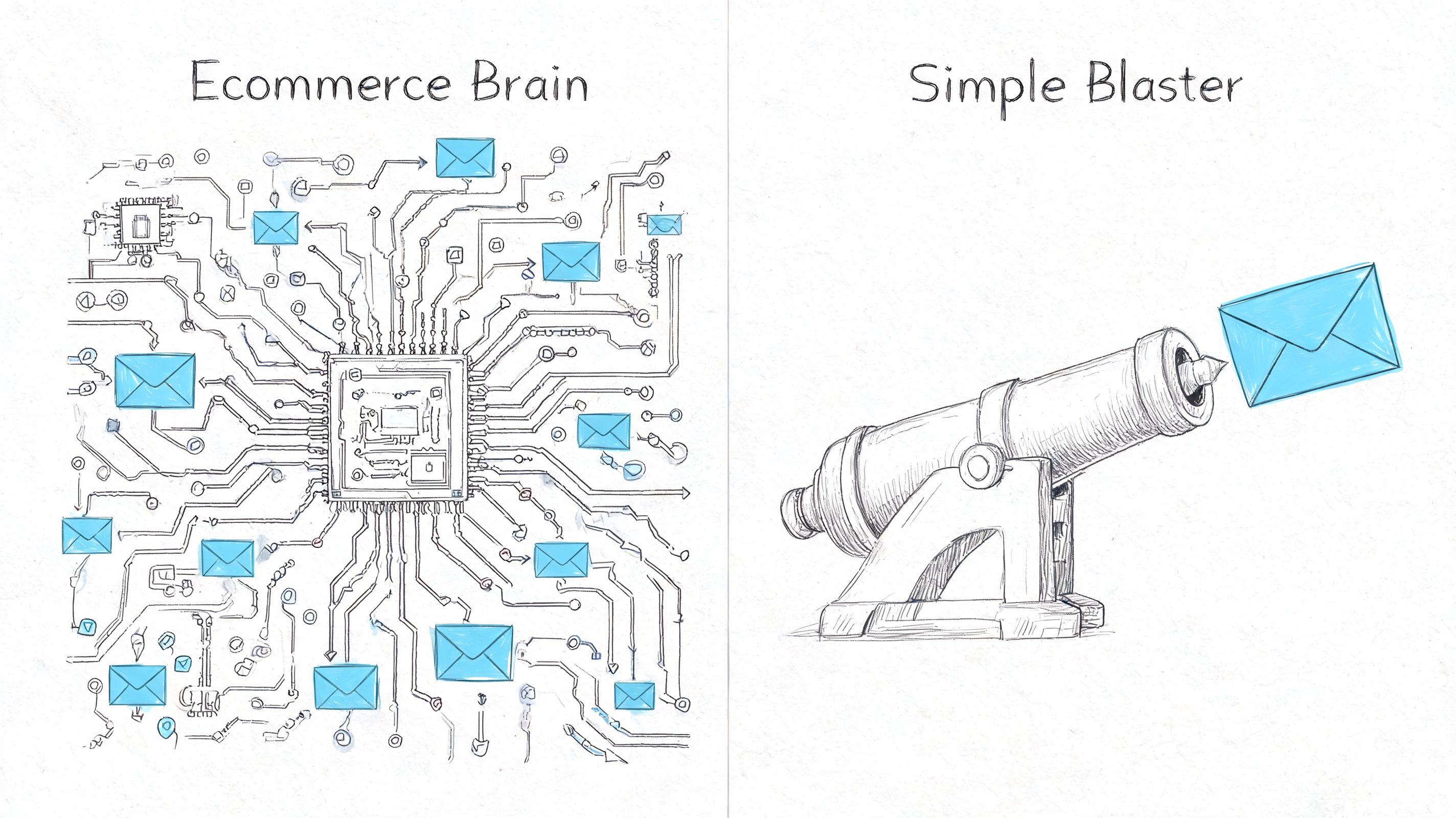
That’s why “newsletter tool” and “ecommerce email platform” are not the same category, even if vendors blur the line.
It is a data system first
A real ecommerce setup listens for store events. Product views. Cart updates. Orders. Repeat purchases. Customer inactivity. It ties those events to profiles, segments, and product data so your emails can react without your team rebuilding lists by hand.
That’s what makes automation useful instead of noisy. A cart recovery email works because it reflects an event. A replenishment reminder works because purchase history gives it context. A win-back flow works because the system knows the customer used to buy and then stopped.
If you want a quick refresher on campaign hygiene, copy structure, and timing, CartBoss has a useful guide to email marketing best practices that pairs well with the infrastructure side of this conversation.
Why generic newsletter tools hit a wall
Generic platforms usually do fine when your main job is sending broadcasts. They get shakier when the business depends on event-driven messaging. That’s where ecommerce-specific tools like Klaviyo, Omnisend, and other store-native platforms separate themselves. They’re built around product catalogs, order events, customer behavior, and revenue attribution.
Here’s the practical distinction:
| Tool mindset | What it optimizes for | Where it breaks |
|---|---|---|
| Newsletter-first | Scheduled campaigns, simple lists, basic promotions | Behavioral flows, product data, real-time triggers |
| Ecommerce-first | Revenue flows, segmentation, store events, catalog sync | Usually more setup, more serious decisions about infrastructure |
A founder should care because the wrong foundation creates hidden labor. Your team exports lists, patches tags, and hacks together automations that should have been native.
Practical rule: If a platform can’t clearly answer how it handles browse events, cart events, order data, and product sync, it’s not built for serious ecommerce use.
The better way to think about the software is this:
- It captures behavior from your storefront and customer actions.
- It decides who should get what through segmentation and rules.
- It delivers messages fast enough that intent still exists.
- It reports revenue impact so you know which flows deserve attention.
Once you see it that way, software choice becomes less about templates and more about whether the platform can act on live commerce data without delay.
Core Features and Must-Have Integrations for Stores
If a platform looks good in a demo but the integration layer is shallow, it won’t hold up in a live store. Ecommerce email software lives or dies on what it can ingest from Shopify, BigCommerce, Magento, WooCommerce, and the rest of your stack.
According to Bloomreach’s review of ecommerce email platforms, merchants should prioritize ESPs with 15+ native integrations because that setup can power dynamic product recommendations that increase AOV by 15-20% and personalized abandoned cart emails that achieve 20-30% recovery rates. That single point tells you what matters. Integrations aren’t a nice add-on. They create the conditions for revenue-driving automation.
The integration test that matters
A vendor saying “we integrate with Shopify” doesn’t tell you enough. The question is how deep that integration goes.
You want to know whether the platform can do these jobs without duct tape:
- Sync customer events in real time: Cart changes, purchases, browse behavior, and profile updates should move quickly enough to trigger flows while intent still exists.
- Pull catalog data natively: Product blocks, pricing, inventory context, and recommendations should come from the store directly.
- Share data across tools: If you use a helpdesk, SMS tool, forms app, subscription platform, or a CDP, the email system shouldn’t become a silo.
For a broader technical lens, API2Cart has a helpful breakdown of insights for marketing automation platforms that’s worth skimming when you’re comparing native ecommerce connections.
Three features that pull their weight
Some features sound impressive in a pitch and do very little. These three tend to justify themselves.
Advanced segmentation
Basic tagging won’t carry a store very far. You need segmentation based on behavior and value. Purchase history. Category interest. Recent engagement. Time since last order. Product affinity. If the platform supports predictive segments, that can help, but the baseline is simple: can you target based on what customers do?
A practical example is available in this ecommerce email marketing use case guide, which shows the kind of event-based segmentation stores typically need once broadcasts stop being enough.
Automated flows that map to commerce events
Not all automations matter equally. For most stores, the most impactful flows are welcome, abandoned cart, browse abandonment, post-purchase, and win-back. The platform should make those flows easy to build, but also easy to branch. New customer versus repeat buyer. High-value order versus low-value order. Accessory buyer versus replenishment buyer.
Revenue-focused analytics
Open and click metrics still have some operational value, but store operators need more than vanity stats. You need to see which automations generate orders, which segments respond, and which campaigns waste sends on low-intent audiences.
Here’s the shortcut I use when evaluating software:
| If the demo focuses on | That usually means |
|---|---|
| Templates first | The product may be campaign-heavy and data-light |
| Real-time event flows first | The platform likely understands ecommerce operations |
| Revenue attribution and segment logic | The vendor knows merchants care about outcomes, not just sends |
A lot of software demos are polished enough to hide weak plumbing. Don’t buy based on how pretty the editor is. Buy based on how fast and accurately the system reacts to customer behavior.
The Truth About Deliverability and Sender Reputation
A store can have strong creative, clean flows, and solid offers, then watch revenue dip because Gmail started routing messages to Promotions or spam. That shift often gets blamed on copy or timing. In practice, the problem is usually lower in the stack.
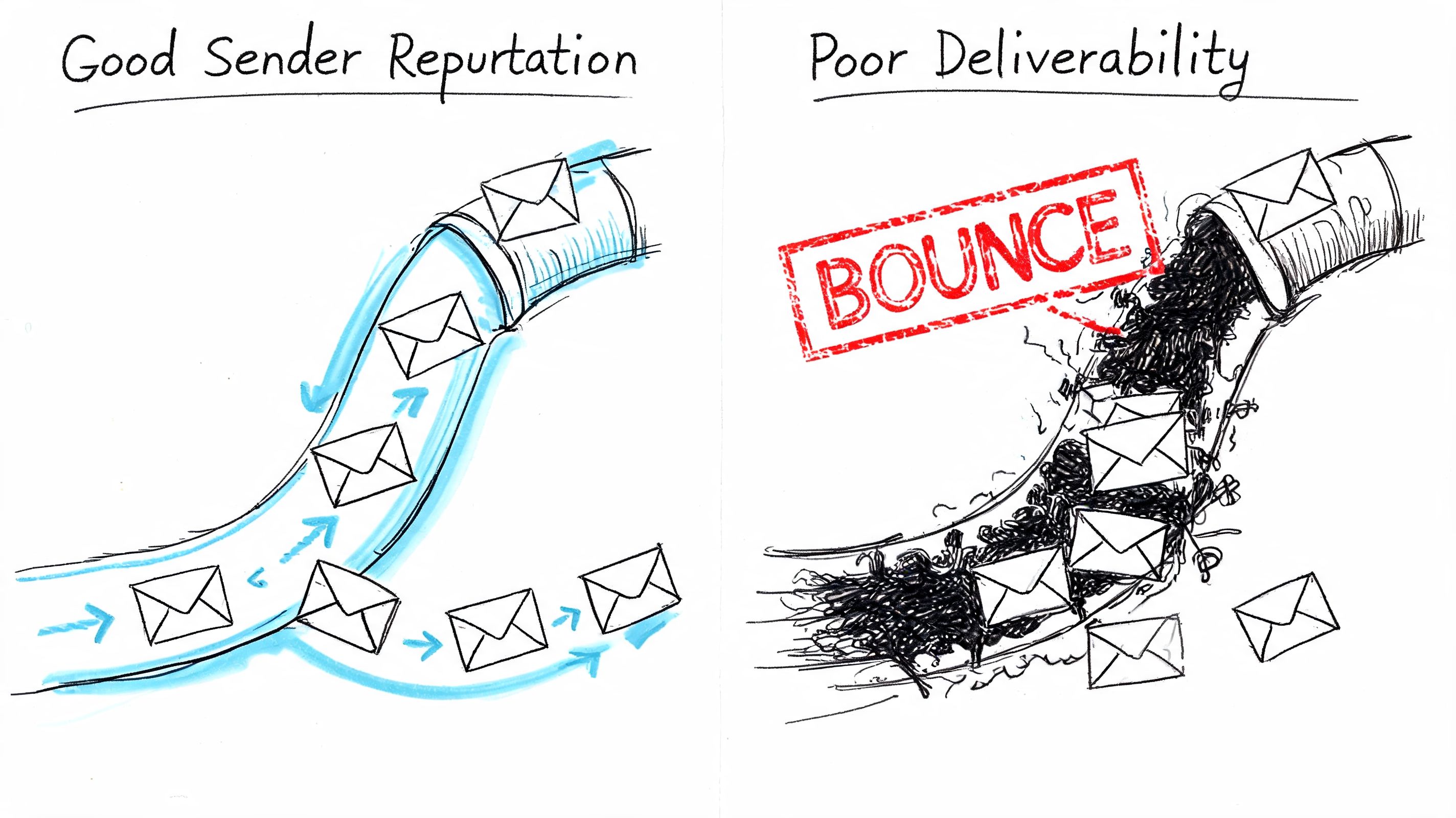
Deliverability is tied to infrastructure, identity, and list hygiene. If your store sends through shared infrastructure, your results are partly shaped by other brands on that pool. That arrangement is convenient at the start. It also means your sender reputation is never fully yours.
Shared pool versus owned setup
Shared IPs work like a commercial building with one front desk. If another tenant causes trouble, everyone deals with more scrutiny. An owned or customer-controlled setup puts the responsibility on your team, but it also gives you control over warmup, authentication, complaint management, and sending patterns.
Email Vendor Selection’s ecommerce email software analysis points to the practical difference. Dedicated IP addresses and full DKIM/DMARC control tend to hold up better at higher volumes, while shared environments can become unstable when neighboring senders create complaints or policy violations.
That trade-off matters more than many software demos admit.
Here’s what changes operationally:
- Shared infrastructure reduces setup work early. You can get campaigns out fast and let the platform handle more of the mail layer.
- Shared infrastructure limits control when problems hit. If inbox placement drops, you may not get a clear answer on whether the issue came from your list, your domain alignment, or the reputation of the wider pool.
- Owned reputation requires more discipline. You need to watch engagement, warm sending assets carefully, and keep authentication configured correctly.
- Owned reputation becomes an asset over time. Good sending behavior compounds into a cleaner domain history and fewer surprises during peak sales periods.
The hidden cost is not just technical risk. It is dependency. If an ESP manages the reputation layer as a black box, you are renting access to deliverability instead of building it.
Contact quality also shows up here fast. Bad form fills, role accounts, and low-intent leads increase complaints and reduce engagement before mailbox providers even evaluate your next campaign. If your team still relies on Mailchimp-centric capture flows, Orbit AI’s guide to streamline Mailchimp lead qualification is a useful reminder that deliverability problems often start upstream.
Authentication is part of brand control
DKIM, SPF, and DMARC should not sit in a forgotten setup checklist. They determine whether mailbox providers can verify that your messages come from your brand and whether that identity aligns correctly across domains.
This is also where the renting-versus-owning distinction gets real. Traditional ESPs often abstract these settings so heavily that merchants do not know what they control until performance drops. A more transparent setup gives your team access to the parts that matter: domain authentication, bounce categories, suppression logic, inbox placement signals, and warmup behavior. This email deliverability control surface and setup overview is a useful benchmark for what that visibility should include.
A quick walkthrough helps:
Ask a vendor a simple question: what can our team change if deliverability drops by 20 percent next week?
The answer tells you a lot. If the response is vague, ticket-based, or hidden behind support tiers, you are dealing with rented infrastructure. If the platform gives you direct control over authentication, provider choice, reputation monitoring, and sending configuration, you have a path to protect margin and fix problems before they turn into a revenue leak.
When open rates collapse overnight, the root cause is usually not the subject line. It is usually sender reputation, list quality, or infrastructure that the merchant never really owned.
Decoding Pricing Models and The Real Cost of Scaling
The pricing page usually tells the prettiest version of the story. The invoice tells the actual one.
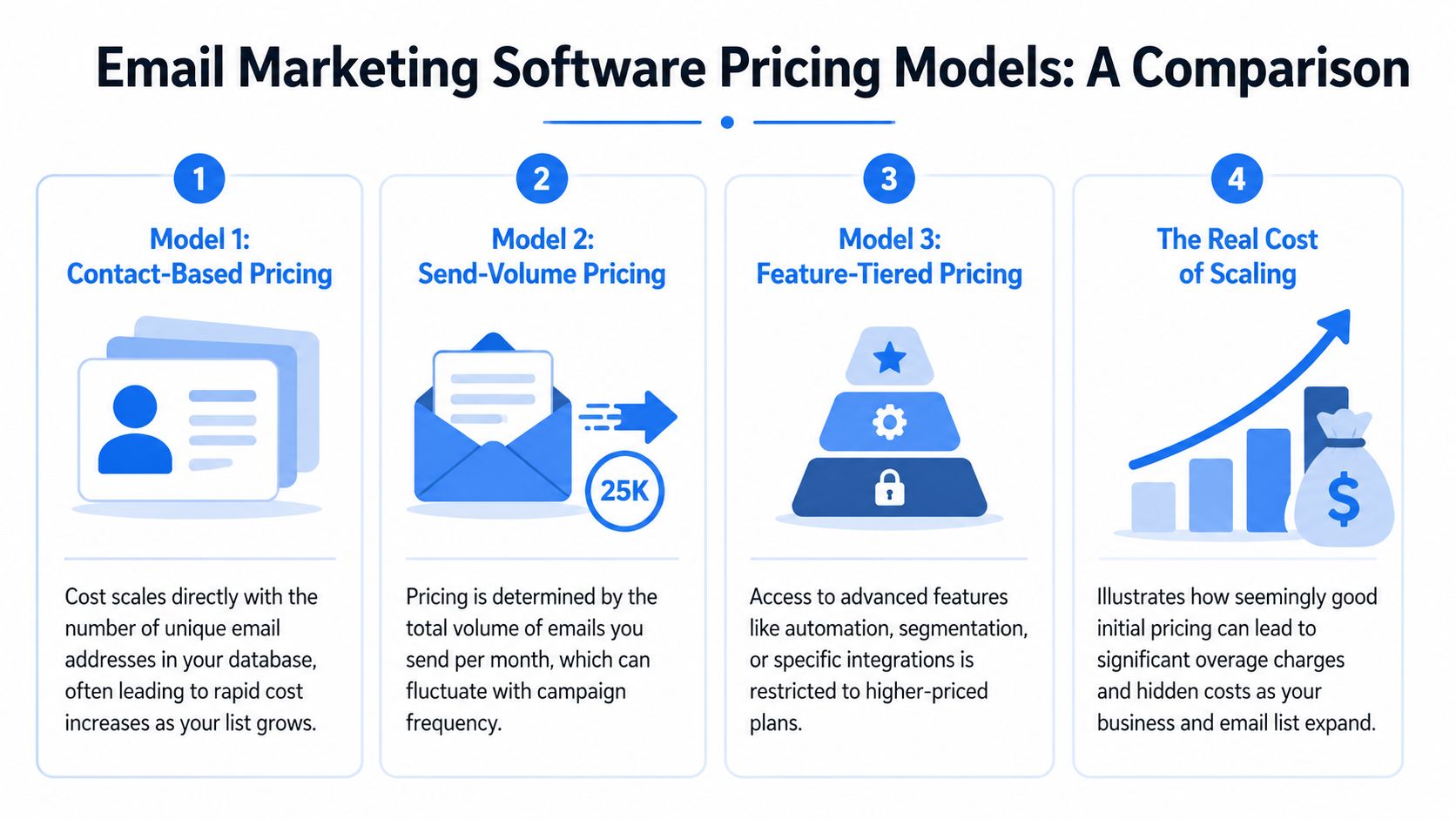
A lot of ecommerce tools start cheap enough that founders stop asking questions. Then subscriber-based pricing kicks in, feature gates appear, and the cost curve stops matching actual usage. According to ChartLocal’s 2025 ecommerce ESP pricing review, many platforms start around $9-13/month, but costs can climb sharply with list size, with Mailchimp scaling to €1,980/year for 25k subscribers. The same source notes email’s average ROI at $36 per $1 spent, which is great for the channel, but it doesn’t excuse sloppy pricing.
Why cheap entry pricing misleads
There are a few common models, and all of them create different incentives.
| Pricing model | What you pay for | Where it hurts |
|---|---|---|
| Contact-based | Number of subscribers stored | You pay more as the list grows, even if engagement doesn’t |
| Send-volume | Number of emails sent | Costs move with activity, which is often fairer |
| Feature-tiered | Access to automation, testing, integrations | Core capability gets locked behind upgrades |
| Hybrid | Contacts plus sends plus premium features | Hard to predict, easy to outgrow |
The biggest issue with contact-based pricing is philosophical as much as financial. It charges you rent on your own audience. If your list includes seasonal shoppers, inactive names you’re cleaning up, or long-cycle buyers, you still pay for the privilege of keeping them in the database.
A better way to read pricing pages
When you compare vendors, don’t just ask, “What’s the entry plan?” Ask these instead:
- What happens when the list doubles?
- What happens when I send less often but store more profiles?
- Which features become gated later?
- Can I reduce costs without breaking automations?
The right pricing model should reward better sending habits. It shouldn’t punish audience ownership.
A lot of brands end up stuck because migration feels painful, so they absorb rising software costs much longer than they should. That’s how “we’ll revisit later” turns into another year of oversized ESP spend.
The part most vendors don’t say out loud is that subscriber pricing creates a built-in conflict. Your business wants efficient retention. The platform benefits when your list expands and your dependency deepens.
For ecommerce operators, that’s the wrong alignment from day one.
A Smarter Path Owning Your Email Infrastructure
The break point usually looks the same. Revenue is up, email volume is up, and the platform that felt cheap at the start now acts like a tax on growth. Then a policy change, account review, or shared-pool deliverability issue reminds you that you are not just buying software. You are renting a sending layer you do not control.
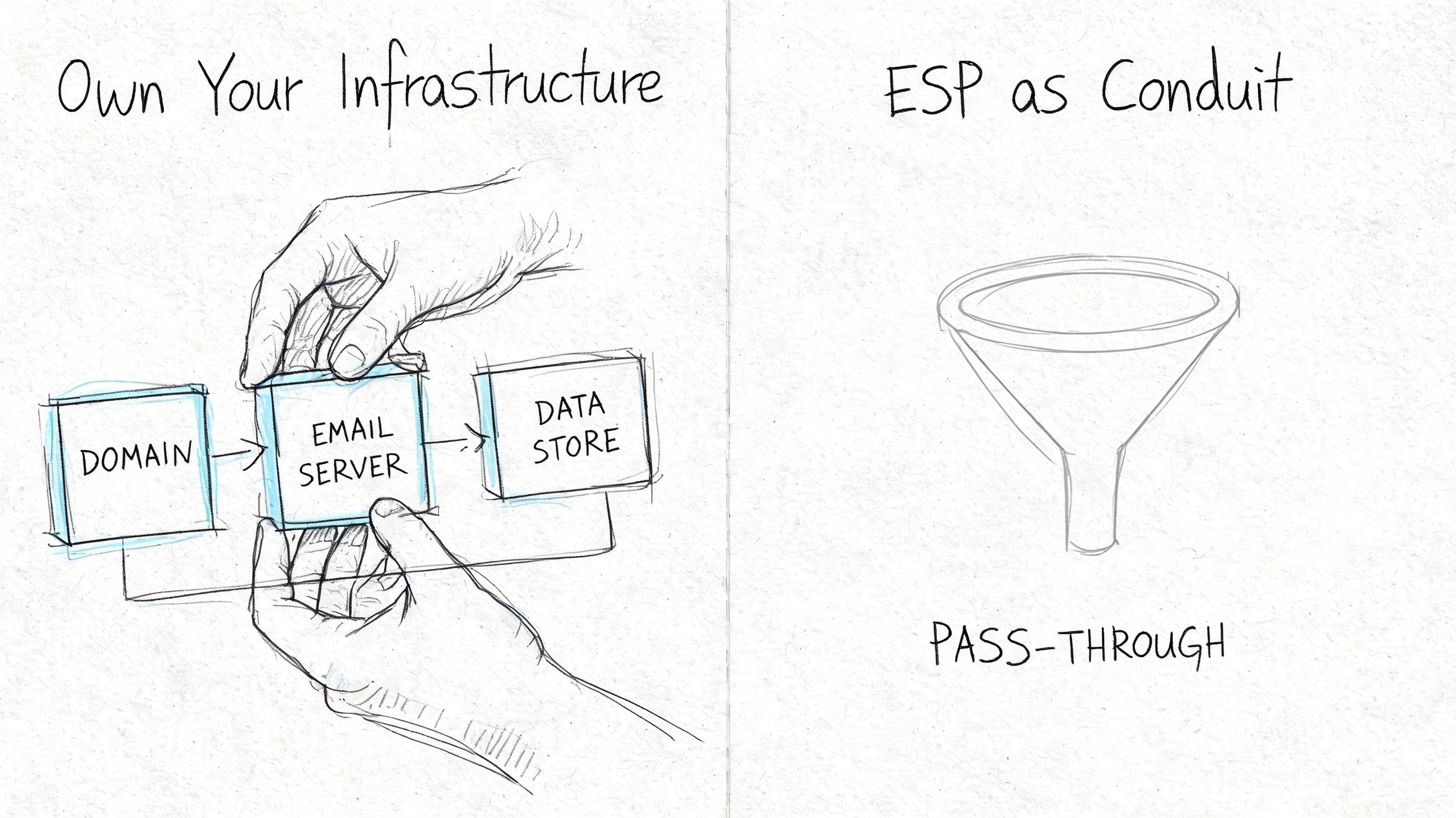
A cleaner model is BYO-provider. The marketing app and the sending infrastructure are separate. You choose the mail provider that sends the messages, then connect software for campaigns, automation, segmentation, and reporting on top of it.
That changes the conversation from "Which ESP has the nicest interface?" to "Who owns the expensive, fragile part of this stack?"
In a bundled ESP, the application layer, the sending rails, and part of your reputation management are wrapped together. That is convenient early on. It also means the vendor can mark up infrastructure, limit configuration, and make it painful to switch later. With a BYO setup, those layers stay distinct:
- Sending provider: the service that relays the email
- Application layer: flows, broadcasts, audience logic, templates, reporting
- Reputation asset: your domain, authentication, and sending history
The upside is control. The trade-off is responsibility.
You need to configure the account correctly, set up authentication, and treat warmup like an operational task instead of an afterthought. If you skip that part, owning the rails will not save you. If you do it right, you stop paying software-company margins on raw email delivery and you reduce the risk of having your channel tied to someone else’s shared environment. A practical starting point is this guide on how to warm up an email domain.
Mailtani is one example of this model. It lets stores use providers such as Amazon SES, Resend, or Mailtrap while keeping the campaign and automation layer separate. That setup will appeal to operators who want lower sending costs, cleaner provider portability, and more say over how mail is authenticated and routed.
Who should look at this first?
- Stores whose software bill climbs faster than email revenue
- Teams that want direct control over DKIM, SPF, and DMARC
- Brands with a real deliverability program, not just campaign scheduling
- Operators who have already dealt with surprise suspensions or policy shifts
- Any business that wants the option to change providers without rebuilding everything
This is not the right first move for every store. A small shop sending occasional campaigns may prefer the convenience of a bundled ESP for a while. But once email becomes a serious retention channel, renting both the software and the infrastructure starts to create the wrong incentives.
Owning your sending stack will not fix weak offers, bad segmentation, or list hygiene problems. It does fix a structural problem. Your email channel becomes an asset your business controls, instead of a line item that gets more expensive and more fragile as you grow.
Your Buying Checklist and Migration Plan
If you’re choosing software today, ignore the homepage slogans and use a harder checklist.
The shortlist questions
Ask every vendor these questions before you commit:
- How does pricing scale: Is the model based on subscribers, sends, features, or a mix?
- What do I control in deliverability: Can I manage authentication, monitor reputation, and avoid shared-pool dependence?
- How deep are the store integrations: Does the platform react to cart, browse, purchase, and catalog data in a way that supports real automation?
- Can I leave cleanly: Can I export contacts, segments, templates, and key data without friction?
- Who owns the sending layer: The platform, or my business?
If a sales call gets slippery on any of those, that’s your answer.
A sane migration sequence
Migration gets overcomplicated because teams try to move everything at once. Don’t do that.
Use this order instead:
- Export and clean the list so you’re not migrating dead weight.
- Move core segments first such as active customers, recent buyers, and current subscribers.
- Reconnect essential automations starting with welcome, cart, and post-purchase.
- Verify your sending setup before sending meaningful volume.
- Warm up the new domain or provider gradually so mailbox providers can build trust.
- Keep the old platform available temporarily in case you need to reference logic, templates, or exclusions.
The biggest migration mistake is rushing the first sends. A clean move with a measured warmup protects the thing you’re trying to improve.
If you’re evaluating email marketing software for ecommerce right now, don’t just compare features. Compare incentives, infrastructure, and exit paths. That’s where the expensive mistakes hide.
If you’re tired of paying markup on email infrastructure you don’t own, Mailtani is worth a look. It gives you the campaign and automation layer while letting you bring your own sending provider, which is a practical fit for ecommerce teams that want more control over costs, deliverability, and portability.

