Guides
Inbox and One-off Emails
Every reply to your campaigns, sequences, flows and one-off emails lands in one inbox, and you answer from there without opening another email app. The inbox is included on the Free plan; replies you send count toward your 100 free emails.
Connect Your Mailbox
Where to find it
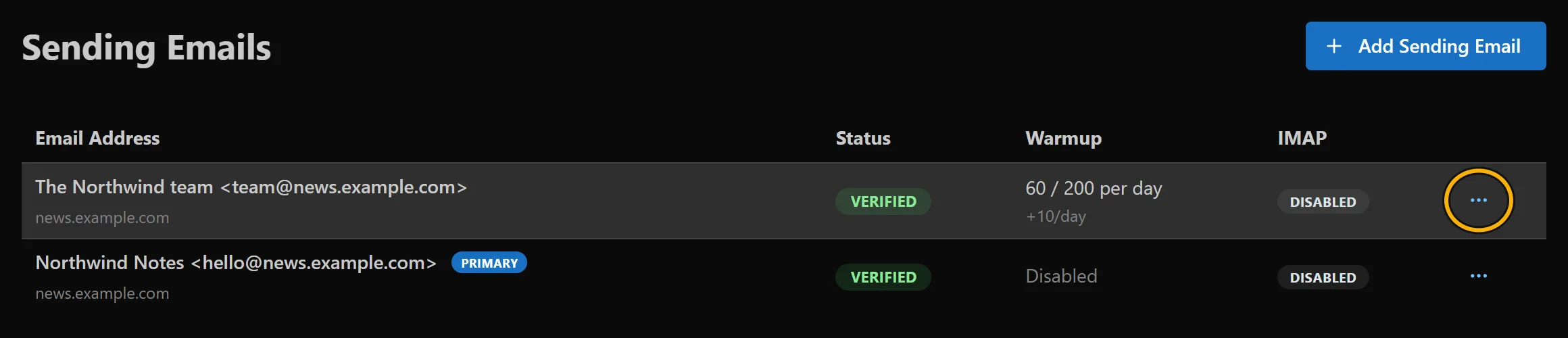
Sending Emails › your address › Configure IMAP
mailtani reads replies from your sending address's mailbox over IMAP. Go to Sending Emails, click the ⋯ menu on your address, then Configure IMAP. Turn on Enable IMAP Sync, fill in the IMAP Host, IMAP Port, Username and Password your email provider gives you, and click Save Settings.
Read and Answer Replies
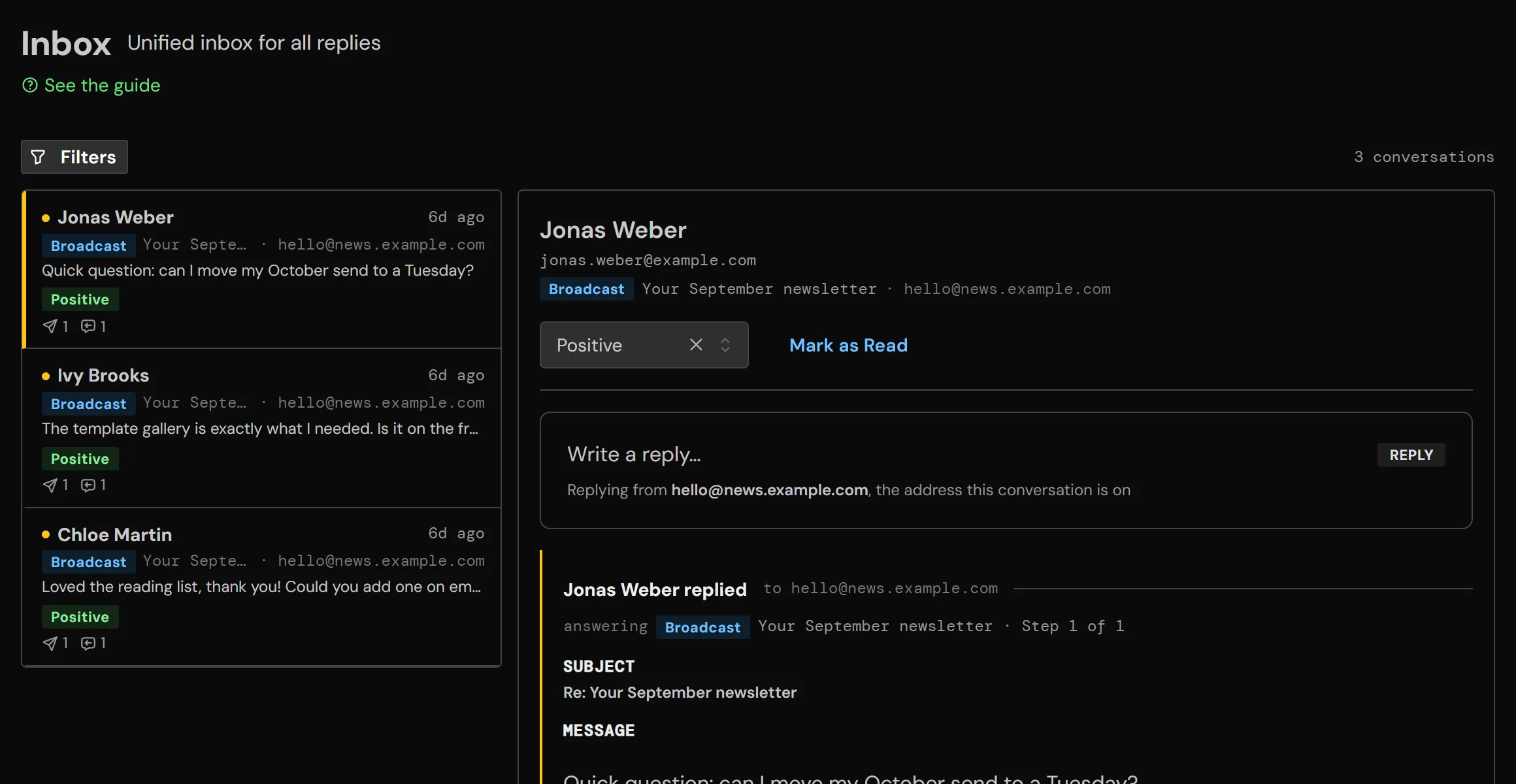
Where to find it: Inbox in the sidebar.
Conversations are listed on the left, newest first. Open one to see the reply and the email it answers. Type in Write a reply... to answer: it goes out from the address the conversation is on, so it stays in the same thread for the person you're talking to. Set a reply category (Positive, Negative, Meeting, Closed and so on), or click Mark as Read.
Filters narrow the list by sending account, campaign, domain, reply category, date range, or unread only.
Send a One-off Email
Where to find it
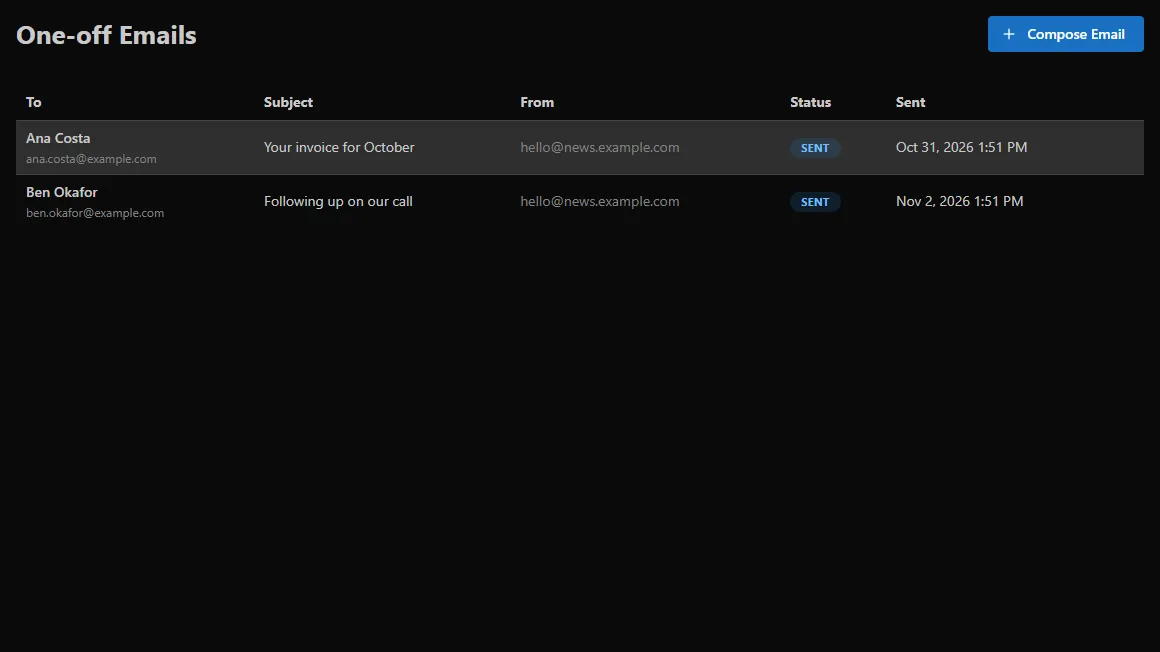
One-off Emails › Compose
For a single email that isn't part of a campaign, go to One-off Emails and click Compose Email. Pick the From address, type who it goes to, write it, and send it now or set Schedule Send Time. Replies come back to your inbox like any other.