
Send From Your Real Inbox. Track Replies Automatically.
mailtani connects to your inbox via IMAP, tracking replies, stopping sequences on response, and monitoring inbox health. Real inbox sending, not API relay.
100 free emails, no card · Yearly or Lifetime when you want more
See it in the app
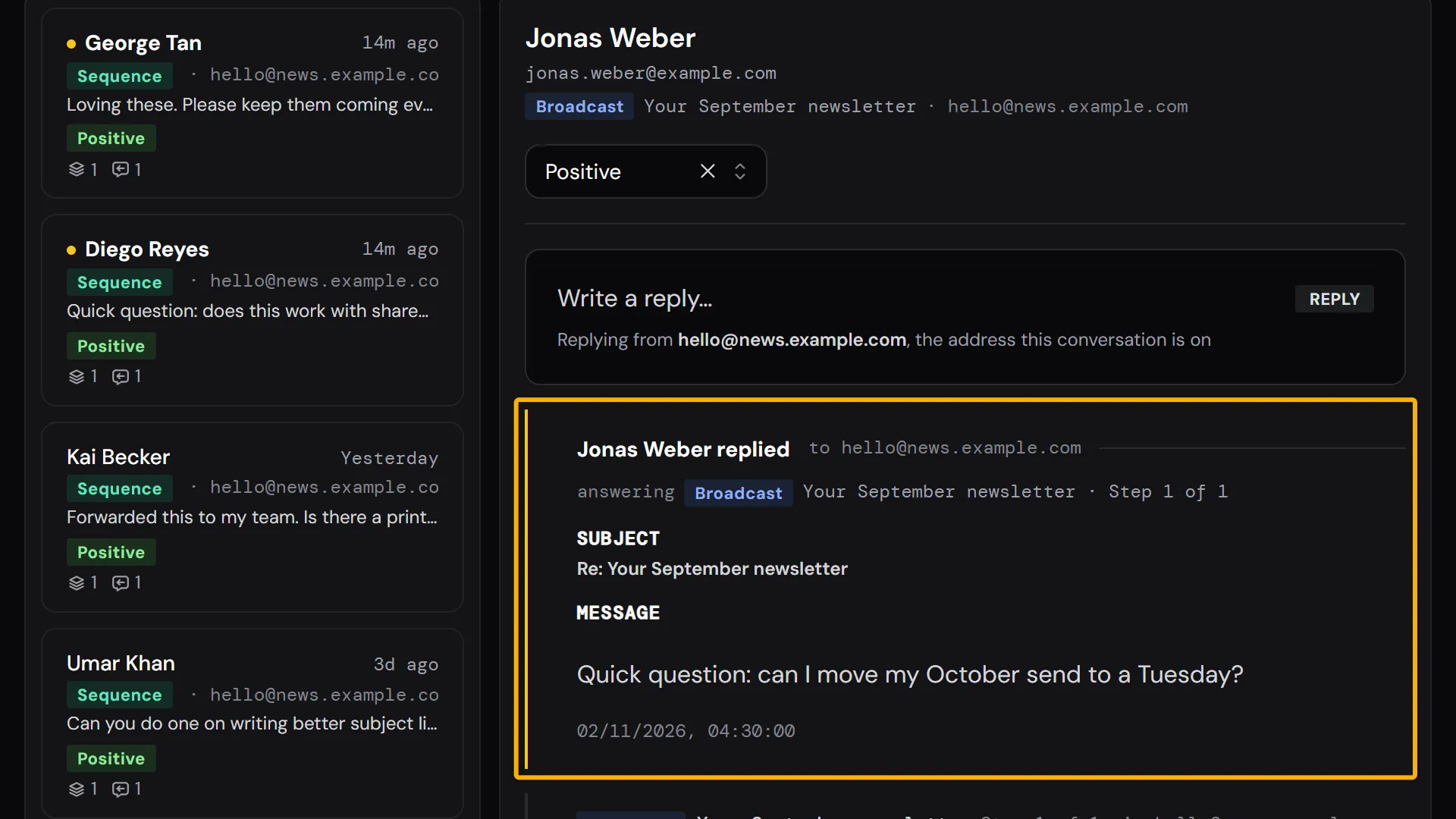
The real screen in mailtani, with the setting marked.
Step-by-step guide in the Help Center →
How to Set It Up
Why API-Only Email Tools Miss Replies
Most email tools send via API and have no visibility into your actual inbox. They can't detect replies, can't stop sequences, and can't tell you if your inbox is being throttled.
- API-based senders have no way to detect when a prospect replies to your campaign
- Sequences keep sending after someone responds, damaging trust and sender reputation
- No visibility into inbox-level metrics: throttle rate, bounce pattern, placement signals
- Multiple inboxes across Gmail, Outlook, and SES managed separately with no unified view
- Inbox suspension detected only after campaigns fail, no early warning signals
How IMAP Sync Works in mailtani
Connect once. mailtani monitors your inbox in the background, tracking replies, stopping sequences, and watching inbox health.
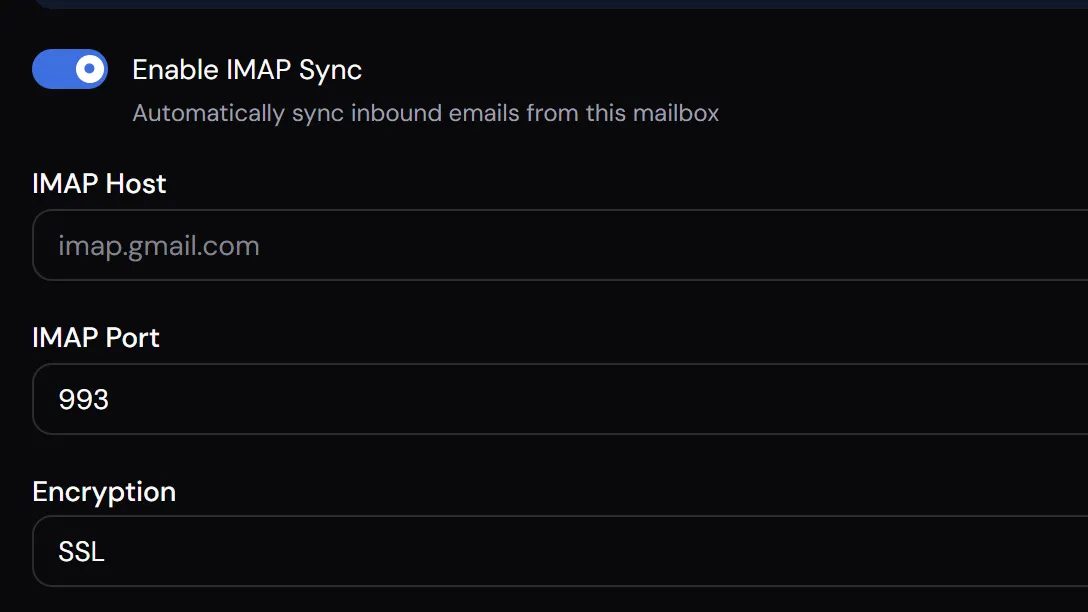
Connect via IMAP
Link your sending inbox using your IMAP credentials (host, port, username, password). mailtani supports Gmail (via App Password), Outlook, and any IMAP-compatible provider including custom SMTP servers.
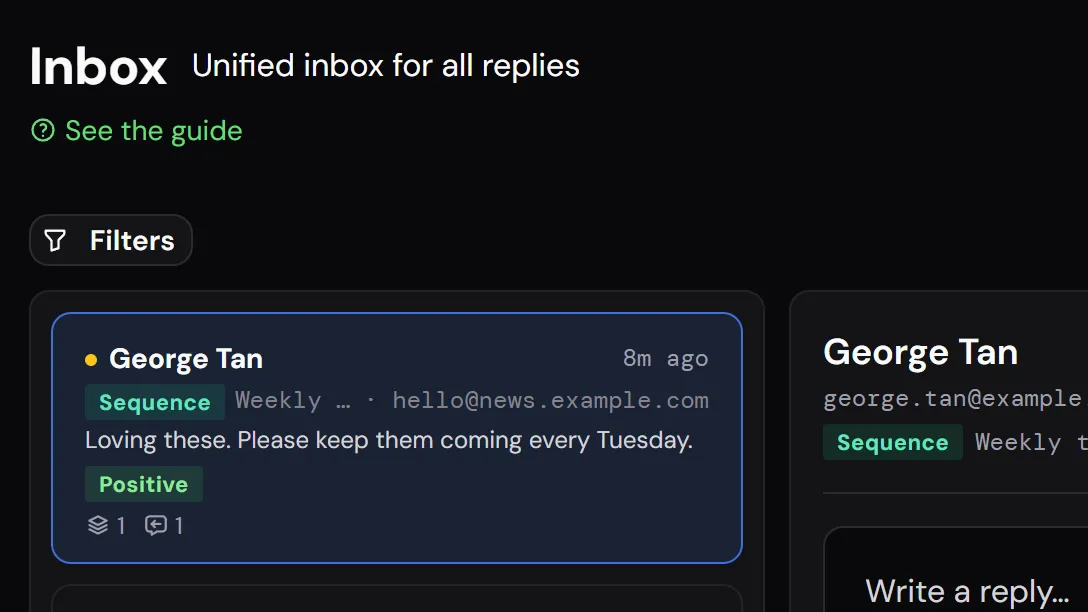
Reply detection runs automatically
mailtani polls your inbox for new messages matching active campaign threads. When a reply is detected, the contact is flagged as "replied" and removed from their active sequence immediately.
Read and answer replies in one place
Replies from every connected mailbox land in the mailtani inbox, where you tag them and answer from the same address. Each campaign's reply rate shows in analytics.
Full Inbox Visibility and Control
Real inbox sending with real reply tracking, not a black-box API relay.
Real-time reply detection
mailtani syncs your inbox via IMAP and detects replies as they arrive. No manual checking: replies are logged to the contact record and campaign analytics automatically.
Auto-stop on reply
When a reply is detected, the contact is immediately removed from their active sequence. No awkward follow-ups after a conversation has already started.
Reply rate per campaign
Track reply rate per campaign and per sequence step. See which emails generate conversations and which ones get ignored: and optimise from real data.
Inbox health monitoring
Per-inbox dashboard shows warmup score, daily send count, bounce rate, and throttle indicators. Catch issues before they cascade into deliverability problems.
Unified multi-inbox view
All your connected inboxes: Gmail, Outlook, SES, visible in one dashboard. No switching between accounts or tools to get a full picture of your sending infrastructure.
Works alongside warmup
IMAP sync and email warmup share the same inbox connection. Warm up a new inbox and immediately use it for reply tracking and sequence management without any additional setup.
Ready to get started?
One-time payment. Everything included. No monthly fees.
What Changes When You Use mailtani
- Sequence sends a follow-up to someone who replied yesterday, embarrassing
- No reply tracking per campaign or per sequence step
- Multiple inboxes require separate logins and separate tools to monitor
- Inbox throttled by Gmail: you find out when open rates collapse, not before
- No single view of all inboxes' health: warmup status, bounce rate, send limits
- IMAP sync detects replies in real time, sequence auto-stops immediately
- Reply rate tracked per campaign and per sequence step in the dashboard
- All inboxes monitored in one place: warmup score, send rate, delivery health
- Per-inbox alerts when throttling or bounce rate thresholds are exceeded
- Unified inbox dashboard across Gmail, Outlook, and custom SMTP providers
mailtani vs the Alternatives
| Tool | Their approach | ✦ mailtani |
|---|---|---|
| Mailchimp | No IMAP sync: API relay only, no reply tracking | IMAP sync: reply tracking, auto-stop, inbox monitoring |
| Brevo | No reply tracking via IMAP, delivery-only API | Full IMAP integration for reply detection and sequence control |
| Instantly | Reply detection via IMAP but no BYOS control | IMAP + BYOS + warmup, full inbox ownership |
Who IMAP Email Sync Is For
Cold email senders
Running sequences that need to stop when someone replies? IMAP sync is what makes auto-stop work. Without it, you're flying blind on replies and following up with people mid-conversation.
Multi-inbox operators
Managing 5+ inboxes across different domains and providers? IMAP sync gives you one dashboard for reply tracking, health monitoring, and sequence control across all of them.
Deliverability-focused senders
IMAP monitoring gives you early warning signals: throttle patterns, bounce spikes, and engagement drops, before they become serious deliverability problems.
Common Questions
Everything Works Together
Who Uses This Feature
See How We Compare
Connect Your Inbox. Track Every Reply.
IMAP sync, auto-stop on reply, and inbox health monitoring, included in every mailtani plan.
100 free emails, no card · Yearly or Lifetime when you want more