
Run Your Email Marketing From Your AI Assistant.
mailtani has an MCP server with 49 tools. Ask Claude, Cursor or Codex to build a flow, test it on a real contact, send an email or answer a reply, and it does it in your mailtani account.
100 free emails, no card · Yearly or Lifetime when you want more
See it in the app
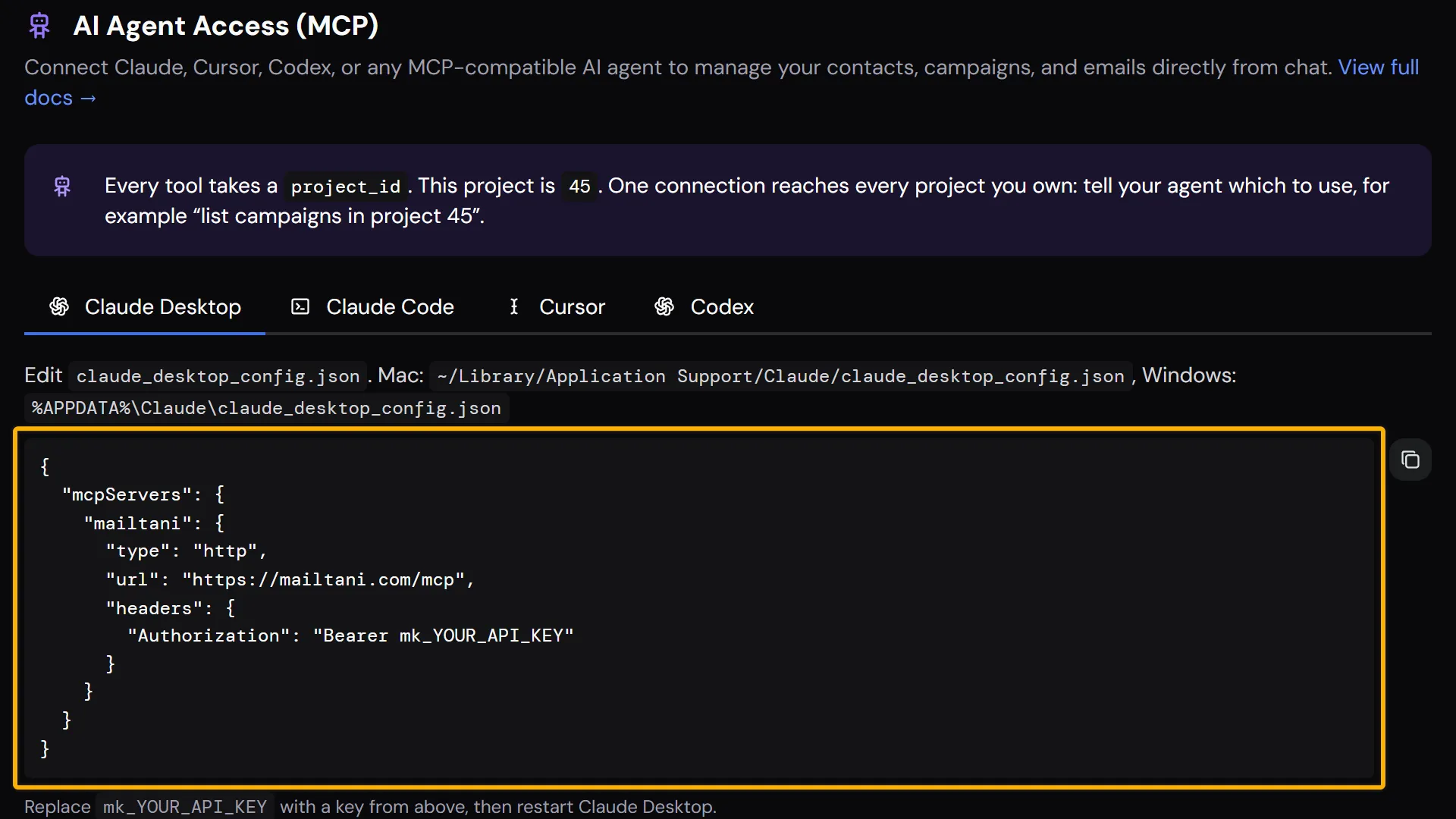
The real screen in mailtani, with the setting marked.
Why Most AI Email Setups Stop at "Send"
An assistant that can only send an email still leaves you in the dashboard for everything that matters: the flow, the segment, and the question of why someone didn't get the email.
- Many email MCP servers only send email and manage contacts, so the automation is still built by hand
- An assistant can write a flow, but it can't tell you which email a real contact would get before it goes live
- When a flow stops sending, the answer is buried in logs the assistant can't read
- Replies land in another inbox, so the assistant never sees the conversation
How to Connect Your AI Assistant
No code. Create a key, paste one block into your AI client, and ask.
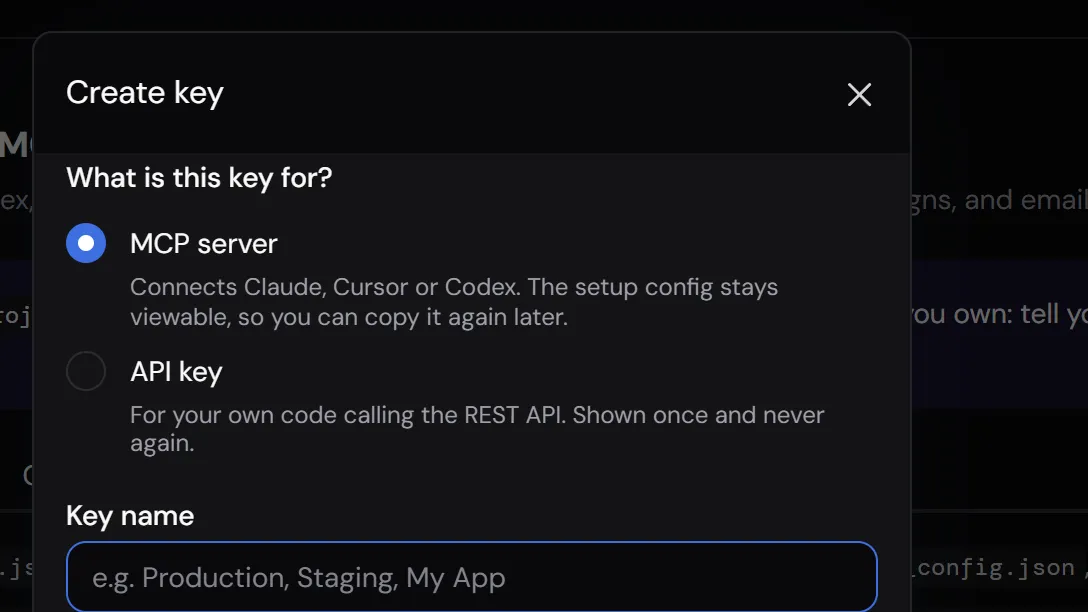
Create an MCP key
In mailtani, open API Keys / MCP in the sidebar, choose Create key and pick MCP server.
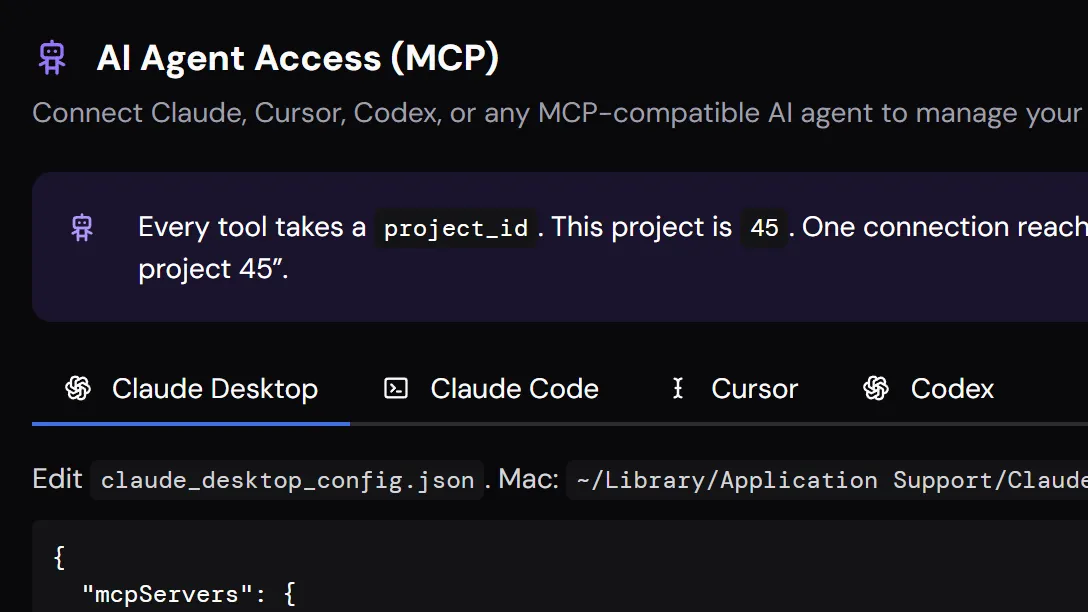
Paste the config into your client
mailtani shows a ready-to-paste block for Claude Desktop, Claude Code, Cursor and Codex, with your key and Project ID already filled in.
Ask in plain words
"Create a segment of contacts who signed up this week", "build a welcome sequence", "why didn't this contact get the trial email?". The assistant picks the tools.
What Your Assistant Can Do in mailtani
The same things you do in the app, plus the checks that are slow to do by hand.
Build sequences and flows
Create broadcasts, sequences and branching flows. Flows are saved as drafts, so nothing sends until you or the assistant activates them.
Test a flow on a real contact
simulate-flow walks a flow with one contact's stored fields and shows every branch and email they would get. It sends nothing and writes nothing.
Find out why an email didn't send
Read a contact's full path through a flow, the latest flow health check, stuck enrollments and missing fields, then fix the cause.
Manage contacts and segments
Add, update and tag contacts, build lists and segments, add custom fields, and fire events that start flows.
Answer replies
List inbox threads, read a conversation and reply to it from your sending address.
Send one-off emails
Send an email through your own provider. It counts against your daily send limit like any other email.
Ready to get started?
One-time payment. Everything included. No monthly fees.
What Changes When You Use mailtani
- Copy the email the assistant wrote, paste it into the builder, set up the trigger yourself
- Activate the flow and hope the branches work for real contacts
- A customer says they never got the email: open the logs and trace it by hand
- Switch to your inbox to answer the replies
- Ask for the flow: the assistant creates it as a draft in mailtani
- Ask "what would Anna get?": it simulates the flow on her real fields, sends nothing
- Ask why an email didn't go out: it reads the enrollment trace and the flow health check
- Ask it to answer a reply: it reads the thread and replies from your sending address
mailtani vs the Alternatives
| Tool | Their approach | ✦ mailtani |
|---|---|---|
| SendGrid | Its official MCP server looks up documentation; it can't send email or manage contacts | 49 tools: contacts, lists, segments, campaigns, flows, sending, inbox and flow health |
| Amazon SES | No production MCP server from AWS for SES | Keep sending through your own SES key, and run everything on top of it from your assistant |
| Send-only MCP servers | Send an email, add a contact | Also simulate a flow on a real contact, trace why an email didn't go out, find stuck enrollments |
Who It's For
Founders who live in Claude or Cursor
Set up onboarding emails, a launch broadcast or a segment without opening another dashboard.
Developers wiring lifecycle email
Use the API to sync contacts and fire events from your app, and the MCP server to build and debug the flows those events start.
Anyone debugging a flow
"Why didn't she get it?" usually takes an afternoon of logs. The assistant reads the enrollment trace and the flow health check and tells you.
Common Questions
Everything Works Together
Who Uses This Feature
See How We Compare
Let Your Assistant Run the Busywork.
Start free, then connect Claude, Cursor or Codex on a paid plan.
100 free emails, no card · Yearly or Lifetime when you want more